Yang terbaik WooCommerce hosting providers in our selection are ScalaHosting, Kinsta, dan Cloudways. ScalaHosting ranks #1 for its specialist support, strong performance in our tests, and integrated SPanel alat. Kinsta provides premium managed hosting with straightforward administration, while Cloudways offers a choice between configurable cloud servers and automatic scaling.
WooCommerce stores need hosting that keeps product searches, shopping carts, checkout, and order management responsive. A fast homepage matters, but customers also need reliable performance when their requests cannot come from a page cache.
Kami WooCommerce hosting recommendations in this guide combine hosting tests, practical experience, management features, and operating costs. UltaHost adds regional options for stores serving the Middle East and Africa, GreenGeeks provides renewable energy matching, and Levamo specializes in demanding WordPress stores and other dynamic workloads.
Yang WooCommerce Hosting Providers Do We Recommend?
The following configurations provide useful starting points for comparison. The appropriate plan still depends on your store’s plugins, catalog, concurrent activity, and management needs.
| Pembekal | Product or Configuration | Kekuatan Utama | Advertised Pricing | Had Utama |
|---|---|---|---|---|
| ScalaHosting | Managed Cloud Build #1 | Overall balance of support, resources, and SPanel alat | $22.46/mo prepaid for 12 months; renews at $54.95/mo | Significant renewal increase |
| Kinsta | Single 40GB, bandwidth-based plan | Premium management and MyKinsta | $25/mo for the first three months, then $50/mo on monthly billing | Premium costs and plan allowances |
| Cloudways Flexible | Example: 4GB RAM, 2-vCPU configuration | Infrastructure choice and server control | $54/mo, before optional services and additional usage | Capacity upgrades require management decisions |
| Cloudways Autonomous | Pertumbuhan | Automatic horizontal scaling | $99/mo baseline, with additional scaling, storage, and bandwidth charges | Total spending rises with usage |
| UltaHost | Perniagaan WordPress | Regional hosting options including Middle East & Africa | $7.48/mo prepaid for 24 months; renews at $12.43/mo | Regional availability must be checked for the selected plan |
| GreenGeeks | Premium | 300% renewable energy matching and Redis ketersediaan | $6.95/mo prepaid for 12 months; renews at $31.95/mo | Higher ongoing cost after the promotion |
| Levamo | Perniagaan 1 | Dynamic stores, memberships, and courses | $1 for the first month, then $119/mo on monthly billing | Store-focused features require a higher tier |
Prices checked November 17, 2026, in USD. Promotional offers are temporary. These are selected configurations, rather than each provider’s cheapest plan. UltaHost’s regional configuration may carry different pricing.
1. ScalaHosting

https://www.scalahosting.com/managed-woocommerce-hosting/
ScalaHosting is our overall recommendation for WooCommerce owners who want capable managed hosting and dependable technical assistance. Its managed cloud plans combine allocated server resources with SPanel, reducing the administration involved in running a growing store.
The platform also serves agencies that manage several client shops. Dashboard branding and account-access tools allow agencies to provide hosting under their own identity.
Kenapa Pilih ScalaHosting Untuk kamu WooCommerce Kedai?
ScalaHosting’s performance is a major reason we recommend it. In our published OpenCart store test, ScalaHosting handled up to 500 simulated concurrent users without errors. That is useful evidence of its eCommerce hosting capabilities, although the result should not be read as a guarantee of equivalent WooCommerce checkout capacity. Kami ScalaHosting mengkaji explains the testing context.
SPanel, Scala’s proprietary web hosting control panel, brings everyday hosting tasks into one interface. The managed cloud offering includes OpenLiteSpeed caching, real-time malware protection, automatic offsite backups, SSL certificates, staging, and developer access. Agencies can add their branding and grant access to collaborators or client accounts.
The company’s refund flexibility is another attraction. Eligible new customers can request a full refund within the first 30 days, followed by refunds for unused prepaid hosting time under its anytime money-back terms.
Tangkapan itu. Scala’s promotional prices rise substantially at renewal. Managed hosting also has support boundaries: custom checkout development, faulty extensions, and third-party integrations may still require your developer’s involvement.
2. Kinsta

https://www.kinsta.com/
Kinsta is our premium choice for WooCommerce owners who want a managed platform with clear administration tools. Its appeal lies in the combination of performance, specialist support, security, and the MyKinsta papan pemuka.
kemas kini: Kinsta’s infrastructure has evolved since its earlier Google Cloud positioning. Its current documentation describes migration to Oracle Cloud Infrastructure, so you should check the available regions for their deployment.
Kenapa Pilih Kinsta Untuk kamu WooCommerce Kedai?
Kinsta simplifies the operational work surrounding a WooCommerce store. MyKinsta brings analytics, staging, access controls, and troubleshooting tools together, making it easier to investigate problems without navigating several disconnected services.
The included application performance monitoring tool can identify slow plugins, database queries, and functions. That matters when a store’s performance problem comes from an extension or database operation rather than insufficient server capacity. MyKinsta also supports selective staging pushes, allowing teams to deploy particular files or database tables.
Kinsta mengkonfigurasi WooCommerce cart, checkout, and account pages to bypass full-page caching. Cacheable content benefits from its Cloudflare integration, while personalized requests remain live. This distinction protects shopping-session behavior while reducing unnecessary processing elsewhere.
Our assessment of Kinsta remains positive on performance, support, and management. We see its strongest value in stores where technical assistance and easier operations justify a higher hosting bill. Kami Kinsta mengkaji covers that balance in greater detail.
Tangkapan itu. Kinsta’s costs can increase as storage, bandwidth, or processing needs grow. Check extension compatibility and optional services before migrating. Standard Kinsta plan also should not be confused with a horizontally scaled, load-balanced deployment of your Woo store.
3. Cloudways

https://www.cloudways.com/
Cloudways provides two useful paths for WooCommerce hosting. Flexible gives owners and developers more control over server configuration, while Autonomous handles automatic scaling for changing traffic levels.
Our ongoing experience with Cloudways includes hosting usage, technical-support interactions, and WooCommerce performance testing. That gives us practical reasons to recommend the platform alongside its advertised features.
Kenapa Pilih Cloudways Untuk kamu WooCommerce Kedai?
Cloudways Flexible suits stores that need configurable resources without administering a cloud server entirely themselves. You select the infrastructure and capacity, then manage the application through Cloudways’ platform. Staging, cloning, monitoring, and caching tools support routine development and maintenance.
Kami WooCommerce experiment compared DigitalOcean Premium and CPU-Optimized configurations using identical stores. During a Loader.io test targeting the shop page, the CPU-Optimized configuration recorded a 509 ms average response time, compared with 552 ms for the Premium configuration. The longest response fell from 3,433 ms to 1,857 ms. These were browsing-load results, rather than completed checkout transactions.
Kami Cloudways WooCommerce ujian illustrates why choosing the right processor allocation can matter more than comparing RAM alone. Both tested configurations belong to the Flexible offering.
Cloudways Autonomous addresses a different need. It automatically adds capacity through horizontal scaling, reducing manual intervention during traffic spikes. Its plans include Cloudflare Perusahaan, Redis, and Object Cache Pro, with charges applying beyond the baseline allocation.
Tangkapan itu. Our technical-support experience has been good, but billing has been less satisfactory. We have encountered incorrect charges that took considerable time to resolve. Price increases, optional services, and usage charges also deserve attention when estimating the ongoing bill. Kami Cloudways mengkaji discusses these experiences.
4. UltaHost
https://www.ultahost.com/
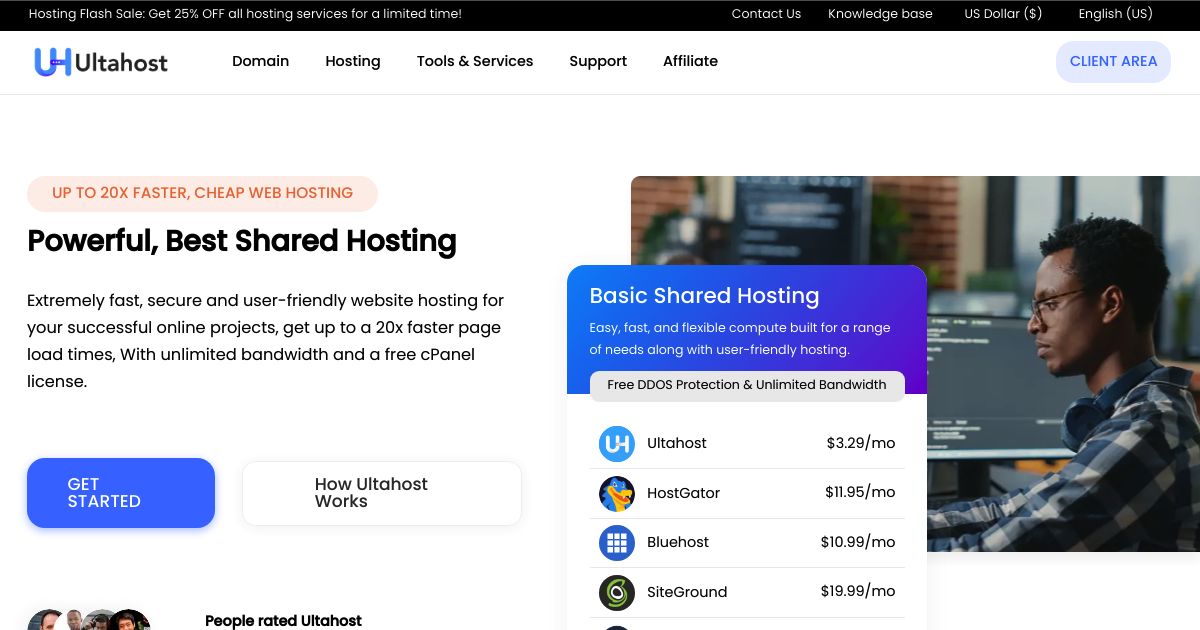
UltaHost deserves consideration when your store needs an origin server near customers in a particular regional market. Its advertised locations include Riyadh, Dubai, and Johannesburg, providing options worth investigating for Middle Eastern and southern African audiences.
UltaHost juga menyediakan WordPress packages marketed for WooCommerce, alongside VPS and larger server configurations. The right choice depends on both location availability and the resources your store requires.
Kenapa Pilih UltaHost Untuk kamu WooCommerce Kedai?
UltaHost’s regional reach is its clearest distinction in this list. A nearby origin can reduce network delay for requests that require live processing, including cart updates, account access, and checkout. This makes origin placement relevant even when a CDN serves product images and other static files.
Location should follow the customer market. A Johannesburg server may be worth evaluating for South African shoppers, while Dubai or Riyadh may suit a Gulf-focused store. These are starting points for latency testing, rather than guarantees that one city serves an entire continent or region well.
UltaHost's WooCommerce offering lists daily backups, SSL, staging, managed WordPress dan PHP, security patching, and round-the-clock support. These features provide a practical foundation for launching and maintaining a store.
Our recommendation is to establish the required location first, then compare the available WordPress or VPS configurations. Kami UltaHost mengkaji provides broader context on its hosting products and upgrade options.
Tangkapan itu. UltaHost’s company-wide location list does not establish availability on every WooCommerce plan. Confirm the selected location, management scope, resource limits, and final price before ordering. A low-cost WordPress package and a region-specific VPS may represent different purchases.
5. GreenGeeks

https://www.greengeeks.com/
GreenGeeks is our sustainability-focused recommendation for smaller WooCommerce stores. Its hosting combines familiar WordPress tools with a long-running renewable energy matching policy.
The company’s “300% green” positioning refers to renewable energy certificates. GreenGeeks works with the Bonneville Environmental Foundation to purchase certificates matching three times its calculated electricity consumption. It also supports tree planting for newly provisioned hosting accounts.
Why Choose GreenGeeks for Your WooCommerce Kedai?
GreenGeeks provides a practical option for store owners who want environmental commitments to influence their hosting purchase. Our broader testing and review experience found solid everyday performance, making the service worth considering alongside its sustainability policy. Our GreenGeeks review explains our assessment.
Untuk WooCommerce, we would look closely at Premium rather than select Lite purely for its lower signup price. GreenGeeks provides Redis on its EcoSite Premium platform, allowing eligible accounts to use a private Redis instance for object caching. Its documentation notes that availability can vary during rollout, so confirm support on the assigned server.
Object caching can reduce repeated database work, which is useful for stores with frequent product queries and other dynamic activity. Premium also provides more storage than the lower tiers, giving owners additional room for product images and website files.
Tangkapan itu. GreenGeeks’ introductory discount is much lower than its ongoing price. Premium currently renews at $31.95 per month after the advertised annual promotion. Its environmental policy also does not establish capacity for a busy store; processing limits and actual workload still determine when an upgrade becomes necessary.
6. Levamo

https://www.levamo.com/
Levamo, formerly Rapyd Cloud, sasaran WordPress sites with demanding dynamic workloads. Our experience with the service began before the rebrand, and its focus remains relevant to WooCommerce stores, memberships, courses, and online communities.
Levamo is particularly interesting when several of these functions run within one website. A store combining purchases, member accounts, and course access places different demands on hosting than a mostly cached publishing site.
Why Choose Levamo for Your WooCommerce Kedai?
Levamo’s strongest attraction is its attention to database activity and logged-in users. These workloads depend on application processing even when a CDN and page cache handle public content efficiently.
We would start by evaluating Business rather than its cheapest Starter plan. Business includes KeyDB and Redis object caching, plus the provider’s listed 2x auto-scaling feature. Higher Performance plans add Elastic Search integration for WooCommerce, which can help offload product-search queries from the main database.
Levamo also includes staging, automated cloud backups, migration assistance, and specialist chat support. These services make the platform worth considering for owners who want managed infrastructure behind a complex WordPress perniagaan.
Our Levamo review includes our earlier coverage under the Rapyd Cloud name and discusses published performance benchmarks. Those external benchmark results provide supporting context, while remaining separate from our own usage experience.
Tangkapan itu. The features that make Levamo attractive for WooCommerce raise the relevant starting budget. Business 1 costs $119 per month after the current $1 first-month offer, or $1,188 annually. Scaling also remains bounded by the selected plan, so compare its processing capacity and upgrade costs against your store’s busiest periods.
Menyediakan pengehosan boleh mengelirukan. Itulah sebabnya kami mencipta HostScore Bantuan Persediaan, perkhidmatan yang dilakukan untuk anda untuk mendapatkan pengehosan anda dikonfigurasikan dengan cara yang betul.
Kami membantu dengan SSL pemasangan, persediaan DNS & pelayan nama, WordPress pemasangan atau penghijrahan, dan penalaan keselamatan. Bayaran sekali. Disokong oleh jaminan bayaran balik 100%.
Terokai Perkhidmatan KamiApa itu WooCommerce Pengehosan?

"WooCommerce Hosting” provides the server environment, management tools, and support needed to run an online store built with WordPress dan WooCommerce. A suitable service supports product browsing, shopping carts, checkout, customer accounts, and background tasks such as order notifications.
Most, if not all, WordPress hosting plans can install WooCommerce. The more useful distinction between a good vs a mediocre WooCommerce hosting is how well it handles store activity and what assistance you receive when something goes wrong. WooCommerce-focused hosting may include appropriate caching rules, staging, automated backups, performance monitoring, and specialist support.
Managed hosting, such as ScalaHosting dan Kinsta, reduces server administration, but store owners still need to maintain products, review extension compatibility, and test payment and shipping workflows. The right level of management depends on your technical resources and how much disruption your business can tolerate.
Yang WooCommerce Host Should You Choose for Your Store?
Pilih WooCommerce hosting according to your store’s workload, management needs, and customer location. The following situations show how we would narrow the six recommendations listed above.
| Situasi anda | What the Hosting Needs to Provide | Hosts We Would Consider |
|---|---|---|
| Your store has outgrown basic shared hosting | More predictable resources, performance monitoring, and a straightforward upgrade path | ScalaHosting for managed cloud hosting; Cloudways Flexible for configurable infrastructure |
| You want less technical administration | Accessible management tools, managed security, backups, and specialist assistance | Kinsta untuk sayaKinsta and managed operations; ScalaHosting khususnya SPanel dan sokongan |
| Promotions cause sudden traffic spikes | Automatic scaling, sufficient baseline capacity, and clear additional usage charges | Cloudways Autonomous; bandingkan Levamo where its scaling limits fit the workload |
| Your agency manages several client stores | Dashboard branding, separate client access, collaborator permissions, and centralized administration | ScalaHosting |
| Most customers are in a particular Middle Eastern or African market | An available origin location with suitable network latency to those customers | UltaHost, after confirming the location and configuration |
| Environmental policy influences your hosting purchase | Renewable energy matching alongside suitable store resources | GreenGeeks, with Premium worth evaluating for Redis ketersediaan |
| Your store also runs memberships, courses, or community features | Capacity for logged-in activity, database queries, and concurrent PHP pemprosesan | Levamo or Levamo |
| Your developer wants infrastructure choice and configuration control | Configurable resources, developer access, staging, and useful monitoring tools | Cloudways Flexible or ScalaHosting |
Berapa Seharusnya WooCommerce Kos Pengehosan?
WooCommerce hosting costs should reflect the processing capacity, management, and recovery support your store needs. Compare the ongoing bill alongside the introductory offer, then allow for services outside the hosting package.
The following examples use the configurations and promotions listed earlier.
| Store Scenario | Contoh Konfigurasi | Initial Hosting Cost | Ongoing Cost to Budget For |
|---|---|---|---|
| A modest store with limited traffic | Premium GreenGeeks | $83.40 untuk 12 bulan pertama | $383.40 per year at the listed $31.95/mo renewal rate |
| A growing store moving to managed cloud resources | ScalaHosting Binaan #1 | $269.52 untuk 12 bulan pertama | $659.40 per year at the listed $54.95/mo renewal rate |
| A store prioritizing premium managed operations | Kinsta Single 40GB on monthly billing | $525 over the first year, assuming three months at $25 and nine months at $50 | $600 per year at the listed $50 monthly rate |
| A store preparing for variable promotional traffic | Cloudways Autonomous Pertumbuhan | $1,098 for the first 12 months using our coupon “HOSTSCORE" | $1,188 per year in baseline fees, plus additional usage |
| A complex store combining commerce with memberships or courses | Levamo Business 1 | $1,188 untuk 12 bulan pertama | $1,188 per year in baseline fees, plus additional usage |
Hosting is only one part of a Woo store’s operating cost. Premium extensions, store development and maintenance, security protection, transactional email, and payment processing can add separate charges. An inexpensive hosting plan may become less attractive if essential backups, caching, or technical assistance require additional purchases.
How Do You Choose Hosting for a WooCommerce Kedai?
For readers who are new to WooCommerce hosting, start by checking processing capacity, caching, recovery, support, and total cost. Use your store’s busiest activities to guide the comparison rather than selecting a plan from its storage allowance alone.
- Check CPU, memory, and PHP keserentakan. PHP workers process requests that cannot come from a page cache. Ask your host what happens when concurrent requests exceed the available capacity: requests may queue, slow down, or fail. Product imports, searches, checkout, and administration can compete for the same resources.
- Confirm that caching handles shopping sessions correctly. WooCommerce product and category pages can load faster with page caching; while personalized cart, checkout, and account activity needs appropriate exclusions. Object caching serves a different purpose by reducing repeated database work. Check which caching features the selected hosting plan includes.
- Match backup frequency to potential order loss. Daily backups leave a gap between the latest backup and the point of failure. Consider how many orders your store could receive during that period. Check backup retention, offsite storage, restoration assistance, and options for more frequent database backups.
- Look for staging tools you can use confidently. Convenient staging is especially valuable when you manage your own store without a developer. Look for a host that makes cloning, testing, and publishing changes straightforward. Selective deployment lets you update files without replacing the live database, helping preserve new orders and customer records while you improve the store.
- Define the support boundary. Ask who investigates slow queries, plugin conflicts, failed scheduled tasks, and checkout errors. Hosting specialists may diagnose the cause without taking responsibility for repairing third-party code. Stores with custom extensions should retain access to a developer.
- Check background tasks and transactional email. WooCommerce depends on scheduled activity for notifications, subscriptions, and other operations. Confirm how scheduled tasks are monitored and whether server cron is available when needed. Use a suitable transactional email service for order messages, then test delivery separately from website performance.
- Choose the origin location around your customers. A CDN can deliver cached assets (product images, videos, etc) faster and hence give better experience to your shoppers. For those selling in different regions, check available origin locations and test relevant customer markets.
- Calculate the full ongoing cost. Include renewal rates, additional usage, optional caching, backup upgrades, security services, and management charges. For automatic scaling, understand the baseline allocation, spending controls, and behavior when a budget limit is reached.
How Do We Evaluate WooCommerce Pengehosan?
Kami WooCommerce recommendations combine our own hosting experience, published performance tests, management features, support, and long-term costs. We also check provider documentation to understand what the selected product includes and where additional charges or restrictions apply.
Performance results need context. Our Cloudways comparison used identical WooCommerce stores, while the published ScalaHosting store benchmark used OpenCart. Both inform our assessment, but they measure different application environments. External benchmarks discussed in our Levamo review remain separate from our own experience with the service.
We also distinguish browsing traffic from complete shopping journeys. A load test targeting a shop page measures that request under the tested conditions. It does not establish how many customers can simultaneously search, add products, calculate shipping, and complete payments.
Our rankings therefore consider more than benchmark speed. Recovery tools, support boundaries, administration, and upgrade costs all affect whether a hosting service makes sense for a working store.
Kesimpulan
ScalaHosting remains our overall WooCommerce recommendation for its support, managed cloud capabilities, and SPanel alat. Kinsta dan Cloudways provide strong alternatives for different management and scaling needs, while UltaHost, GreenGeeks, and Levamo address more specific priorities. Choose a configuration around your store’s workload, then verify checkout performance, order recovery, email delivery, and ongoing costs before committing.
Soalan-soalan yang kerap ditanya
Boleh a WooCommerce Store Run on a Cheap Shared Hosting Account?
Yes. Quality shared hosting can support a small WooCommerce store with limited concurrent activity. Check CPU, memory, PHP processing limits, backups, and support before choosing a plan. Consider managed cloud or VPS hosting when store checkout, product searches, or administration regularly slow down because the store exceeds those limits.
Adakah saya perlu membayar untuk menggunakan WooCommerce?
Tidak, anda tidak perlu membayar sepeser pun untuk digunakan WooCommerce. WooCommerce ialah pemalam eCommerce sumber terbuka percuma untuk WordPress. Walaupun pemalam teras adalah percuma, terdapat potensi kos yang berkaitan dengan mencipta dan menyelenggara kedai dalam talian yang berfungsi sepenuhnya.
Berapakah kos untuk membina kedai dalam talian dengan WooCommerce?
Membina kedai dalam talian dengan WooCommerce boleh bermula dari $100 hingga $150 setiap tahun untuk persediaan asas, termasuk pengehosan, domain dan tema/pemalam asas. Kos boleh meningkat dengan ketara untuk ciri lanjutan, reka bentuk tersuai dan pemalam premium, mencecah ribuan. Perbelanjaan berterusan untuk penyelenggaraan dan pemasaran juga perlu dipertimbangkan.
How Much RAM and How Many PHP Workers Does WooCommerce Perlu?
WooCommerce resource needs depend on concurrent activity, plugin complexity, database queries, and background tasks. There is no single RAM allocation or PHP worker count that fits every store. More workers allow additional uncached requests to run simultaneously, but they also require sufficient CPU and memory. Use monitoring and realistic load tests to identify the appropriate configuration.
Adakah a CDN Kelajuan WooCommerce Daftar keluar?
A CDN mainly accelerates cacheable pages, images, scripts, and other assets. Some services also improve network routing, but personalized checkout requests still require processing by the hosting environment. A CDN cannot compensate for overloaded PHP workers, slow database queries, or delayed payment integrations. Cart, checkout, and account pages need appropriate full-page cache exclusions.
When Should You Upgrade WooCommerce Pengehosan?
Anda harus menaik taraf anda WooCommerce hosting when monitoring shows that server resources repeatedly limit store performance. Signs include sustained CPU saturation, queued PHP requests, resource-limit errors, and slow uncached pages during busy periods. Investigate inefficient plugins, database queries, and external services first. A larger plan helps when capacity is the constraint, but may leave application problems unresolved.
How Do You Migrate a WooCommerce Store Without Losing New Orders?
Preserve new orders by coordinating the initial migration with a final database synchronization before switching traffic. Back up the store, test the destination, and agree on how orders received during the move will be handled. A brief checkout pause may be appropriate when reliable synchronization is unavailable. Verify payments, order records, stock, and email delivery before retiring the old hosting account.