
最好的 VPS 託管提供者是 ScalaHosting, Hostinger以及 HostPapa。 ScalaHosting 是我們目前最佳的託管VPS主機選擇。 Hostinger 為自管理伺服器提供最高的性價比,並且 HostPapa 提供價格合理的託管和非託管方案。
選擇VPS主機時,應比較資源分配、儲存技術、伺服器管理、可擴充性、安全性、支援以及續費總成本。此外,還要考慮可用的作業系統、資料中心位置、備份策略和正常運行時間SLA。
ScalaHosting 之所以排名第一,是因為它在我們的測試中表現出色,並且具備完整的伺服器管理、NVMe儲存和自動異地備份功能。 SPanel以及 SShield。使用者可以擴展現有的 VPS 或遷移到託管的 AWS 基礎設施,同時繼續透過該平台管理他們的網站。 SPanel.
Hostinger 對於能夠自行管理伺服器的使用者來說,KVM方案更具性價比。其KVM方案包含完整的root權限、NVMe儲存、每週備份、開發者工具和整合AI功能。 HostPapa 對於想要從價格低廉的非託管 VPS 開始,或者支付更多費用以獲得完全託管環境的用戶來說,這是一個靈活的選擇。
最佳VPS主機提供商對比
| VPS提供者 | 最適合 | 管理 | 入門價格 | 為什麼它脫穎而出 |
|---|---|---|---|---|
| ScalaHosting | 最佳綜合管理型VPS | 託管和非託管 | 託管型 VPS 起價 29.95 美元/月;續費價格為 54.95 美元/月 | SPanelSShield、異地備份、經過嚴格測試的效能以及升級到 AWS 的途徑 |
| Hostinger | 經濟實惠的自架服務VPS | 非託管 | 每月 6.49 美元起;續費價格為每月 11.99 美元 | KVM虛擬化、NVMe儲存、完全root權限、每週備份、API存取和AI工具 |
| HostPapa | 低成本託管或非託管VPS | 託管和非託管 | 每月 2.95 美元起;續費價格為每月 2.95 美元 | 低入門價格、靈活的管理等級、專用資源和 NVMe 存儲 |
| Atlantic.Net | 開發人員、受監管的工作負載和人工智慧項目 | 可自行管理,並提供託管服務 | 按需付費每月 10 美元;三年 Linux 合約每月 8 美元起 | 後付費雲端計費、Windows 和 Linux 選項、以合規性為中心的基礎設施以及通往…的路徑 GPU 服務器 |
| One.com | 歐洲專案和靈活的每月結算方式 | 託管和非託管 | 區域定價;按月計費 | 支援 Linux 和 Windows 系統,NVMe 存儲,無限流量,且無需簽訂長期合約。 |
| Verpex | 經濟實惠的 Windows VPS 主機 | 託管和非託管 | 起價 10.00 美元,續費價格為 19.99 美元。 | 託管方案包含 Windows 授權、Plesk 桌面環境、全球辦公地點以及低廉的入門成本 |
| InMotion Hosting | 需要託管支援的成長型企業 | 管理 | 起價 13.99 美元,續費價格為 26.99 美元。 | NVMe 儲存、冗餘基礎設施、專用 IP 位址、遷移協助和伺服器安全 |
| LiquidWeb | 靈活的雲端VPS配置 | 自主管理或完全管理 | 每月20.00美元起;部分套餐可享短期優惠。 | 支援 Linux 和 Windows 系統,按小時計費,快速擴展,以及全天候支援 |
| RoseHosting | 價格穩定的全託管Linux VPS | 完全管理 | 年付價格為每月 39.59 美元起;按月付費價格更高。 | 人工管理支援、PCIe 4.0 NVMe 儲存、每週異地備份,且續費不漲價 |
ScalaHosting

ScalaHosting 是一家總部位於達拉斯的託管服務供應商,成立於 2007 年。該公司提供共享主機、雲端 VPS、電子郵件主機、經銷商主機和託管基礎設施服務,但目前最強大的價值在於基於 VPS 的主機服務。
ScalaHosting 該公司提供適用於 Linux 和 Windows 環境的託管和非託管 VPS 主機服務。該公司將其平台稱為“雲端 VPS”,但其架構採用 KVM 虛擬化技術,並配備專用的 CPU 和記憶體資源。用戶還可以升級到 AWS 基礎設施,同時繼續透過其平台管理伺服器。 ScalaHosting的管理堆疊。
一個關鍵的區別是 SPanel, ScalaHosting的專有控制面板,旨在取代 cPanel。它可直接與 VPS 部署集成,並包含自動備份、SShield 即時安全保護以及簡化的伺服器管理,無需第三方控制面板許可。對於開發人員和代理商而言, SPanel 它還支援白標託管和協作訪問,這有助於團隊在一個環境中管理多個專案或客戶帳戶。
我們的測試證實了這一點 ScalaHosting的基礎設施在高負載下運作穩定可靠。在最近的負載測試中,該平台在模擬流量高峰期間保持了穩定的效能,並在應用程式基準測試中處理了高達 500 個並髮用戶而未出現任何錯誤。運作在高頻 AMD EPYC 處理器和 NVMe 儲存上的伺服器在多個區域均能持續提供快速回應時間。您可以閱讀我們的… 詳細的負載測試結果請點擊此處查看。.
ScalaHosting 與同類託管VPS服務商相比,其定價也極具競爭力。其入門價格通常比競爭對手提供的類似VPS配置低40%左右。續費價格在首個計費週期後會上漲,這在主機服務行業很常見,但更長的合約期限以及公司提供的隨時無條件退款保證降低了新客戶的風險。
ScalaHosting VPS 的優缺點
| 優點 | 缺點 |
|---|---|
| VPS性能強勁,已得到證實。 HostScore 基準 | 促銷期間結束後,續訂價格會更高。 |
| 所有權 SPanel 整合 SShield 安全保護 | |
| 採用NVMe儲存和AMD EPYC CPU的高效能基礎設施 | |
| 在非託管 VPS 方案中享有完全 root 權限 | |
| 隨時無條件退款保證 | |
| 入門價格通常低於同類託管型VPS提供商 |
HostScore
Hostinger

Hostinger 提供入門價格的非託管 KVM VPS 主機。方案可擴充至 8 個 vCPU 和 32 GB RAM,非常適合開發人員、工作流程自動化和成本敏感型使用者。與 Hostinger 雲端託管、VPS 託管完全不受管理,具有根存取權限。
該平台包括 Docker 堆疊等伺服器模板, WordPress 部署和工作流程自動化工具,如啟用佇列模式的 n8n。 Hostinger 是首批支援 n8n 的主流供應商之一,這有利於自動化驅動的工作負載。
根據我們與多個 Hostinger 帳戶方面,在共享主機、VPS 主機和雲端主機方面,其效能始終保持強勁。專有的 hPanel 控制面板可有效管理帳戶,同時避免 cPanel 高昂的續約成本。續費價格高於註冊價格,但仍低於業界平均。更多信息, 看看我們的 Hostinger VPS 評論在這裡.
Hostinger VPS 的優缺點
| 優點 | 缺點 |
|---|---|
| 低成本 VPS 託管,具有可擴展的 CPU 和 RAM | 非託管設定-需要伺服器管理知識 |
| 完全root存取權限, Hostinger API 和自動化模板 | 不支援 Windows VPS |
| Kodee AI 助理和 24/7 即時聊天協助 | 僅限於基於 Linux 的工作負載 |
| 多個全球伺服器位置以減少延遲 | 續訂價格高於介紹價格 |
HostScore
HostPapa

HostPapa 提供基於 NVMe 儲存和 CloudLinux 作業系統的託管型和非託管型 VPS 主機服務。套餐配置從 2 核心 CPU 到 32 核心不等,記憶體最高可達 32 GB,使用戶能夠完全掌控伺服器資源和配置。託管型套餐包含 cPanel 控制面板和 GlobalSign 簽章服務。 SSL每日備份和 Imunify360 安全防護。
每台VPS都包含root權限,並運行在HostPapa自主研發的VHI控制面板上,使用戶能夠託管無限數量的網域並輕鬆管理其虛擬伺服器。本平台支援CentOS、Ubuntu和Debian等主流Linux發行版;目前暫不支援Windows環境。對於企業用戶,託管型VPS方案增加了主動監控、軟體更新和技術支持,從而處理繁瑣的管理工作。
根據我們的市場調查,HostPapa 的 VPS 主機服務在價格和服務品質之間取得了良好的平衡。無論是託管型或非託管型主機,其價格都極具競爭力,而且續費價格透明,這一點也值得稱讚。雖然伺服器位置僅限於北美和歐洲,但正常運行時間和客戶支援回應速度依然非常出色。 HostPapa 的 VPS 產品線非常適合自由工作者、代理商和中小企業,他們希望獲得一個簡單易用、支援完善且無隱藏費用的主機環境。
HostPapa VPS 的優缺點
| 優點 | 缺點 |
|---|---|
| 提供託管和非託管 VPS 選項 | 亞洲、大洋洲或南美洲沒有資料中心 |
| 包含cPanel, SSL以及託管計劃中的 Imunify360 | 不支援 Windows VPS |
| 所有層級均採用NVMe儲存和可擴充的CPU/RAM | 續約率略高於入門級競爭對手 |
| 提供對 CentOS、Ubuntu 和 Debian 的 root 存取權和支持 | 與開發者導向的主機相比,效能調優工具較少。 |
| 透明的定價和快速響應的技術支持 |
HostScore
Atlantic.Net

Atlantic.Net 是一家總部位於奧蘭多的基礎設施提供商,成立於 1994 年。其雲端 VPS 產品線支援 Linux 和 Windows 系統,並提供通用型、運算最佳化型、記憶體最佳化型和儲存最佳化型配置。套餐採用按小時計費的後付費模式,並提供長期套餐折扣。該公司在美國、加拿大、英國和新加坡設有八個營運區域,並為符合條件的網路、硬體和基礎設施故障提供 100% 的服務等級協定 (SLA) 保障。
我們測試了 Atlantic.Net 透過部署 WooCommerce 該網站部署在其位於美國的 G3.4 雲端 VPS 上,配備 2 個虛擬 CPU 和 4 GB 記憶體。伺服器在 20、250 和 500 個並髮用戶的情況下完成了 Loader.io 測試,未出現請求失敗或逾時。在 250 位使用者的情況下,首頁回應時間保持在 400 毫秒以下,結帳頁面回應時間保持在 600 毫秒以下。在 500 個用戶的情況下,回應時間增加,尤其是在結帳過程中,但伺服器仍然保持穩定。 Bitcatcha 延遲測試結果顯示,來自美國東部的延遲為 30 毫秒,來自美國西部的延遲為 44 毫秒。 WebPageTest 在首頁、商店和結帳頁面,TTFB 測量值介於 0.416 秒至 0.469 秒之間。這些結果表明,北美地區的延遲較低,且標準頁面和交易頁面的後端效能穩定。
Atlantic.Net 最適合需要可擴展或合規性基礎架構的開發人員、SaaS 團隊和企業。該公司支援專門的 HIPAA、PCI DSS 等合規性要求。 SOC 2以及 SOC 3 雖然標準 VPS 並非自動符合要求,但它適用於各種環境。其主要限制在於易用性:雲端 VPS 方案預設不提供託管服務,控制面板介面過時,並且諸如以下任務難以完成: SSL 安裝、安全加固、備份和效能調優都需要人工作業或付費服務。
Atlantic.Net VPS 的優缺點
| 優點 | 缺點 |
|---|---|
| 我們在負載、延遲和速度測試中均取得了優異成績,同時保持了可靠的正常運行時間。 | SSL安全性、備份和優化都需要手動設定。 |
| Linux 和 Windows VPS,按小時計費 | 儀錶板和新用戶引導體驗感覺過時了。 |
| 八個區域和專門的合規環境 | |
| 對於想要升級到標準 VPS 主機的用戶來說,這是一個不錯的升級途徑。 |
One.com

One.com 為希望從共享主機輕鬆升級的使用者提供非託管和託管型 VPS 主機方案。方案支援 Linux 和 Windows 環境,並可選配 Plesk 控制面板,方便那些喜歡使用圖形化控制面板而非透過 SSH 或命令列進行管理的使用者。
One.com 的主要優勢在於其靈活性,無需長期合約。其 VPS 採用月訂閱模式,首月價格實惠,方便用戶在支付常規月費前進行測試。這對於需要專屬資源但又不想簽訂年度 VPS 合約的小型企業、開發者和網站所有者來說非常理想。
在我們看來,One.com 並非這份榜單中最先進的 VPS 供應商。它在基礎設施深度、自動化或客製化雲端架構方面,並不會直接與以開發者為先的平台競爭。它的優勢在於易用性。如果您更傾向於自主控制,可以選擇非託管 VPS;如果您希望 One.com 處理更多伺服器管理工作,則可以選擇託管 VPS。對於從共享主機升級的用戶而言,One.com 是一個實用且折衷的選擇。
One.com VPS 的優缺點
| 優點 | 缺點 |
|---|---|
| Linux 和 Windows VPS 支援 | 第一個月折扣僅適用於第一個月。 |
| 按月訂閱模式,無長期年度合約限制 | 不適用於複雜的雲端架構或多區域部署 |
| 可選的 Plesk 控制面板,方便伺服器管理 | |
| 對於想要升級到共享主機之外的用戶來說,這是一個不錯的升級途徑。 |
InMotion Hosting

InMotion Hosting 是一家歷史悠久的美國託管服務提供商,以可靠性著稱。我們之前在 InMotion VPS,效能和支援始終如一地出色。我們轉向雲端平台主要是為了其可擴展性和靈活性,而不是因為他們的服務有缺陷。
InMotion的 VPS 產品線現已包含價格更低的入門級方案,使用戶無需大量前期投入即可體驗服務,同時還提供可擴展的自訂配置和可選的高級維護服務。標準 VPS 方案包含最佳化的配置。 WordPress 以及 PHP 環境方面,也免費提供 Softaculous 應用程式安裝程式。支援團隊位於美國,反應迅速,這在排查即時工作負載問題時至關重要。
入門級產品定價具競爭力,但續費價格較高。需要注意的是,首頁上顯示的VPS價格不包含cPanel許可證——添加cPanel許可證每年大約需要306美元,在某些情況下,這甚至超過了入門級VPS本身的價格。使用者可以選擇價格更低的替代許可證-控制面板(CWP)(約60美元/年)。備份保護服務也單獨出售,名為“備份管理器”,售價為35.88美元/年。而「進階服務」則包含300GB備份儲存空間、Monarx安全防護以及優先支持,為希望獲得更完善管理體驗的用戶提供服務。
除了 VPS, InMotion Hosting 該公司透過提供網站設計、網站重建、網站被駭修復、SEO 和速度優化服務來脫穎而出。對於那些偏好一站式服務的客戶——尤其是重視實際操作協助的美國企業—— InMotion Hosting 仍然是一個出色的選擇。
InMotion Hosting VPS 的優缺點
| 優點 | 缺點 |
|---|---|
| 價格合理、性能強勁的可靠 VPS 託管 | 資料中心位置選擇有限(全球延遲不太理想) |
| 低成本入門級VPS方案提高了可訪問性 | 備份保護需要付費的備份管理器外掛程式(除非您已購買高級服務)。 |
| 可選的高級服務包含 Monarx 安全保障、優先支援和 300GB 備份。 | cPanel 授權增加了大量成本;有更便宜的 CWP 替代方案可供選擇 |
| 長達 90 天的退款保證 | 首期結束後續約價格較高 |
| 完全根存取權限,可擴充至專用伺服器 | Docker 支援僅限於更高層級的 VPS 計劃 |
| 用於設計、重建和最佳化的附加 Web 服務 |
HostScore
Verpex

Verpex 該公司將自己定位為經濟實惠的 VPS 供應商,其 VPS 套餐定價通常與共享主機一樣具有競爭力。提供託管和非託管 VPS 選項,並支援 Linux 和 Windows 部署。
低成本的代價是硬體和升級的限制。 Verpex 使用較老的至強 CPU,這些 CPU 適合輕量級工作負載,但可能無法擴展以適應資源密集型專案。此外,升級路徑也受到限制,這意味著工作負載不斷增長的用戶最終可能需要遷移到其他供應商以獲得更高效能的伺服器。
退款政策是另一個限制因素。託管 VPS 方案僅提供 7 天退款保證,遠短於業界標準的 30 天。根據我們對 50 多家託管公司的評測,很少有公司提供如此短的退款期限。每日備份以每月 5 美元的附加組件形式出售,而 LiteSpeed 快取則需要額外支付 10 至 46 美元/月,具體取決於域名數量。安全性僅限於基本的 Imunify 防毒軟體;升級到 Imunify360 需要額外付費。
對於代理商和自由工作者來說, Verpex 它有一個明顯的優勢:白標經銷商工具,以及中階套餐允許託管100多個網站。這使得它成為一個管理多個小型客戶帳戶的獲利選擇。然而, Verpex對 cPanel 的依賴(許可證不包含在廣告價格中)增加了大量經常性成本,並且沒有提供替代控制面板。
Verpex VPS 的優缺點
| 優點 | 缺點 |
|---|---|
| 與大多數 VPS 供應商相比,入門價格非常便宜 | 使用較舊的 Xeon CPU,可擴充性有限 |
| 支援 Linux 和 Windows VPS | 託管 VPS 的 7 天短期退款政策 |
| 適合代理商/自由工作者的白標經銷商託管 | 備份、LiteSpeed 和高級安全功能需要付費附加元件 |
| 允許在中階方案中託管 100 多個網站 | 不包含 cPanel 授權;沒有可用的控制面板替代方案 |
HostScore
LiquidWeb

LiquidWeb 其 VPS 定位為企業級託管解決方案。所有方案均提供全面託管,支援 Linux 和 Windows 環境。客戶可以選擇 cPanel、Plesk 或 InterWorx,每個 VPS 包含專用 IP、根存取權、50 GB 的 Acronis 備份, Cloudflare CDN和多層 DDoS 保護。
託管基礎設施位於三個美國資料中心和荷蘭的一個資料中心,設計時考慮到了冗餘和合規性。 LiquidWeb 還提供了清晰的升級路徑,讓用戶擴展到 GPU 伺服器、符合 HIPAA 或 PCI DSS 標準的託管以及客製化企業硬件,無需更換供應商。
從我們的角度來看, LiquidWeb 對於合規性要求高或任務關鍵型工作負載的企業來說,這是一個不錯的選擇。其承諾的回應時間不到 1 分鐘,無與倫比,我們收集的用戶回饋也證實了其一致的快速解決方案。然而,價格昂貴:入門級 5 美元/月的優惠僅持續三個月,之後價格上漲約 50%。再加上伺服器位置有限,使得 LiquidWeb 對於全球項目來說不太理想。
Liquid Web VPS 的優缺點
| 優點 | 缺點 |
|---|---|
| 完全託管的 VPS,支援 Linux 和 Windows | 前三個月後續訂率上漲約 50%(注意:不是第一年) |
| 可選擇 cPanel、Plesk 或 InterWorx | 僅限於美國和荷蘭資料中心 |
| 包括 Cloudflare CDN, DDoS 保護和 Acronis 備份 | |
| 企業升級之路 GPU、HIPAA 和自訂伺服器 |
HostScore
RoseHosting
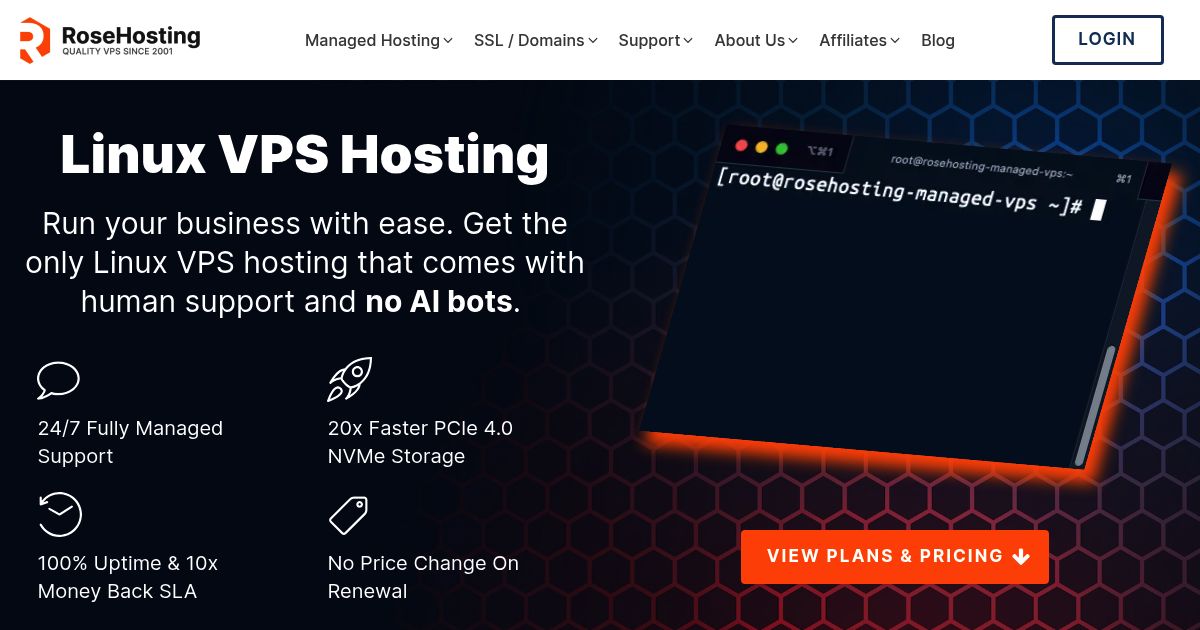
RoseHosting 是市場上歷史最悠久的 VPS 供應商之一,擁有長期可靠的服務記錄。所有 VPS 套餐均提供全面託管,提供 SSD 儲存、完全 root 權限、每週備份以及全天候 24/7 無限支持,無需額外費用。他們的服務享有 100% 正常運作時間 SLA 和 10 倍退款保證,為企業和開發者提供強大的可靠性保障。
與許多競爭對手相比,硬體資源非常豐富。 RoseHosting 分配專用記憶體、保證 CPU 核心數,並透明地限制資源,避免超賣和隱藏費用。這使得他們的 VPS 成為需要穩定性能的工作負載的可靠選擇。
從我們的角度來看, RoseHosting 在技術可靠性和客戶滿意度方面表現出色。我們在 HostScore 強調了高度積極的用戶體驗,尤其讚揚了他們響應迅速的支援團隊。主要缺點是價格—— RoseHosting 比大多數替代方案更昂貴,而且地理位置也更受限制,因為所有服務都運行在位於密蘇裡州聖路易斯的單一資料中心。這限制了其在北美以外地區的用戶使用。
RoseHosting VPS 的優缺點
| 優點 | 缺點 |
|---|---|
| 歷史悠久的 VPS 供應商,擁有良好的業務記錄 | 資料中心僅限於密蘇裡州聖路易斯 |
| 具備專用 RAM 和 CPU 的充足硬體配置 | 比大多數 VPS 競爭對手更昂貴 |
| 100% 正常運作時間 SLA,並提供 10 倍退款保證 | 僅限於基於 Linux 的託管解決方案 |
| 透明、固定的價格,續約不漲價 |
HostScore
設定主機往往不太容易。因此我們推出 HostScore 安裝協助服務 替您一次到位完成正確的主機配置。
我們能協助您完成 SSL 安裝、DNS 與名稱伺服器設定、WordPress 安裝或移轉,以及安全優化。一次性收費,並提供 100% 退款保證。
了解我們的服務如何選擇合適的VPS主機?
選擇 VPS 主機時,請比較資源分配、網路限制、管理職責、支援品質、可擴充性和總成本。
廣告宣傳的 CPU、記憶體和儲存空間固然重要,但這些參數並不能說明這些資源的效能穩定性,也無法解釋伺服器故障時會發生什麼事。您還應該仔細審查服務提供者的服務等級協定 (SLA)、資料中心位置、合規範圍、備份策略和合約條款。這些細節決定了在您的網站或應用程式成為業務關鍵型應用程式之後,VPS 是否仍然適用。
CPU和RAM資源是如何分配的?
VPS供應商會從實體伺服器分配虛擬CPU核心,稱為vCPU。但是,一個vCPU並不總是代表一個專用的實體CPU核心,因為多個虛擬伺服器可能共享相同的處理器資源。
當服務供應商指派的虛擬 CPU 容量超過實體伺服器同時可提供的容量時,就會發生 CPU 超額分配。適度的超額分配可以保持 VPS 價格合理,且不會造成問題。然而,嚴重的超額分配會導致多個客戶同時運行高負載工作負載時效能不穩定。由於大多數 VPS 提供者不會公佈其超額分配比例,因此您需要參考其他指標來評估真實效能。專用 vCPU 方案、清晰的持續使用策略、特定的 CPU 型號以及獨立的負載測試都能提供可靠的線索。執行個體運作後,您可以追蹤 CPU 竊取時間,以確切了解虛擬機器在等待虛擬機器管理程式 (hypervisor) 時的頻率。
您的VPS帳戶應已明確分配並可存取足夠的記憶體。請檢查套餐是否包含保證記憶體、突發記憶體或交換空間。資料庫伺服器繁忙。 WordPress 當可用記憶體低於預期時,網站、自動化工具和應用程式容器可能會變得不穩定。
包含哪些儲存空間和備份保護措施?
VPS儲存應提供足夠的容量、可預測的效能和切實可行的復原流程。 NVMe儲存通常比傳統的SATA SSD儲存處理資料速度更快,但僅憑硬碟標籤並不能保證應用程式的運作速度。
檢查服務提供者是否限制儲存輸入/輸出操作,通常以 IOPS 來衡量。即使 VPS 配備了高速 NVMe 硬件,如果服務提供者限制了儲存吞吐量或底層儲存系統負載過重,仍然可能出現資料庫查詢緩慢的情況。
備份和快照的用途也不同。快照用於捕獲伺服器狀態以進行短期恢復,而備份則應獨立於運行中的VPS來保護資料。儲存在相同基礎設施上的快照可能無法在大規模儲存或資料中心故障時倖存下來。
比較備份頻率、保留期限、儲存位置、復原流程和復原費用。重要工作負載應採用自動化的異地備份和經過測試的復原流程。如果無法在可接受的時間範圍內恢復伺服器,備份就毫無價值。
適用哪些網路效能和流量限制?
VPS網路效能不僅取決於每月頻寬配額。購買者應該比較資料傳輸量、連接埠速度、資料包處理能力、延遲等因素。 DDoS 保護和IP位址支援。
Packet每秒處理數 (PPS) 用於衡量虛擬專用伺服器 (VPS) 每秒可以處理多少個獨立的網路封包。處理 VPN、DNS 或遊戲伺服器等小型資料包流量的伺服器,在達到頻寬上限之前,就很容易達到 PPS 限制。由於大多數 VPS 供應商不會公開列出 PPS 限制,因此請直接詢問是否限制了資料包速率、如何進行限速以及是否啟用了限速功能。 DDoS 保護措施會幹擾正常流量。同時,請明確所宣傳的連接埠速度是完全專用、租戶共享,還是受持續使用限制。
當需要從多個網路位置廣播同一個 IP 位址時,任播 IP 支援非常有用。它可以提高 DNS 服務、分散式應用程式和多區域系統的路由和彈性。然而,大多數網站所有者透過以下方式獲得任播功能: CDN 或從 DNS 提供者而不是直接從他們的 VPS 主機取得。
VPS的擴充性如何?
可擴展的VPS可讓您在不重建整個伺服器的情況下增加CPU、記憶體、儲存空間和頻寬。但是,不同服務商的升級流程差異很大。
檢查調整伺服器容量是否需要停機,以及資源是否可以獨立昇級。有些平台允許您在不更改儲存容量的情況下增加內存,而有些平台則會強制伺服器使用更大的固定容量方案。即使 CPU 和記憶體之後可以減少,儲存擴充也可能是永久性的。
VPS買家還應仔細查看作業系統選項、root權限、復原工具、API支援和伺服器鏡像選項。這些工具決定了開發人員部署、自動化、修復或重現環境的難易度。
控制面板的可用性會影響易用性和成本。 cPanel、Plesk 和其他授權面板可能需要定期付費。專有面板可能價格更低,但您應該檢查它是否支援遷移、備份、多用戶、暫存環境以及您所需的伺服器配置。
誰負責VPS的安全與維護?
與共享主機或完全託管主機相比,客戶在虛擬專用伺服器 (VPS) 上通常承擔更多的安全責任。具體界限取決於套餐是非託管型、半託管型還是完全託管型。
An 非託管式 VPS 通常情況下,作業系統更新、防火牆規則、惡意軟體回應、應用程式安全性和伺服器加固等工作都由客戶負責。服務提供者負責維護實體基礎架構和虛擬化層,但可能不會修復已遭入侵的作業系統。
託管VPS方案 服務內容可能包括監控、安全性修補程式、控制面板維護、備份和事件協助。然而,「託管」一詞的意思並不統一。有些服務提供者只管理作業系統,而有些則支援網路伺服器、資料庫、電子郵件服務和常用應用程式。
檢查是否 DDoS 保護措施包含在內,且其作用範圍也已確定。基本的網路過濾可以阻止大規模流量攻擊,但無法阻止針對應用層的攻擊。 WordPress登入頁面, APIs或結帳系統。這些工作負載可能仍需要 Web 應用程式防火牆、速率限制和應用程式級安全工具。
技術支援水平如何?
優質的VPS支援服務應兼顧快速回應和技術人員回應,以便診斷伺服器層級的問題。如果每個技術問題都需要等待數小時才能升級處理,那麼快速的首次回應就意義不大。
比較支援時間、溝通管道、升級流程以及回應時間和解決目標之間的差異。採購者還應確定高級技術人員是否全天候提供服務,還是僅在特定時間內提供服務。
支援範圍與響應速度同樣重要。詢問團隊是否提供遷移、DNS、控制面板、Web 伺服器配置、資料庫、安全事件和效能問題的協助。基礎設施提供者可能響應迅速,但仍將應用程式故障排除視為客戶的責任。
購買託管型VPS服務時,應索取一份包含和不包含服務的書面清單。這樣可以避免在服務中斷時才發現緊急恢復、惡意軟體清除或應用程式修復需要單獨的付費服務。
VPS 全部費用有多透明?
VPS的實際成本包括伺服器、續約、計費週期、軟體授權、備份、管理服務和網路附加元件。廣告上顯示的低價在計入這些項目後可能會高得多。
比較相同合約期限下的初始價格和續約價格。查看顯示的月費是否需要按年或多年支付。按月支付更靈活,但可能採用不同的費率。
常見的額外費用包括:
- 控制面板許可證
- 自動備份存儲
- 額外的 IPv4 位址
- 託管支援
- Windows Server授權
- DDoS 保護升級
- 額外頻寬或流量超額費用
- 伺服器遷移
區域定價可能因國家/地區、貨幣、稅收規則、結算機構和資料中心而異。相同的 VPS 配置在不同的區域網站上可能價格不同,可用的付款方式也可能不同。請比較最終結算金額,而不要只依賴著陸頁上顯示的價格。
快速概覽: 我們的主機費用計算器 可以幫助您比較主機方案的初始成本和長期成本。但是,特殊VPS許可證和按使用量計費的費用可能仍需手動計算。
有哪些資料中心和合規性選項可供選擇?
選擇靠近主要用戶或透過強大的區域網路連接的VPS伺服器位置。雖然覆蓋範圍廣、全球性強很有吸引力,但對等互連和路由對延遲的影響通常與地理距離一樣大。
除了效能之外,您還必須驗證功能可用性,因為提供者通常會將主機服務、Windows 授權、備份系統或進階配置限制在特定地區。
最後,如果您處理受監管的數據,僅使用通用的合規性識別是不夠的。請確保您的資料中心和營運控制措施完全符合 PCI DSS、SOC、ISO 或 HIPAA 等相關標準,並符合任何嚴格的資料駐留規則或業務夥伴協定。
正常運行時間服務等級協定 (SLA) 究竟能補償什麼?
VPS正常運作時間SLA應明確可用性承諾以及提供者未能履行承諾時的補償措施。僅憑百分比無法體現SLA在實際故障期間的有效性。
仔細查看服務提供者如何計算停機時間以及服務等級協定 (SLA) 涵蓋哪些服務。計劃內維護、網路攻擊、客戶配置錯誤、上游故障和緊急安全維護可能不在服務等級協定的涵蓋範圍內。
經濟補償通常以服務抵用券的形式發放,而非現金賠償。請核實抵用券的計算方式、最高賠償額、索賠截止日期、所需證據,以及客戶是否需要手動提交每項索賠。
服務等級協定 (SLA) 補償金無法彌補銷售損失、資料損壞或聲譽損害。應將 SLA 視為履行合約義務的衡量標準,而非替代備份、監控、故障轉移和災難復原計畫。
適用哪些合約條款和客戶權利?
VPS合約條款決定了您取消服務、恢復資料、對費用提出異議或公開討論服務品質問題的便利程度。在簽訂長期合約之前,請務必閱讀服務條款、可接受使用政策、退款政策和服務等級協議 (SLA)。
確認取消服務需要提前多久通知,以及刪除伺服器是否也會取消計費。您還應該了解服務提供者在終止服務後會保留伺服器資料多長時間,以及是否可以匯出快照、備份或伺服器映像。
暫停服務政策值得密切關注。服務提供者應解釋其如何處理濫用投訴、資源過度使用、付款糾紛和安全事件。若不提供切實可行的申訴或資料恢復流程就立即暫停服務,會為業務工作負載帶來額外風險。
留意是否有禁止詆毀條款或其他限制真實評價和公開批評的條款。合理的政策可以禁止虛假陳述、騷擾或洩露機密信息,但不應阻止顧客發布真實體驗或提出合理的投訴。
哪種 VPS 最適合不同的使用者?
哪個是最佳的非託管 VPS 主機?

Hostinger 對於想要完全控制伺服器並藉助人工智慧輔助管理的使用者來說,它是最好的非託管 VPS 主機供應商。 其 KVM VPS 方案包括 root 存取權、AMD EPYC 處理器、NVMe 儲存、應用程式範本、Docker 工具、公用 API 和每週自動備份。
Hostinger 已以其統一的 Kodee 體驗取代了單獨的 Kodee 體驗。 Hostinger 代理。該助手透過 hPanel 和 VPS 終端,使用自然語言指令安裝應用程式、設定服務、執行伺服器任務並解決問題。它還會保留對話歷史記錄和帳戶上下文,從而減少跨會話重複的設定說明。您仍然控制伺服器,並負責應用程式和安全性配置。
哪個是最好的託管 VPS 主機?

ScalaHosting 是最好的託管型VPS主機提供者。 其託管計劃將伺服器管理與 SPanelSShield 提供安全、網站管理、監控、備份和技術支持,無需單獨的 cPanel 授權。
ScalaHosting 它也為不斷發展的項目提供了一條寶貴的升級途徑。客戶可以遷移到託管的 AWS 基礎設施,同時繼續透過 AWS 管理網站和伺服器服務。 SPanel這使得AWS的基礎設施覆蓋範圍與 ScalaHosting熟悉的控制面板和託管支持
哪種 VPS 託管最適合注重預算的使用者?

Hostinger 對於注重預算的使用者來說,是最好的 VPS 託管提供者。 計劃起價僅為大多數競爭對手收費的一小部分,但仍包括 NVMe SSD 儲存、完全根存取權和 IPv6 支援。
儘管價格低廉, Hostinger 不妥協於基本功能。您可以獲得專屬資源、快速配置和多個 Linux 作業系統模板,非常適合小型網站、測試環境和低流量專案。與許多廉價 VPS 提供者不同, Hostinger 還包括其客製化的 hPanel 和 AI 驅動的 Kodee 助手,簡化了非技術用戶的管理。
對於開發人員、自由工作者和新創公司來說, Hostinger 在可負擔性和能力之間取得了適當的平衡,使精益團隊能夠管理 VPS 工作負載而不會超支。
Hostinger專屬折扣 – 立省10%或15%!
使用促銷代碼'HOSTSCORE' 任何套餐均可享 10% 折扣 — 或使用促銷代碼享受更大折扣 'HOSTSCORE15' 的 4 年計劃可享 15% 的折扣。訂閱時間越長=節省越多。 立即領取您的Hostinger優惠!
哪種 VPS 託管最適合小型企業?

ScalaHosting One.com 是小型企業的最佳 VPS 選擇。 但它們滿足的技術需求層次不同。
ScalaHosting 提供託管 VPS 方案,包含每日備份、自動修補程式、防火牆保護以及 SShield(可攔截 99.998% 攻擊的即時安全系統)。其專有的 SPanel 簡化網站和電子郵件管理,同時協助業務成長。穩定的正常運作時間使其成為電子商務網站、代理商和服務公司的理想選擇。
One.com 非常適合希望獲得 VPS 主機託管以及來自同一服務商的額外網站支援的小型企業。我們認為,這是它更具優勢的商業點。除了託管型和非託管型 VPS 主機之外,One.com 還提供網站設計和管理服務。企業主可以委託 One.com 的網路專家來上線、更新和維護他們的網站,而無需另行聘請網路公司。
哪種 VPS 主機最適合 WordPress?

ScalaHosting 是最佳 VPS 主機提供商 WordPress. 其託管 VPS 計劃包括 SWordPress 旨在優化的管理工具 WordPress 託管環境。這包括自動更新、暫存和效能調整,所有這些都無需額外費用。
安全性是另一個優勢。 ScalaHosting 將人工智慧驅動的即時安全系統 SShield 直接捆綁到其套餐中。結合每日備份和自動更新,這確保 WordPress 網站保持安全和穩定,無需額外付費的附加元件。
根據我們的測試, ScalaHosting VPS 始終提供快速的載入時間和可靠的正常運行時間,使其成為企業運行的最強大的 VPS 選擇之一 WordPress 大規模地。
哪種 VPS 託管最適合初學者?

ScalaHosting One.com 和 VPS 是兩個最適合初學者使用的 VPS 供應商,他們無需自行管理所有技術細節即可獲得伺服器資源。
ScalaHosting的力量在於它的 SPanel 控制面板,比 cPanel 更簡潔、更經濟的替代方案。它允許用戶在一處管理網站、電子郵件、備份和安全性。憑藉每日備份、自動更新和內建的 SShield 安全功能,初學者可以獲得一個易於使用且預設安全的環境。
One.com 非常適合那些準備升級到獨立主機,但又希望選擇熟悉的服務商和靈活計費方式的新手用戶。其託管型 VPS 選項可減輕伺服器管理負擔,而非託管型 VPS 則為使用者提供了完全自主的學習空間。首月優惠價格也讓 VPS 測試變得更輕鬆,前提是用戶了解之後將按月收取固定費用。
要比較更多選項,請查看我們關於 最適合初學者的網站託管.
哪種 VPS 託管最適合資深開發人員?

Atlantic.Net, ScalaHosting以及 Hostinger 是適合高級開發人員的最佳 VPS 提供者。 它們各自支援不同的開發方法: Atlantic.Net 就基礎設施深度而言, ScalaHosting 為了實現可控的靈活性,以及 Hostinger 適用於現代人工智慧輔助工作流程。
Atlantic.Net 提供根存取權限、按小時計費的雲端部署、專用運算方案 GPU 基礎設施和以合規為中心的環境。 ScalaHosting 結合伺服器控制 SPanelAPI 支援、整合安全性和無需放棄即可遷移到託管 AWS 基礎架構的途徑 SPanel 管理。
Hostinger Kodee 因其將 AI 直接整合到主機工作流程中的功能而脫穎而出,尤其適合希望將 AI 整合到主機工作流程中的開發者。其平台整合了 VPS 模板、Docker 管理、公共 API、CLI 工具以及與 Cursor 和 Claude 等編碼助理的連接。 Kodee 現已併入統一的… Hostinger 代理程式透過一個介面處理帳戶協助、伺服器任務、故障排除和先前的對話上下文。
哪種 VPS 託管最適合 n8n 和工作流程自動化?

Hostinger 是 n8n 和工作流程自動化的最佳 VPS 託管。 該公司是首批提供自託管 n8n VPS 計畫的主流主機商之一,並配有 Docker 部署和佇列模式設定的預建模板。
Hostinger 它還包含基於人工智慧的 Kodee 助手,可簡化伺服器管理和自動化任務,降低非 Linux 專家用戶的使用門檻。結合超低價格, Hostinger 使得試驗或擴展工作流程自動化專案變得具有成本效益。
對於使用 n8n 進行資料管道、整合或內部工作流程的創作者, Hostinger的 VPS 提供了價格、自動化模板和性能的罕見組合。
哪種 VPS 託管最適合 SaaS 公司?

ScalaHosting 是適合 SaaS 工作負載的最佳 VPS。 其 SPanel 控制面板、全球伺服器位置以及 AWS 基礎架構的升級路徑使 SaaS 團隊能夠靈活地以可承受的價格啟動並在需要時擴展到企業級容量。
根據我們的經驗, ScalaHosting 在成本效益與面向未來的擴展之間取得平衡。 SaaS 專案可以在其 VPS 平台上從小規模起步,然後無縫過渡到 AWS 驅動的環境,同時保留相同的支援團隊和 SPanel 生態系。這使得 ScalaHosting 對於計劃發展的 SaaS 公司來說,這是最具適應性的選擇之一。
哪種 VPS 託管最適合外匯交易?

Hostinger 是外匯交易的最佳 VPS 託管提供者。 其 VPS 支援 MetaTrader 4 (MT4) 和 MetaTrader 5 (MT5),伺服器位於美國、英國、歐盟和亞洲,以確保低延遲交易連線。
儘管如此,專業的外匯 VPS 供應商可能會提供額外的最佳化,例如連接到特定經紀商的超低延遲路由。如需更多自訂選項,請參閱我們的完整指南 最佳外匯 VPS 託管.
哪種 VPS 託管最適合遊戲伺服器?
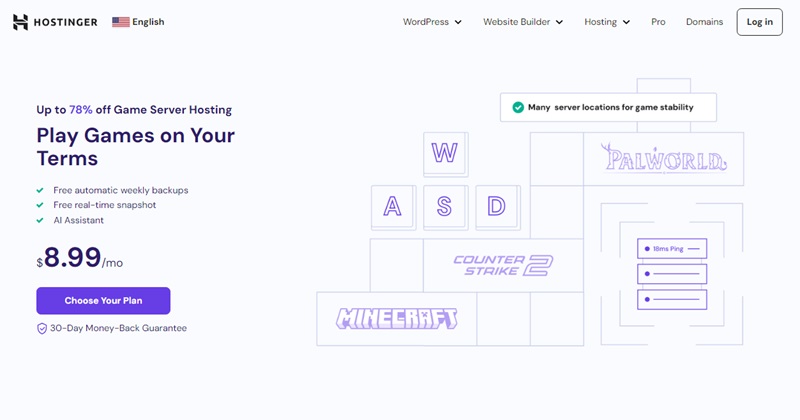
Hostinger 是最好的遊戲伺服器 VPS 託管提供者。 該平台提供簡單的模式控制、穩定的性能和低延遲連接,使其適用於 Minecraft、CS:GO、Palworld、Valheim、Rust 和 ARK 等流行的多人遊戲。
Hostinger的遊戲 VPS 套餐包含完整的 root 權限、SSD 儲存和多個 Linux 發行版,因此玩家可以根據自己的需求配置環境。借助內建的遊戲面板,即使是首次搭建主機的使用者也能快速設定和管理伺服器。對於中小型社群來說,資源配置非常充足,這使得 Hostinger 運行自訂遊戲伺服器的經濟高效的解決方案。
如需更多選擇,請閱讀我們為 最佳遊戲伺服器託管.
哪種 VPS 託管最適合論壇?
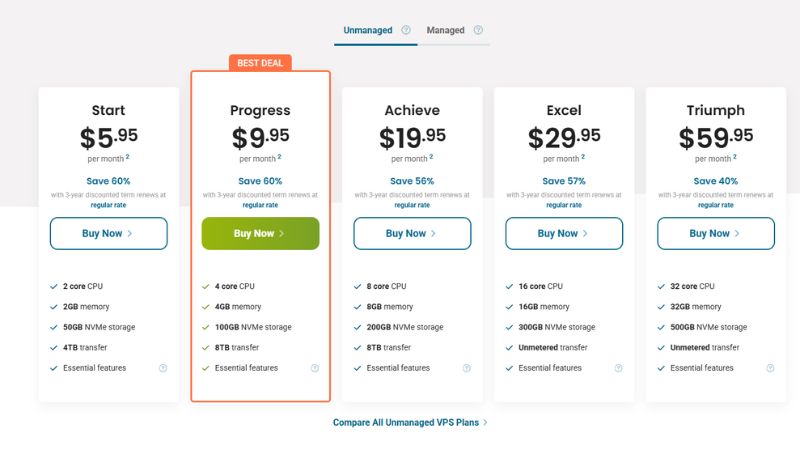
ScalaHosting 以及 HostPapa 是運行線上論壇的最佳VPS提供者之二兩者都能提供活躍社群保持快速和安全所需的穩定性、可擴展性和支援。
ScalaHosting 透過其專有技術提供卓越價值 SPanel 以及 SShield 技術,使用戶能夠透過內建安全性和自動更新來獲得完全控制權。其 VPS 套餐靈活,並提供每日備份和強大的功能。 DDoS 它提供保護,並可選擇部署在 AWS 基礎設施上以實現全球覆蓋範圍——使其成為高流量或國際社區的理想選擇。
HostPapa同時,它提供了一個簡潔透明的VPS平台,非常適合那些追求簡單易用和可靠服務的論壇經營者。所有方案均採用NVMe儲存和CloudLinux作業系統,並提供包含cPanel控制面板、Imunify360安全防護和GlobalSign的託管服務。 SSL其快速反應的支援和清晰的資源分配,使其成為需要可預測性能但又不想支付企業級價格的中小型論壇的理想選擇。
如需了解更多選擇,請查閱我們的完整指南。 論壇網站的最佳網頁寄存.
哪個是最適合 AI/ML 專案的 VPS 託管?

Atlantic.Net 是人工智慧和機器學習專案的最佳VPS主機提供者。 開發者可以使用其標準雲端VPS進行輕量級開發、資料準備和早期應用程式開發,然後遷移到 GPU 雲端或專用 GPU 隨著運算需求的成長,基礎設施也將隨之發展。
Atlantic.Net 提供 NVIDIA L40S 和 H100 NVL 選項,共享或專用 GPU 分配、完全根訪問權限和多路訪問GPU 配置。它的 GPU 此環境支援 TensorFlow、PyTorch 和 CUDA,可用於模型訓練、微調、推理和其他並行處理工作負載。這為 AI 團隊提供了比僅限於基於 CPU 的 VPS 方案的供應商更清晰的擴展路徑。
哪個是支援 Windows 的最佳 VPS 託管?
Verpex 對於預算有限的用戶來說,這是一個不錯的 Windows VPS 選擇; Atlantic.Net 更適合嚴肅的商業和生產工作負載。 兩家供應商都支援 Windows 環境,但它們針對的是不同程度的技術和營運需求。
Verpex 提供託管和非託管的 Windows VPS 方案,包含 Windows 授權、Plesk 桌面環境、root 權限和可擴充資源。對於網站、經銷商、測試環境和小型 Microsoft 應用程式來說,這是一個更方便的入門選擇。
Atlantic.Net 它支援在更廣泛的雲端基礎架構上運行 Windows 系統,採用按小時計費模式,提供多種伺服器類別、八個區域以及可選的託管或合規性服務。對於 SaaS 產品、業務應用程式、受監管的工作負載以及將來可能需要專用或專用伺服器的專案而言,它是更好的選擇。 GPU 基礎設施。
哪個是支援 Linux 的最佳 VPS 託管?
ScalaHosting 以及 RoseHosting 是支援 Linux 的最佳 VPS 提供者。 兩者都提供了廣泛的發行版選擇,包括 Ubuntu、AlmaLinux、Debian 和 CentOS,讓開發人員可以完全控製配置和部署他們喜歡的 Linux 堆疊。
ScalaHosting 整合 Linux VPS 與 SPanel、每日備份和 SShield 安全保護。此設定透過移除第三方面板許可簡化了管理,同時確保了持續的保護。 RoseHosting相比之下,它更注重專用資源和透明的定價。註冊和續訂價格保持不變,確保成本可預測,同時確保 Linux 伺服器效能穩定。
哪個是支援 Ubuntu 的最佳 VPS 託管?
ScalaHosting 是 Ubuntu 託管的最佳 VPS 提供者。 其平台包括可立即部署的 Ubuntu 模板,讓開發人員在幾分鐘內啟動環境。 SPanel 整合透過單一介面管理網站、資料庫和電子郵件,無需額外的控制面板成本。
安全性和可擴展性增強 ScalaHosting物超所值。每個計劃都包含 SShield 即時保護和每日自動備份,非常適合開發人員、SaaS 工作負載以及依賴 Ubuntu 的企業。其 AWS 升級路徑可確保從新創級 VPS 無縫擴展到企業級基礎架構,無需遷移供應商。
哪個是具有 cPanel 支援的最佳 VPS 託管?
InMotion Hosting 以及 Verpex 是具有 cPanel 支援的最佳 VPS 提供者。 兩者都將 cPanel/WHM 授權直接整合到其 VPS 計劃中,使其成為依賴 cPanel 生態系統的機構和用戶的理想選擇。
InMotion Hosting 強調商務級可靠性,並在美國的支持下, SSL, DDoS 保護和移民援助。其悠久的業務歷史使其成為追求穩定的企業的可靠選擇。
Verpex 更適合經銷商和自由工作者。中階 VPS 套餐可託管 100 多個網站,平台還提供白標經銷商工具。雖然 cPanel 授權需要額外付費, Verpex 對於需要多站點管理且注重預算的用戶來說仍然具有吸引力。
哪個是支援加密支付的最佳 VPS 託管?
Hostinger 是加密支付的最佳 VPS 託管提供者。 它允許客戶使用比特幣、以太坊、萊特幣和其他幾種加密貨幣進行支付,這使得注重隱私的用戶或支付網關有限的地區的企業能夠更輕鬆地進行支付。
除了支付靈活性之外, Hostinger VPS 包含 NVMe SSD 儲存、完全 root 權限、自動化模板以及 Kodee AI 助理。加上超低價格, Hostinger 對於想要可靠的 VPS 託管而不依賴傳統銀行系統的加密貨幣優先買家來說,它是最容易訪問的主機。
什麼是VPS託管?

虛擬專用伺服器 (VPS) 託管將您的網站或應用程式隔離在虛擬伺服器上。 每個 VPS 都運行自己的作業系統,具有專用的 CPU、RAM 和儲存分配,為用戶提供比共享主機更多的控制、自訂和穩定性。
VPS 主機可用於何種用途?
VPS 託管支援廣泛的工作負載。
高流量網站和線上商店 使用 VPS 確保快速載入時間並保護客戶資料。 代理商和自由工作者 在單一帳戶上託管多個網站,每個專案都有獨立的資源。 開發商介紹 部署 SaaS 應用程式、外匯交易軟體和多人遊戲伺服器。
它的靈活性允許您配置伺服器以滿足特定的技術或業務要求。
VPS 與共享主機和專用主機相比如何?
VPS 主機介於共享主機和獨立主機之間。它兼顧了效能、控制和價格,對於已經不再需要共享主機的使用者來說,是理想的升級選擇。
與共享主機相比VPS 提供專屬資源、更強的隔離性和更佳的安全性。共享方案會將 CPU 和 RAM 共享給多個用戶,因此當一個站點出現流量高峰時,效能會受到影響。 VPS 透過為每個帳戶分配有保障的資源來避免這種情況。
與專用託管相比VPS 價格更實惠,管理更便利。獨立伺服器效能強大,但成本更高,維護也更複雜。 VPS 透過虛擬化技術,無需額外硬體開銷,即可提供許多相同的優勢。
VPS 主機的優缺點
優點
- 專用資源,以獲得更好的效能和穩定性
- 完全 root 存取權限,用於自訂和軟體控制
- 透過額外的 CPU、RAM 或儲存空間輕鬆擴展
- 透過環境隔離提高安全性
- 支援多種工作負載,如 SaaS、電子商務、外匯交易或遊戲
缺點
- 成本高於共享主機
- 非託管計劃所需的技術知識
- 與雲端託管相比,可擴充性有限
- 如果供應商過度銷售硬件,仍然可能出現吵鬧的鄰居
關於選擇合適的 VPS 主機的最終想法
選擇合適的VPS主機服務商取決於您的工作負載、技術經驗和發展規劃。除了專注於廣告宣傳的起始價格之外,還應比較資源分配、儲存和備份、管理層級、可擴展性、安全性、支援、伺服器位置以及長期總成本。
如果您熟悉伺服器管理, Hostinger 提供價格實惠的非託管VPS方案,並具備完整的root權限。如果您希望服務商負責更新、監控和伺服器安全, ScalaHosting 是我們首選的託管方案。 SPanel 隨著專案的發展,該平台還提供遷移到託管式 AWS 基礎架構的途徑。
VPS主機相比共享主機提供更高的控制權、更穩定的資源和更強的可擴充性,且無需像專用伺服器那樣承擔更高的成本。它非常適合不斷發展的企業網站、線上商店、SaaS應用程式、開發環境以及其他需要隔離伺服器環境的工作負載。
還是不確定哪家供應商最符合您的需求? 取得免費主機諮詢 來自我們團隊。如果您已經購買了VPS套餐,我們的 主機設定幫助服務 可以處理技術設置,並幫助您避免常見的配置錯誤。