File hosting is an online service that allows users to store, manage, and share files securely over the internet. From personal photos to large business files, these services offer a convenient way to access data from any device, anytime.
Common types include personal file hosting for everyday use, business-focused solutions for collaboration, and media-specific platforms for storing videos or images.
File hosting also connects with web hosting, as websites often use these services to store and deliver downloadable content or manage large media files efficiently. Together, they form an essential part of today’s Internet hosting ecosystem.
In this article, we’ll dive into the basics of file hosting, explore its various types, and explain how it works. More importantly – we’ll feature five notable file hosting services, highlight their key features, and provide a step-by-step guide to help you choose and purchase the best option for your needs.
Affordable File Hosting Solution – 85% Off Life-time Deal
Internxt’s Life Time Plans are on 85% discount now. Get up to 10TB encrypted storage, protected with 2FA and post-quantum cryptography, at just €435 (about US$448).
What Is File Hosting?
A file-hosting service is an internet hosting service designed specifically to store and manage user files. These services enable users to upload files to remote servers, which can then be accessed via the internet using a username, password, or other authentication methods.
Typically, file-hosting services provide access through HTTP, with some offering FTP access for more advanced users. In addition to basic storage, many file-hosting platforms include features like content display, virtual storage, and remote backup solutions.
For instance, instead of emailing a large document, you can upload it to a file hosting platform like Google Drive and share the link. This makes collaboration seamless and reduces dependency on physical devices.
How File Hosting Works?
File hosting works by uploading your files to remote servers where they’re stored, managed, and made available for sharing or syncing across devices.
- Uploading Files to the Host’s Server Users upload files through a web dashboard, mobile app, or desktop sync tool. The host stores these files on cloud-based or dedicated infrastructure, depending on the provider..
- Managing Files in the Cloud The hosting platform organizes files with folder structures, custom tags, filters, and version history. Many hosts also support file previews and in-app editing for documents or images.
- Distributing Files Across Redundant Servers Most file hosting services use distributed cloud architecture. Your data is mirrored across multiple servers or zones to ensure uptime and prevent data loss during outages.
- Sharing Files with Custom Permissions Users can generate secure share links with expiration dates, password protection, or access roles (view-only, editor, etc.). Some platforms also support team-based access management.
What Are the Types of File Hosting Services
File hosting services can be categorized based on the functionality they offer, the target audience, and their intended use cases. Broadly, these services can be grouped into three main types: Personal File Hosting, Business File Hosting, and Specialized File Hosting. Each type is tailored to address specific user needs and priorities.
Personal File Hosting

Personal file hosting services are designed for individual users who need a convenient way to store and manage their files online. These platforms emphasize ease of use and often provide free plans with limited storage to attract casual users.
Example of personal file hosting service include Google Drive, iCloud, and Dropbox (free versions).
Key Features:
- Limited storage (for instance, Google Drive’s free tier offers 15GB).
- Easy file access and synchronization across multiple devices.
- Sharing options for photos, videos, and documents via shareable links.
- Integration with personal productivity apps like Google Docs or Apple Notes.
Personal file hosting is ideal for storing media, personal documents, or small-scale backups. It’s particularly useful for students or individuals who need to access files across devices without paying for premium plans.
Business File Hosting

Business file hosting services cater to organizations and teams that require robust file management, advanced collaboration tools, and heightened security measures. These services focus on scalability and compliance with professional standards, making them suitable for corporate environments.
Example of business file hosting include Box, OneDrive for Business, and Dropbox Business.
Key Features:
- High storage limits or unlimited storage for team accounts.
- Advanced collaboration tools, including real-time editing and version control.
- Role-based permissions and access control for team members.
- Enterprise-grade security features, such as data encryption, activity monitoring, and regulatory compliance (e.g., GDPR, HIPAA).
- Integration with business software like Microsoft Office Suite or Salesforce.
These platforms enable businesses to securely share files with clients and employees while maintaining control over sensitive information. The scalability of these services also makes them suitable for growing teams.
Specialized File Hosting (Media, Compliance, or CDN-backed)

Specialized file hosting services are tailored for specific purposes or industries. These services go beyond general file storage to address unique needs, such as hosting large media files or providing secure backups.
- Large File Transfers: Services like WeTransfer or Filemail allow users to send large files (e.g., up to 2GB for free users on WeTransfer) without requiring recipients to sign up for an account. These are ideal for designers, video editors, or anyone working with large assets.
- Media Hosting: Platforms such as Imgur (for images) or SoundCloud (for audio) or Vimeo (for video) are designed to host, share, and display specific file types. They provide tools for creators to showcase their work and engage with audiences.
- Backup Solutions: Providers like Internxt, pCloud, and BlackBlaze focus on automated backups for desktops and file versioning. These services are geared toward users who want to ensure data recovery in case of hardware failures or cyberattacks.
By understanding these categories, users can choose a service that aligns with their needs, whether it’s storing personal photos or managing a team’s projects.
How to Choose the Right File Hosting Service?
Finding the best file hosting service starts with understanding your specific needs. Here’s a step-by-step guide to help you decide:
- Define Your Purpose Are you storing personal files or managing business documents? Do you need a simple sharing tool or a robust platform for collaboration?
- Assess Storage Needs Consider the size and type of files you’ll store. Free plans may work for smaller needs, while heavy users might require larger paid plans.
- Check Security Features For business users security should be your top priority. You need to be able to distribute files to only the people mandated and prevent unauthorized access. Make sure the services you’re looking at offer comprehensive security and privacy options.
- Check Compatibility One problem with file-sharing services is that they don’t always support every device available. The bigger your distribution base the higher a chance this may occur. Make sure you match the devices supported with your main needs before opting for a service.
- Evaluate Collaboration Tools For teams, real-time editing, shared folders, and permission settings are key.
- Consider Integration Ensure the service works well with other tools you use, such as productivity apps or software platforms.
- Test Usability Many services offer free plans or trials. Use these to explore the interface and ensure it’s intuitive for your workflow.
- Pricing Naturally, the price can be an overriding factor, especially if you need to pay for multiple users. If you need multiple users, keep a close eye on the price-per-user as it may drop based on volume with some service providers. Look for options like lifetime plans or scalable pricing tiers.
Take a closer look at your needs and compare them with the features each service offers to find the right fit. The right file hosting service can boost productivity, keep your data secure, and fit your budget.
What File Hosting Doesn’t Do (and What You’ll Need Instead)
File hosting is built for storage and sharing—not for running websites, apps, or custom backend logic.
While file hosting platforms store and deliver files, they don’t execute code, render websites, or support databases like MySQL or PostgreSQL. You can’t install WordPress, deploy a Node.js app, or host dynamic content through a typical file hosting service.
If you need:
- A public-facing website – You’ll need a web hosting provider with domain support and a control panel.
- Custom application hosting – You’ll need VPS hosting or cloud hosting that supports server-side programming.
- User logins, databases, or API endpoints – You’ll need a hosting service that allows back-end processing.
Five File Hosting Providers Worth Considering
1. Internxt – Privacy-Focused Storage
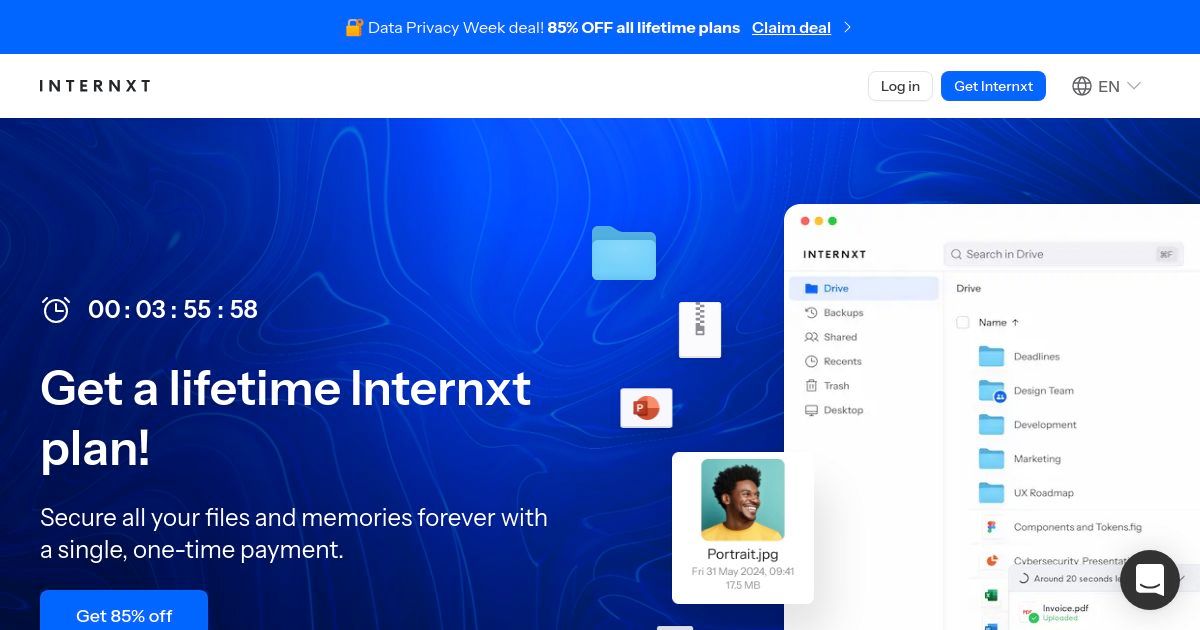
Internxt stands out for its decentralized approach to file hosting, putting user privacy first. Unlike traditional platforms, Internxt uses end-to-end encryption and splits files across a decentralized network for enhanced security.
- Key Features: Decentralized storage, zero-knowledge encryption, and a strong focus on data privacy.
- Use Case: Perfect for users handling sensitive documents, such as legal files or proprietary research, who want full control over their data.
2. pCloud – Lifetime Plan Option

pCloud is a secure and flexible file hosting platform that offers client-side encryption to protect user data. It provides both monthly subscriptions and a lifetime plan, making it a cost-effective option for long-term users. With its generous storage options and easy file sharing, pCloud caters to both individuals and businesses.
- Key Features: Client-side encryption, lifetime storage plans, file versioning, and cross-platform accessibility.
- Use Case: Ideal for creators like graphic designers and video editors who need a secure place to store large files and share them with clients seamlessly.
3. Google Workspace – Business Integrations

Google Workspace integrates its file storage with powerful productivity tools like Docs, Sheets, and Slides. With Google Drive as the backbone, this service is a top choice for teams that need real-time collaboration and shared file management.
- Key Features: 15 GB of free storage (per Google account), seamless integration with Google apps, and advanced sharing and editing tools.
- Use Case: Best for small businesses and remote teams working on collaborative projects where live editing and file sharing are essential.
4. Sync.com – End-to-End Encryption

Sync.com is known for its privacy-first approach, offering end-to-end encryption to keep files secure. It also provides robust file sharing and collaboration features, making it an excellent choice for individuals and teams.
- Key Features: End-to-end encryption, generous free storage plans, and detailed permission settings for file sharing.
- Use Case: Great for professionals who need to share sensitive documents securely with colleagues or clients.
5. WeTransfer – Quick File Sharing Without Signup

WeTransfer is designed for quick and easy sharing of large files without requiring user accounts. It’s particularly popular among creative professionals who need to send large assets, like videos or graphic files, to clients or collaborators.
- Key Features: Free transfers up to 2 GB, no registration required for basic use, and sleek, user-friendly design.
- Use Case: Perfect for freelancers or agencies sending large deliverables quickly and without hassle.
File Hosting in Action: How It Supports Websites and Businesses
File hosting supports eCommerce, collaboration, customer delivery, and high-volume transfers.
File hosting and web hosting serve distinct purposes, but they often overlap in ways that complement each other. File hosting focuses on storing and sharing user files; while web hosting is dedicated to running websites and delivering web content to visitors.
Although they serve different purposes, these services can work together to make online tasks smoother and more efficient.
Distributing Large Files Efficiently
Consider a business that offers software products. Their website, hosted on a VPS hosting service, serves as the primary point of interaction for customers. However, the actual software files, which may be several gigabytes in size, are stored and distributed via a file hosting service.
This setup ensures faster downloads and reduced strain on the web hosting server. Platforms like Google Drive can be used in such scenarios to manage high-volume downloads.
Enhancing Website Features with External File Hosting
A photography portfolio website is a great example of saving on hosting costs without sacrificing performance. By using a budget web hosting service for the website itself and storing high-resolution images on a separate file hosting platform, you can significantly reduce hosting expenses.
This approach keeps the website fast and responsive by offloading large media files to a specialized service.
Streamlining Collaboration with File Links
Imagine a graphic design agency that runs a website to showcase its portfolio and attract clients. The agency uses web hosting for the website and integrates file hosting for collaborative workflows. Clients can upload their project briefs and download completed designs through a file-sharing system embedded in the website. This streamlines communication and project delivery.
Multifunctional Hosting for eCommerce and SaaS
eCommerce sites frequently use a combination of hosting services. For example, a store selling digital products like music tracks or eBooks may use web hosting to manage its online storefront, while file hosting services handle the storage and delivery of purchased files. Services like Dropbox or Google Drive can be integrated to manage customer downloads efficiently.
Final Thoughts: Is File Hosting the Right Tool for You?
File hosting has changed the way we store and share data. It’s now easier, safer, and more scalable than ever. Whether you need a straightforward platform for personal files or a more advanced solution for professional collaboration, knowing how different file hosting services work helps you make the best choice.
At the same time, file hosting doesn’t stand alone. It pairs seamlessly with other services, such as web hosting, to support a solid online presence. Together, they handle everything from smooth file sharing to reliable website performance. By using both effectively, you can get the most out of today’s digital tools.
Not sure whether you need file hosting, web hosting, or both? Let us help! Our free consultation service provides personalized advice tailored to your needs. Whether you’re building a website, managing files, or both, we’ll guide you to the right solution. Get Your Free Consultation Now.