The best month-to-month hosting providers are Verpex and Cloudways.
To choose the best monthly hosting plan, the most important factors are entry cost, renewal pricing, features offered (storage, speed, SSL, email, backups), and how flexible the billing terms are for users who don’t want long-term commitments.
Verpex is the best month-to-month hosting provider overall. It offers a low-risk entry at just $0.59 for the first month, includes features like NVMe storage, LiteSpeed server, SSL, daily backups, and free migrations – even on the lowest tier.
Cloudways follows as the best pick for flexibility and performance. It charges on a true month-to-month basis with no contracts and full control over server resources. Plans start at $11/month on DigitalOcean, with managed WordPress support, scalable infrastructure, and optional add-ons. There are no discounts or promos, but users pay only for what they use, making it ideal for developers or growing projects.
Best Monthly Hosting Plans Compared
| Host | Entry Price | Renewal Price | Key Features | Best For |
|---|---|---|---|---|
| Verpex | $0.59/month | $5.90/month | NVMe SSD, LiteSpeed, SSL, backups, cPanel, free migration | Overall value & affordability |
| Cloudways | $11/month | $11/month | Managed cloud, scaling, server choice, no lock-in | Performance & flexibility |
| DreamHost | $4.95/month | $7.99/month | WordPress pre-installed, free migration, unmetered traffic | Simplicity & no contract users |
| Kinsta | $35/month | $35/month | Google Cloud hosting, CDN, daily backups, performance tools | Premium WordPress hosting |
| Hostinger | $11.99/month | $11.99/month | SSD storage, hPanel, SSL, backups | Budget hosting with tradeoffs |
Note: While HostScore ratings offer a solid benchmark of each host’s overall performance, your needs may differ. That’s why our top month-to-month hosting picks below are selected based on real-world use cases and pricing transparency.
1. Verpex

Website: https://www.verpex.com/
Verpex is a fast-growing UK-based hosting provider known for its affordable and feature-packed shared hosting plans. What makes Verpex stand out for month-to-month hosting is its introductory offer: just $0.59 for the first month. This is one of the lowest entry points in the market right now. Each plan comes with essential features like NVMe storage, free SSL, LiteSpeed servers, daily backups, and free website migrations—even on the cheapest plan.
The catch? The price jumps to $5.90/month after the first month if you stick with the monthly billing cycle. That’s higher than many competitors’ regular rates. Also, you’ll only get a free domain if you commit to a longer plan (typically yearly). So while Verpex gives you a cheap way to try their service, long-term month-to-month users won’t get the same overall value as annual subscribers.
More about Verpex in our review.
Verpex Pros
- Budget-friendly entry pricing on shared and VPS hosting plans
- 45-day money-back guarantee on shared/reseller plans (longer than industry standard)
- Daily backup included in all shared hosting plans at no extra cost
- Unlimited free site migrations
- Choice of 8 global data centers across five continents
- Wide hosting selection including Windows, reseller, and managed servers
Verpex Cons
- Steep renewal pricing after the first term (up to 90% higher than intro rates)
- Short refund window on managed VPS (7 days compared to 30+ with some competitors)
2. Cloudways

Website: https://www.cloudways.com/en/
Cloudways is a managed cloud hosting platform that sits on top of infrastructure providers like DigitalOcean, AWS, and Vultr. It’s a strong pick for developers, agencies, or growing businesses who need performance, staging tools, and scalability. Every plan at Cloudways is billed month-to-month by default, with no long-term contracts or upfront discounts. That makes it ideal if you want the flexibility to start and stop your server anytime.
Pricing starts at $11/month (on the entry-level DigitalOcean server). The upside is that you only pay for what you use. The downside? There are no promotional discounts for new customers, and your cost can creep up quickly if you add optional features like premium support, email hosting, offsite backups, or server upgrades. Cloudways is great for control and performance – but not for those hunting the lowest possible price.
Read our Cloudways review to learn more.
Cloudways Pros
- Reliable server uptime and speed performance
- Good abstration over complex cloud server setups with integrated dashboard
- High scalability; Autonomous plan supports auto-scaling
- Easy server cloning, site staging, and website transfer
- Host unlimited websites and applications in one account
- 30% discount for first two months with coupon "HOSTSCORE"
Cloudways Cons
- Getting expensive - Prices increased steadily for the past few years
- Limited trial period
- Excellent technical support, but poor billing practices and support
3. DreamHost

Website: https://www.dreamhost.com/
DreamHost is one of the oldest independent web hosting providers in the U.S., with a strong reputation for transparency and fair pricing. For short-term projects, its Shared Starter plan offers a solid deal: $4.95/month for the first three months, then $7.99/month afterward. There are no contracts or setup fees, which makes it easy to test the waters or launch a temporary site.
What you get from DreamHost’s entry level monthly plan: unlimited traffic, WordPress pre-installed, and free automated migrations. However, you’ll only be able to host one website, and features like daily backups and email hosting cost extra. DreamHost doesn’t throw in a free domain unless you go for the annual plan. Overall, it’s a straightforward and trustworthy option, but not as feature-rich as Verpex at the same price point.
Find out more about DreamHost here.
DreamHost Pros
- Reliable server uptime performance
- Daily backup included in all shared hosting plans
- 97-day Money back guarantee
- Extensive knowledgebase
DreamHost Cons
- Price increase during the renewal
- Live chat support can be better
- No free site migration assistance
4. Kinsta
Website: https://kinsta.com/
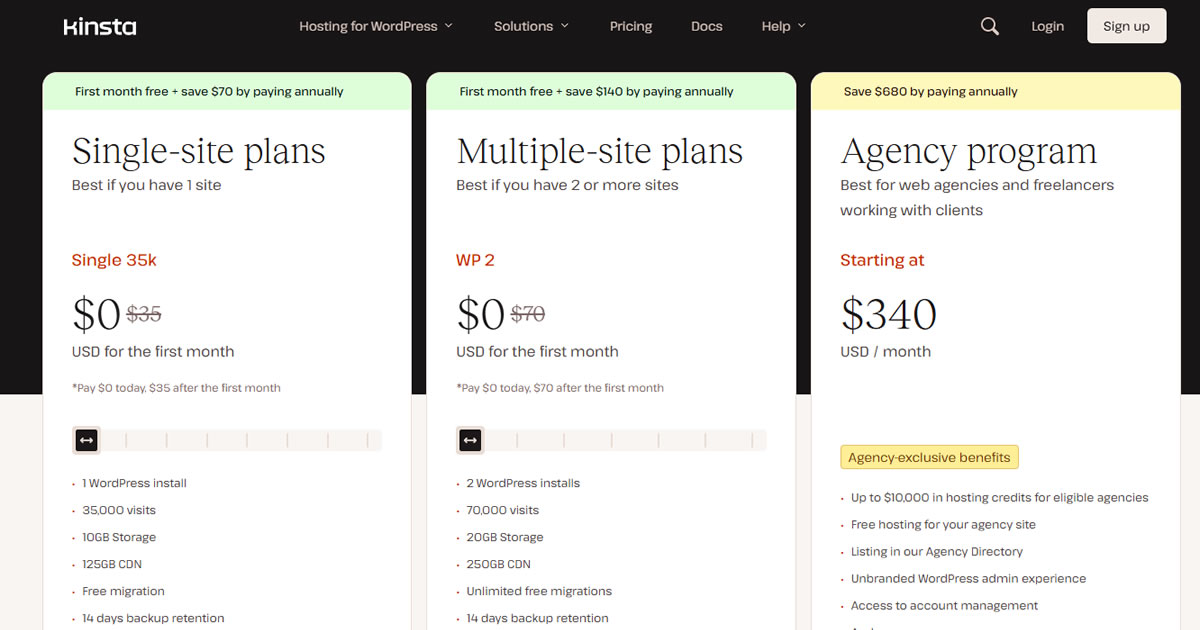
Kinsta is a premium managed WordPress hosting platform powered by Google Cloud infrastructure. Unlike traditional shared hosts, Kinsta is built for performance—offering features like isolated containers, automatic scaling, free CDN, and top-notch support. All plans are billed monthly by default, with pricing starting at $30/month for a single WordPress install.
The main advantage here is that Kinsta’s monthly plan comes with everything: daily backups, malware removal, site analytics, staging, and more—without needing to upsell you. However, it’s clearly not cheap. You can get 2 months free if you switch to annual billing, which brings your effective monthly cost down. But for serious users who want a worry-free experience and are okay paying a premium, Kinsta delivers excellent value without needing to lock in long contracts.
Find out more about Kinsta here.
Kinsta Pros
- Outstanding uptime and speed backed by Google Cloud’s premium tier network.
- 300+ CDN locations worldwide through Cloudflare Enterprise integration.
- Advanced firewall, DDoS protection, and built-in malware scanning.
- Specialized WordPress support in English, Portuguese, Spanish, Italian, French, German, Japanese, Danish, Dutch, and Swedish.
- Free site migration assistance handled by Kinsta’s support team.
- MyKinsta dashboard with detailed analytics, staging environments, and one-click tools.
- Free premium Cloudflare features, including HTTP/3, wildcard SSLs, and edge caching at no extra cost.
Kinsta Cons
- Pricing is expensive and less suitable for those managing multiple small sites.
- No built-in email hosting, requiring a separate provider.
- Certain WordPress plugins are restricted due to performance or security issues.
5. Hostinger
Website: https://hostinger.com/
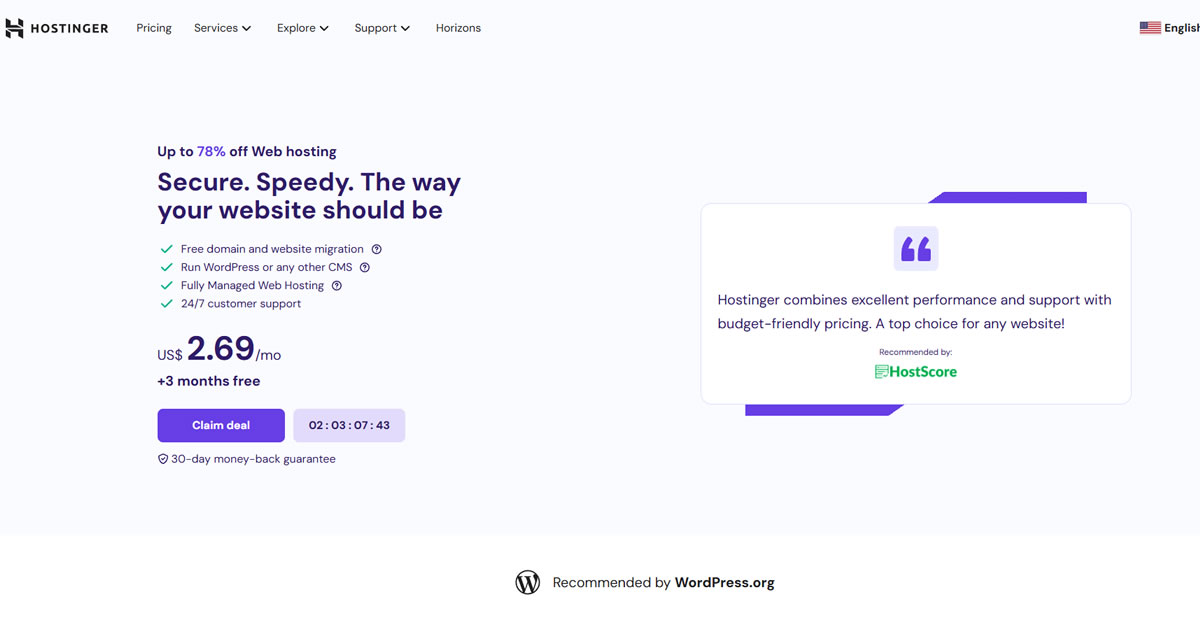
Hostinger is a well-known budget host that often tops affordability charts. While their monthly plan starts at $11.99/month, it’s frequently discounted during promotions. Hostinger includes fast SSD storage, free SSL, and a user-friendly control panel on all plans—even at the lowest tier. Their performance is above average for the price, and the hosting dashboard (hPanel) is easy to navigate for beginners.
However, the big savings usually come with long-term commitments. Hostinger’s cheapest pricing (as low as $2.49/month + free subscriptions) only kicks in when you commit to a 48-month plan. The monthly plan renews at full price and doesn’t include a free domain. So while Hostinger is technically available on a month-to-month basis, it’s not the best-value route unless you’re okay with higher monthly bills.
Exclusive Hostinger Coupons – Save 10% or 15%!
Use promo code ‘HOSTSCORE’ for 10% off any plan — Or go big with promo code ‘HOSTSCORE15’ on a 4-year plan and unlock 15% off. Longer subscription = bigger savings. Claim Your Hostinger Deal Here!
Find out more about Hostinger in our review.
Hostinger Pros
- Affordable entry plan at $2.99/month for 3 websites, plus 15% off with HOSTSCORE15.
- Global network of data centers in Europe, Asia, North America, and South America
- Excellent AI ecosystem with AI Builder (new!), Hostinger Agent with memory, OpenClaw, Hermes, n8n, and Paperclip
- User-friendly hPanel with API and MCP access for AI-assisted hosting management
- Developer API and MCP integration - Hostinger Connector lets Claude, Cursor, Codex, and other MCP-compatible tools manage websites
- Multiple payment methods accepted, including crypto and digital wallets
Hostinger Cons
- The lowest price requires 48 months upfront and renews at $10.99/month
- Advanced Agent features and managed AI applications may require separate paid plans
- Hostinger AI Builder sites have limited portability compared with WordPress websites
- Hostinger does not support Windows hosting.
Comparison: Which Monthly Hosting Plan is Right for You?
Below is a side-by-side comparison of the five best monthly hosting providers we recommend. This includes key criteria like entry price, renewal cost, major features, and who the plan is best suited for.
| Host | Entry Price | Renewal Price | Key Features | Best For |
|---|---|---|---|---|
| Verpex | $0.59/month | $5.90/month | NVMe SSD, LiteSpeed, SSL, backups, cPanel, free migration | Overall value & affordability |
| Cloudways | $11/month | $11/month | Managed cloud, scaling, server choice, no lock-in | Performance & flexibility |
| DreamHost | $4.95/month | $7.99/month | WordPress pre-installed, free migration, unmetered traffic | Simplicity & no contract users |
| Kinsta | $35/month | $35/month | Google Cloud hosting, CDN, daily backups, performance tools | Premium WordPress hosting |
| Hostinger | $11.99/month | $11.99/month | SSD storage, hPanel, SSL, backups | Budget hosting with tradeoffs |
Which is the Cheapest Month-to-month Hosting Plan?

Verpex offers the cheapest month-to-month hosting plan on the market, charging just $0.59 for the first month. While the renewal price resets to $5.90/month after that, the entry cost makes it an easy and low-risk way to get started. You’ll still get full features including SSD storage, free site migration, SSL, and even daily backups – a very competitive deal for short-term needs.
Which Monthly Host is Best for WordPress?
Kinsta is the best monthly host for WordPress users who want performance, security, and premium support baked into the platform. Every Kinsta plan is built specifically for WordPress and includes automatic daily backups, built-in caching, staging environments, a custom dashboard (MyKinsta), and integration with Cloudflare for extra speed and protection. For developers and business users, Kinsta also supports WP-CLI, SSH, and Git out of the box.
Unlike many managed WordPress hosts that require a year-long commitment, Kinsta is available month-to-month by default. This makes it an attractive option for high-demand projects or agencies that want flexibility without compromising performance. While it’s more expensive than other providers, the support quality and infrastructure (Google Cloud C2 machines) justify the price for users who run revenue-generating or mission-critical sites.
Which is the Fastest Month-to-month Hosting?
Kinsta is also the fastest month-to-month host in our list. It’s powered by Google Cloud’s Premium Tier Network, which delivers lower latency and faster routing. On top of that, Kinsta’s use of Nginx, LXD containers, and HTTP/3 ensures your site gets optimized performance right out of the box.
One standout feature is Kinsta’s global reach. You can choose from 35+ data center locations around the world, including regions in the U.S., Europe, Asia, Australia, and South America. This helps reduce TTFB (Time To First Byte) for global audiences, and is especially useful for WooCommerce stores or membership sites where speed directly affects user experience and conversions.
Which Host Gives the Best Scalability on a Monthly Plan?
Cloudways offers the best scalability for users on a monthly billing cycle. Since it runs on top of cloud providers like DigitalOcean, Vultr, AWS, and Google Cloud, you can scale your CPU, RAM, and storage up or down based on usage—without changing your billing term. It’s pay-as-you-go, so you can start small and scale vertically or horizontally as traffic grows. This flexibility makes Cloudways ideal for SaaS, eCommerce, and fast-growing WordPress sites.
What Should You Look for in a Month-to-month Hosting Plan?
When picking a month-to-month hosting plan, prioritize essential features and check what’s included at both the entry and renewal price points. Not all cheap plans are truly worth it once you add in backups, migrations, or domain costs.
Look for:
- Transparent renewal pricing
- SSD or NVMe storage
- Free SSL certificates
- Daily or weekly backups
- Email hosting (if needed)
- Free site migration
- Control panel access (cPanel, hPanel, or custom UI)
- Customer support availability
Month-to-Month Plans to Avoid
Not all month-to-month plans are good deals.
Some providers, like BlueHost and HostGator, significantly increase the cost for users choosing a monthly billing cycle over annual plans. For example, BlueHost’s WordPress Choice Plus plan costs $5.45/month if paid annually, but jumps to $27.99/month when paid monthly – five times the price. This tactic often catches users off-guard and can lead to unnecessarily high hosting expenses.

Furthermore, these plans may come with fewer features or aggressive upsells, pushing users toward higher-priced tiers.
To avoid overpaying, always compare the monthly vs. annual rates and consider the total cost over your desired subscription period. In most cases, opting for a monthly plan with these hosts is not financially viable unless you specifically need very short-term hosting.
Final Thought: Is Monthly Plan a Deal-Breaker?
A monthly hosting plan isn’t a deal-breaker; but it is a decision that should match your site’s purpose.
If you’re just testing a project or building a temporary site, month-to-month billing gives you flexibility with less upfront risk. But if you’re planning to stick around for the long haul, you’ll almost always save more by switching to annual or longer-term hosting later. The key is starting smart—then scaling strategically.