ScalaHosting
Easy shared hosting (starts at $2.95/mo) with a clear upgrade path to managed cloud.
87.4%
Flashcloud
Free starter website and bundled essentials for an easier launch; 30-day money back guarantee.
84.3%

One.com
Simple hosting with website tools and optional professional design services.
84.0%
Hostinger
Beginner-friendly hPanel and AI assistant & builder tools at a low starting price.
84.9%
HostArmada
Affordable cPanel hosting with daily backups and multiple server locations; price from $2.15/mo.
79.4%
Verpex
Budget cPanel hosting with free migration, SSL, and daily backups. Try risk-free for 45 days.
80.0%
InMotion Hosting
Established U.S. hosting provider with detailed tutorials and practical setup guidance.
80.2%
1. ScalaHosting
Visit Online: https://www.scalahosting.com/
ScalaHosting is a U.S.- and Bulgaria-based hosting company that offers shared, WordPress, email, and managed cloud VPS hosting solutions. The brand stands out for its in-house platform tools, especially SPanel for hosting management and SShield for real-time server protection.
ScalaHosting – Best for Future Scalability
ScalaHosting is beginner-friendly because it gives new users a clear upgrade path. You can start with affordable shared hosting, manage your site through SPanel, and later move to managed cloud VPS without rebuilding everything from scratch.
SPanel is also easier to approach than many traditional hosting dashboards. It keeps common tasks such as email setup, backups, WordPress management, and security controls in one place, which helps beginners avoid unnecessary technical confusion.
ScalaHosting also provides helpful onboarding support for users setting up their first site. Combined with SShield security, daily backups, and flexible cloud upgrade options, it is a strong choice for beginners who want a simple start without limiting future growth.
Discover more about ScalaHosting in our full review.
ScalaHosting Pros
- Excellent uptime and fast server performance confirmed through HostScore’s long-term monitoring, load tests, and recent benchmark experiments
- Affordable managed VPS hosting, often up to 40% cheaper than comparable managed VPS providers
- Anytime unconditional money-back guarantee
- Automated daily backups with seven restore points
- NVMe storage across all shared hosting plans for faster database and file operations
- Innovative in-house technologies including SPanel, SShield security, SKAI AI assistant, and SWordPress Manager
ScalaHosting Cons
- Renewal prices for shared and VPS plans are significantly higher than initial promotional rates
- No dedicated server / bare metal plans available for enterprise-scale workloads
2. Flashcloud
Visit Online: https://www.flashcloud.com/
Flashcloud is a newer U.S.-registered hosting provider offering shared, WordPress, VPS, and dedicated hosting. Its focus on website setup help and included essentials makes it a strong option for beginners who want fewer technical tasks and separate services to manage.
Flashcloud – Best for Setup Help and Bundled Essentials
Flashcloud stands out for its free handcrafted starter website service. Beginners can submit their business details and design preferences through the client portal, and Flashcloud’s team builds the starter site for them. Free setup and migration assistance also help users launch or move an existing website with less work.
We have used Flashcloud’s Scale shared hosting plan for a WordPress + WooCommerce test site. During our review, we found its client dashboard straightforward to navigate, with cPanel available for managing files, email, and databases. We also saw Flashcloud improve the dashboard, making Cloudflare controls and cache management easier to find.
Flashcloud’s shared plans include domain email, SSL, daily backups, malware scanning and removal, and preconfigured performance tools. Eligible domains also renew free while the qualifying hosting service remains active. These inclusions reduce the number of extras beginners need to arrange, although hosting prices increase after the introductory term.
To learn more about Flashcloud’s features and our testing experience, read our full review.
Flashcloud Pros
- Excellent bundled value for the price
- Free domain for life on eligible plans
- Free migration plus compensation for unused hosting
- Cloudflare, LiteSpeed Cache, and Redis pre-configured
- Smooth client dashboard and cPanel access
- Anytime prorated money-back guarantee
- Reasonable and clearly disclosed renewal pricing
Flashcloud Cons
- Introductory prices increase at renewal
- Still a relatively new and unproven hosting brand
- No Windows Server hosting option
3. One.com

Visit Online: https://www.one.com/en-gb/hosting/
One.com is a Denmark-based web hosting company founded in 2002. It offers shared hosting, WordPress hosting, domain registration, business email, Website Builder, Aida AI tools, VPS hosting, and website services. The company is known for its affordable beginner plans, simple setup flow, Aida AI tools, and bundled features such as daily backups and unlimited email accounts.
One.com – Best for Simple All-in-One Website Setup
For beginners, One.com’s strength is how much it brings into one place. Users can register a domain, install WordPress, create email accounts, activate SSL, access daily backups, and use website-building tools from the same platform. The dashboard is clean and easier to understand than many traditional hosting control panels, even though experienced cPanel users may need a little time to adjust.
In our hands-on server performance test, One.com’s Explorer shared hosting plan performed better than expected. It scored 8.8/10 across three WordPress benchmark runs, earned an A+ in our global response test, and passed our 100-user / 1-minute load test with no errors. WordPress installation was simple once the account was fully ready, SSL worked automatically, and email and backup tools were easy to find.
One.com’s main drawbacks are flexibility and scale. One.com’s shared hosting plans support only 1 to 5 websites, and we did not find a month-to-month shared hosting option during checkout. During test, our account also took longer than expected before WordPress setup worked smoothly. Still, for beginners who want affordable hosting, business email, backups, SSL, and a guided setup experience, One.com is a strong practical choice.
Learn more in our One.com review.
One.com Pros
- Clean, beginner-friendly dashboard.
- Easy WordPress installation once the account is ready.
- Automatic SSL with no manual setup needed.
- Daily backups are included across shared plans.
- Unlimited email accounts are useful for small businesses.
- Website Builder and Aida AI help beginners create a site faster.
- Strong test results: 8.8/10 WordPress benchmark, A+ response speed, and 0% errors in our 100-user load test.
- Live chat support was easy to reach after the AI bot handoff.
One.com Cons
- Shared hosting plans support only 1 to 5 websites
- Promotional pricing increases after the first term
- No month-to-month shared hosting option found in checkout.
- 15-day money-back guarantee is shorter than many beginner hosts.
- Our account setup was not fully smooth during the first 48 hours.
4. Hostinger
Visit Online: https://www.hostinger.com/
Hostinger is a Lithuania-based web hosting provider known for affordable hosting, beginner-friendly tools, and a large global user base. It remains one of the easiest web hosts to recommend for users who want a low-cost way to launch their first website.
Hostinger – Best Low-Cost Choice for Beginners
Hostinger works well for newbies who want a smooth onboarding experience at a cheap starting price. Its custom hPanel dashboard is easier to navigate than traditional cPanel, and we can say that from long-term use: we have used it for more than two years and still find it clean, fast, and beginner-friendly. Its setup flow also guides users through domain connection, WordPress installation, and the basic steps needed to launch a site.
We have also tested Hostinger’s signup and onboarding process ourselves, and it remains one of the platform’s strongest advantages. New users can move from account creation to a working WordPress site quickly, without needing to understand server configuration.
Hostinger plans also include useful beginner tools such as an AI-powered website builder (our recent experience here), automated backups, one-click installers, and 24/7 live chat support. Its knowledge base includes visual tutorials and walkthroughs, making it a strong value pick for first-time site owners who want simplicity and low upfront cost.
Exclusive Hostinger Coupons – Save 10% or 15%!
Use promo code ‘HOSTSCORE’ for 10% off any plan — Or go big with promo code ‘HOSTSCORE15’ on a 4-year plan and unlock 15% off. Longer subscription = bigger savings. Claim Your Hostinger Deal Here!
To learn more about why Hostinger could be the perfect choice for you, check out our full review.
Hostinger Pros
- Affordable entry plan at $2.99/month for 3 websites, plus 15% off with HOSTSCORE15.
- Global network of data centers in Europe, Asia, North America, and South America
- Excellent AI ecosystem with AI Builder (new!), Hostinger Agent with memory, OpenClaw, Hermes, n8n, and Paperclip
- User-friendly hPanel with API and MCP access for AI-assisted hosting management
- Developer API and MCP integration - Hostinger Connector lets Claude, Cursor, Codex, and other MCP-compatible tools manage websites
- Multiple payment methods accepted, including crypto and digital wallets
Hostinger Cons
- The lowest price requires 48 months upfront and renews at $10.99/month
- Advanced Agent features and managed AI applications may require separate paid plans
- Hostinger AI Builder sites have limited portability compared with WordPress websites
- Hostinger does not support Windows hosting.
5. HostArmada
Visit Online: https://www.hostarmada.com/
HostArmada is a relatively new player in the hosting industry, founded in 2019, but it has quickly gained popularity for its beginner-friendly features and strong performance. Offering managed cloud-based hosting solutions, HostArmada focuses on speed, security, and ease of use – making it an excellent choice for first-time users.
HostArmada – Great for Budget Uptime and Speed
For beginners, HostArmada stands out due to its excellent customer support and optimized server setup. Every plan includes a fully managed environment, meaning users don’t need to handle any backend technical configuration. Features like LiteSpeed web server (on higher plans), free daily backups, and automatic WordPress updates ensure that beginner users don’t get bogged down by maintenance tasks.
HostArmada’s team also offers free website transfers, domain registration, and one-click app installs. Their live chat is responsive (based on our personal experience) and support agents go the extra mile to educate users rather than just fix issues. This level of support gives beginners more confidence to explore and build their first website without technical friction.
To learn more about HostArmada, read our review.
HostArmada Pros
- Competitive pricing
- Daily remote backups with up to 21 days of restore points
- NGINX server and NVMe storage for all shared hosting plans
- 45-day money-back guarantee
- Free malware scans and Web Application Firewall (WAF) on all shared hosting plans
- Supports hosting of legal adult content websites
- Wide range of server locations
HostArmada Cons
- Price increases upon renewal
- Entry-level plan supports only one website
- Advanced speed features like dynamic caching are limited to the highest-tier shared plan
- No Windows Server hosting option
6. Verpex
Visit Online: https://www.verpex.com/
Verpex is a newer hosting provider headquartered in the U.K., offering global cloud hosting infrastructure and affordable plans geared toward simplicity and scalability. It allows unlimited websites on even its entry-level plans, making it unique in its pricing model.
Verpex – Great for Multi-Site Starters
Verpex simplifies web hosting for beginners with tools designed for ease of use. Every shared hosting plan includes cPanel, a user-friendly control panel trusted for its straightforward management of websites, domains, and emails. Paired with one-click installers (Softaculous) for WordPress and hundreds of other applications, setting up a website is quick and hassle-free.
The support team is available 24/7 and generally responds within minutes, even for low-tier plans. Verpex also includes global CDN integration and optimized caching, giving beginner sites better performance without manual tuning. It’s ideal for users looking to learn hosting and grow multiple projects simultaneously, on a tight budget.
Explore more about Verpex in our detailed review.
Verpex Pros
- Budget-friendly entry pricing on shared and VPS hosting plans
- 45-day money-back guarantee on shared/reseller plans (longer than industry standard)
- Daily backup included in all shared hosting plans at no extra cost
- Unlimited free site migrations
- Choice of 8 global data centers across five continents
- Wide hosting selection including Windows, reseller, and managed servers
Verpex Cons
- Steep renewal pricing after the first term (up to 90% higher than intro rates)
- Short refund window on managed VPS (7 days compared to 30+ with some competitors)
7. InMotion Hosting

Visit Online: https://www.inmotionhosting.com/
InMotion Hosting is a veteran U.S.-based hosting company with over 20 years of experience providing shared, VPS, and dedicated hosting services. It is well-regarded for its U.S.-based support team and in-depth learning resources.
InMotion Hosting – Best for US-Based Small Businesses
For beginners, InMotion Hosting offers one of the most educational environments. It provides a wide range of beginner tutorials, blog posts, and support articles that cover everything from basic WordPress usage to email configuration and security practices. This is especially useful for users who prefer to learn and troubleshoot independently rather than rely entirely on support.
The onboarding process is thorough, and customer support agents are trained to work with non-technical users. InMotion also offers a proprietary drag-and-drop site builder for users not ready to dive into WordPress, along with a 90-day money-back guarantee. This makes it a safe and supportive environment for first-time website owners.
Find out more about InMotion Hosting’s offerings in our full review.
InMotion Hosting Pros
- Affordable entry pricing
- Developer stack on all shared hosting plans (Python/Node/Ruby, Git, SSH)
- Built-in hack, DDoS, and malware protection
- Long 90-day money back guarantee refund window (best in market)
- Free SSL, email, and site migration
InMotion Hosting Cons
- Lower shared hosting plans lack advanced speed features
- Higher renewal rates across shared, VPS, and reseller plans
- No Asia-based data center
- No Windows Server hosting option
Setting up hosting can be confusing. That’s why we created HostScore Setup Help, a done-for-you service for getting your hosting configured the right way.
We help with SSL installation, DNS & nameserver setup, WordPress install or migration, and security tuning. One-time fee. Backed by a 100% refund guarantee.
Explore Our ServicesWhich Beginner Web Host Should You Choose?

Not all beginners have the same goal. Some want to publish a simple blog, others want to experiment with WordPress, and some plan to build a small business site or online store.
The table below compares our top beginner hosting picks based on what matters most at the start: ease of use, pricing, learning support, and room to grow. Use it to quickly identify which host aligns best with how you plan to use your website.
Which Beginner Hosting Allows Future Growth?
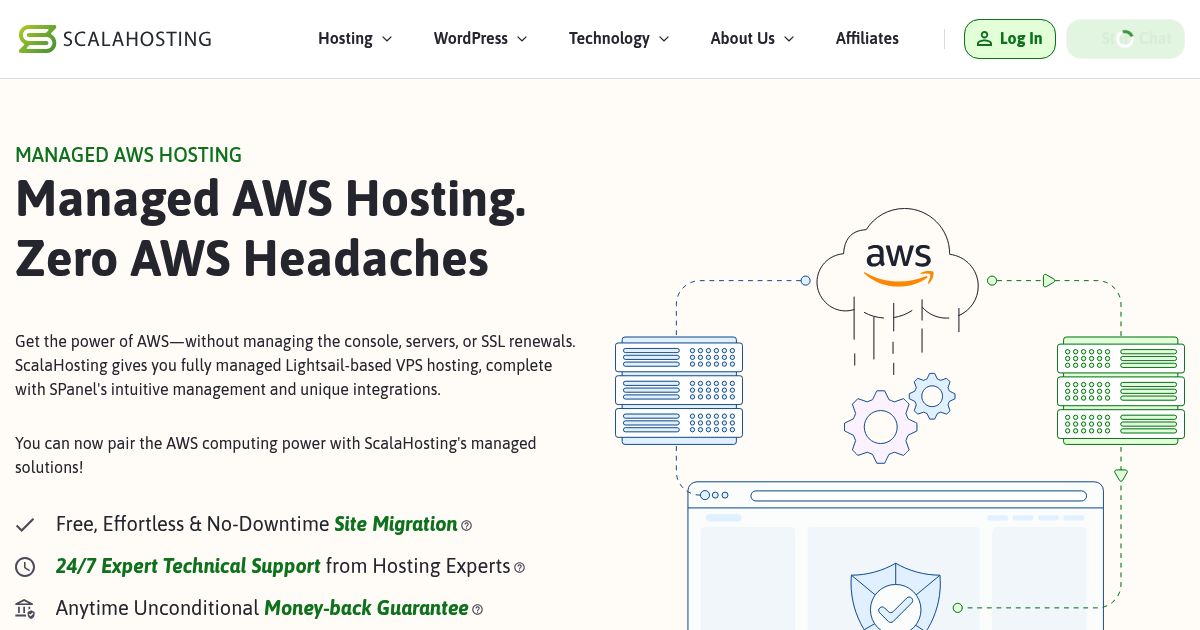
Overall, all the hosting services listed above offer scalability. However, we believe ScalaHosting provides the most seamless path for growing your website. You can start on an affordable shared hosting plan, then upgrade to fully managed cloud VPS or even managed AWS hosting — all without changing providers. Scala’s in-house SPanel simplifies the transition to VPS, making it easy to manage advanced hosting environments without needing deep technical knowledge.
For users who eventually outgrow shared resources, Scala’s support for managed AWS infrastructure offers a powerful and scalable next step, especially for high-traffic websites or growing online businesses. This makes ScalaHosting an ideal choice for beginners who want a simple start but serious room to grow.
Which Beginner Hosting is Best for Small Business?

ScalaHosting, Flashcloud, and One.com are our recommended beginner hosts for small businesses. ScalaHosting suits businesses planning for growth, Flashcloud simplifies setup and ongoing management, and One.com provides several ways to build a business website.
ScalaHosting is best for businesses that want a simple start with room to grow. Its shared hosting includes SSL, daily backups, and domain email. You can later move to managed cloud VPS when your website needs more resources, with SPanel (their proprietary control panel) providing a browser interface for hosting management. This gives business owners a path beyond shared hosting while keeping server administration with the provider.
Flashcloud is best for businesses that want the essentials bundled with practical setup help. Its shared plans include domain email, SSL, daily backups, and preconfigured performance tools. The free starter website and migration services can reduce the work involved in launching or moving a business site. We recommend its shared hosting primarily for local business websites, professional services, and other modest workloads.
One.com is best for businesses that want a choice of website-building approaches. Its shared hosting includes SSL, email accounts, and daily backups. Owners can build with its website tools, use WordPress, or purchase its optional website design service to have professionals build and maintain the site. This flexibility suits business owners who want to choose how much website work they handle themselves.
Which Web Host is Best for Learning WordPress?
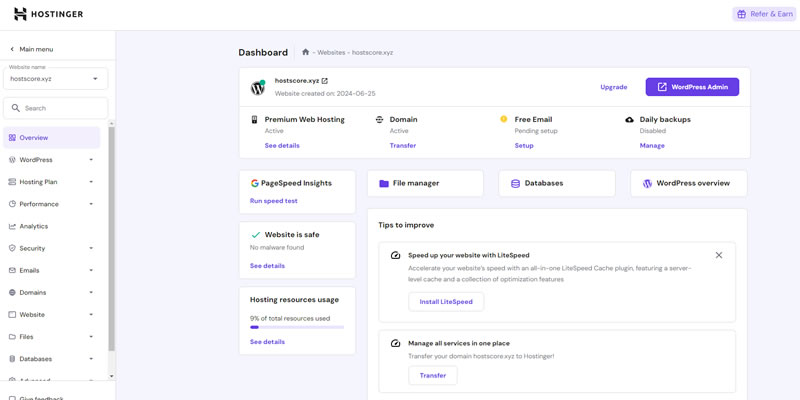
Hostinger is the best choice for beginners who want to learn WordPress properly without being overwhelmed. Its one-click WordPress installer removes the technical friction, while the custom hPanel dashboard presents essential settings in a cleaner, more beginner-friendly way than traditional cPanel. New users can focus on building and experimenting instead of figuring out server terminology.
Hostinger also reduces the learning curve with built-in performance tools and ready-to-use WordPress templates. Beginners don’t need to manually configure caching or optimization just to get acceptable speed as much of it is handled automatically.
Where Hostinger really shines is education and support. Its knowledge base includes clear WordPress tutorials covering plugins, themes, site customization, and basic performance tuning. When users get stuck, live chat support is available 24/7, and agents are trained to explain solutions step by step rather than assuming prior knowledge.
For anyone starting WordPress from scratch, Hostinger makes the learning process feel manageable — and even enjoyable.
Which Host Has the Best Onboarding and Setup Support?

Flashcloud is our #1 pick for beginners who want hands-on help getting their website online. Its free starter website service, migration assistance, and preconfigured hosting features reduce the setup work you need to handle yourself.
The free handcrafted website is particularly useful for first-time owners. You can submit your business details and design preferences through the client portal, and Flashcloud’s team builds the starter site for you. The current offer covers up to five pages and one revision. If you already have a website, free migration assistance covers your website, email, and databases.
During our review, we found Flashcloud’s client dashboard straightforward to use. Cloudflare integration and caching were already configured, while SSL and automatic backups covered other important setup tasks. This combination makes Flashcloud a practical choice for beginners who want to launch with fewer technical settings to manage.
What’s the Safest Option for First-time Buyers?
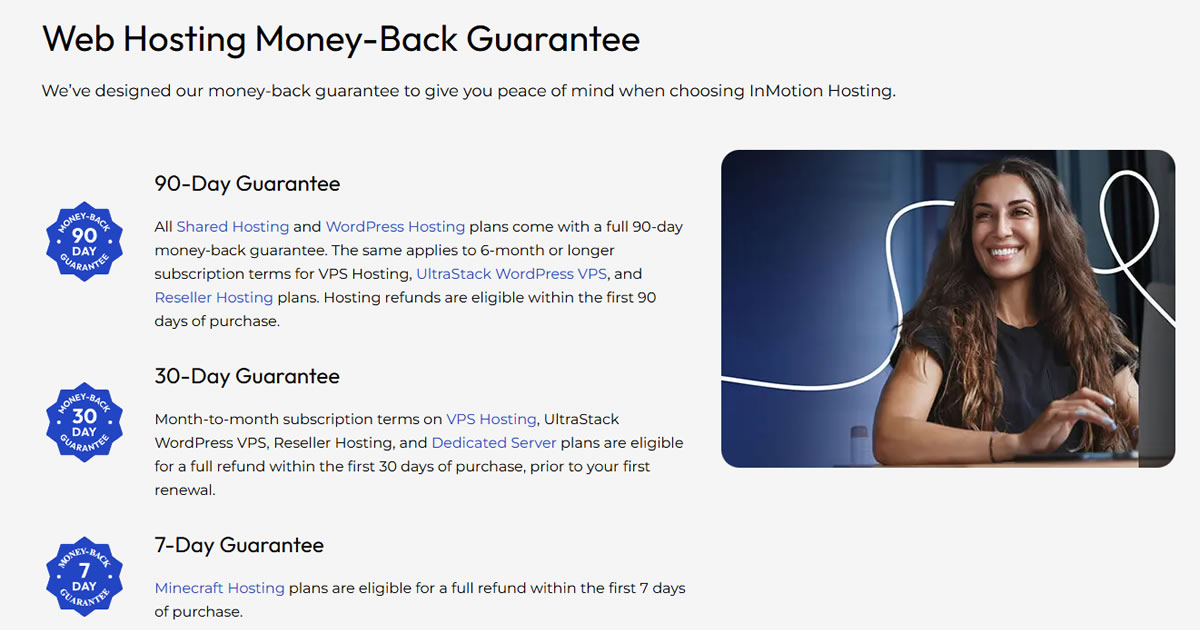
In our opinion, InMotion Hosting and ScalaHosting are the safest beginner options, but for different reasons.
ScalaHosting is safe in both refund flexibility and platform protection. Its anytime unconditional money-back guarantee reduces the risk for first-time buyers, while free SSL, daily backups, SShield real-time security protection, and SPanel help beginners manage hosting with fewer moving parts. Users also get a clearer upgrade path from shared hosting to managed cloud VPS, reducing the risk of outgrowing their host too quickly.
InMotion Hosting, on the other hand, offers one of the safest entry points for cautious first-time website owners. Its 90-day money-back guarantee gives beginners time to test the platform, build their site, and decide whether it fits their needs. InMotion also includes free SSL, automatic backups, DDoS protection, and server-level malware scanning on all plans.
For buyers who want a long trial window upfront, InMotion is the safer pick. For buyers who want ongoing refund flexibility, built-in security, and easier long-term scaling, ScalaHosting is the better first step.
What Makes a Web Host Beginner-Friendly?
A beginner-friendly web host makes everyday website tasks easy to understand and complete. You should be able to connect your domain, launch your site, manage email, and recover from mistakes without learning server administration.
| Beginner-Friendly Feature | What to Look For |
|---|---|
| Clear dashboard | Common tasks such as domain management, email setup, and backups are easy to find. |
| Guided setup | WordPress installation and domain connection come with clear instructions or practical assistance. |
| Included essentials | The plan clearly explains its SSL, backup, security, and email provisions, including any limits or trial periods. |
| Accessible support | Support channels are easy to reach, with useful answers, clear follow-up, and guides you can understand. |
| Transparent costs | Signup prices, renewal rates, billing commitments, and optional charges are explained before checkout. |
Dedicated Support Representatives and Consistent Help
A dedicated support representative gives you a consistent contact who understands your website and previous requests. This can be useful when domain connection, website migration, or email configuration requires several follow-ups.
The main benefit is continuity. You spend less time repeating your goals and troubleshooting history, and more time completing the next step. A representative or assigned team that follows your setup through to completion can be particularly helpful when launching a business website.

Before paying for dedicated assistance, check which tasks it covers, the contact’s availability, and who handles requests during their absence. Treat it as a useful extra. For a simple personal website, regular support that maintains clear ticket records and follows through may be enough.
What Makes a Web Host Difficult for Beginners?
A web host becomes difficult for beginners when routine tasks require unnecessary troubleshooting or extra purchases. Common warning signs include:
- Confusing setup: Domain and DNS settings are hard to find, or instructions assume technical knowledge you do not have.
- Poor support follow-through: You repeatedly explain the same issue, receive generic replies, or cannot get a clear next step.
- Unclear inclusions: Features advertised as free turn out to be temporary trials, or essential setup costs only become apparent after signup.
A traditional control panel is not automatically unsuitable for beginners. What matters is whether the host explains common tasks clearly and provides help when you get stuck.
Is Shared Hosting Good for Beginners?
Yes. Shared hosting supports most beginner websites by offering low-cost, low-maintenance plans that are easy to launch. If you’re starting a personal blog, a portfolio, or a small business site, shared hosting is usually the best place to begin.
Most shared hosting providers handle server updates, security patches, and basic configurations so you don’t have to. Great-for-beginners providers like ScalaHosting, Hostinger, and Flashcloud include one-click WordPress installers, free SSL certificates, and pre-configured caching to help beginners get started without technical headaches.

The main trade-off with shared hosting is resource sharing. Your site runs on the same server as other users, which means CPU, RAM, and disk I/O are pooled. If another site on the server experiences a spike in traffic or uses excessive resources, your performance could suffer. Some web hosts also set soft limits on PHP workers or concurrent connections, which can affect loading speed as your traffic grows. But still, for most first-time users, shared hosting strikes the right balance between affordability and simplicity. Just make sure the host includes the basics without charging extra.
Hosting Costs and Add-Ons to Check Before You Sign Up
An affordable hosting plan should fit your budget after the introductory offer ends. Before buying, check the upfront payment, renewal rates, included features, and any trials that become separate paid subscriptions.
Total Cost of Ownership Beyond the Introductory Price
Total cost of ownership, or TCO, is the full cost of running your website over a chosen period. It includes hosting, domain registration, email, and any software or services you need to maintain the site.
The advertised monthly hosting price tells you only part of that cost. A plan advertised at $3 per month with a 36-month commitment, for example, requires $108 upfront before taxes and extras. Your domain or email service may renew separately before those three years are over.
Use the following checks to build a more complete budget:
| Cost Item | What to Check Before Buying |
|---|---|
| Hosting subscription | The upfront payment, promotional term, renewal rate, and billing period at renewal. |
| Domain name | How long the free registration lasts, the domain renewal price, and whether privacy protection costs extra. |
| Email hosting | Whether mailboxes remain included or are part of a trial that renews as a paid service. |
| Backups and recovery | Whether backups are included, how long copies are retained, and whether restoring your website costs extra. |
| Security services | Which protections are included and whether additional subscriptions overlap with them. |
| Website software | Renewal fees for any paid theme, page builder, plugin, or website builder you choose. |
| Future upgrades | The cost of the next suitable hosting plan and whether migration assistance is included. |
Compare the total initial commitment (Dollar cost per month x number of year x 12) and the first renewal bill. Keep separate renewal dates for hosting, domains, email, and software so you can see when each expense begins.
You can use our Web Hosting Cost Calculator to compare hosting signup and renewal costs, then add the other expenses relevant to your website. A slightly higher hosting price can still produce a lower overall bill when it includes services you would otherwise purchase separately.
The Introductory Price and “Essential” Add-On Trap
A low hosting price can become less attractive once temporary freebies turn into recurring charges. Email trials (which we see them with many hosting providers these days) are a useful example because beginners may activate a premium mailbox without checking whether their hosting already includes a suitable alternative.
A custom domain email address does not automatically require a premium email subscription. Where your hosting plan includes cPanel email, you can create an address such as [email protected] using that included service. For a personal blog, portfolio, or first website with light correspondence, this may be enough.
Bluehost and GoDaddy illustrate why you should read the email offer details.


Our advice is to check the included mailbox option before activating a premium trial. Confirm its storage, sending limits, spam filtering, and access from your preferred email app. Having cPanel does not, by itself, guarantee that every provider includes free mailboxes.
Apply the same checks to products described as “essential” security. Your website needs HTTPS, secure account access, maintained software, and a recovery plan. Check which protections your hosting already provides before adding paid SSL, backup, or security subscriptions. Malware scanning, malware removal, and a web application firewall perform different jobs, so compare the actual coverage.
Paid email and security services can be worthwhile when they address a clear need. If email becomes central to your daily business operations, assess a dedicated email service for its reliability, recovery options, and administration tools. Choose it deliberately after comparing the ongoing cost.
If you have already started using a trial mailbox, move any messages you need and test the replacement mailbox before cancelling. This helps you avoid paying for an unwanted subscription while preserving your correspondence.
What Else Do You Need to Run a Website Successfully?
Choosing a beginner-friendly host is only the first step. To build a functioning website that’s fast, secure, and visible to users, you’ll also need to take care of a few key areas outside of hosting.
- Domain Management Basics Your domain is your digital identity. Most hosts allow you to register a domain during signup, but you’ll still need to manage DNS records, renewals, and privacy settings. If your domain is registered elsewhere, you’ll need to connect it to your host using nameservers or A records.
- Designing a Clear Website Structure A clean layout helps both users and search engines. Use a mobile-friendly theme, organize your navigation logically, and stick to consistent URL structures. Page builders or CMS themes can simplify this step for beginners.
- Securing Your Website Basic security starts with enabling HTTPS (SSL), using strong passwords, and keeping your CMS and plugins updated. Many hosts offer free SSL certificates and malware scans – turn these on from day one. For added safety, enable two-factor authentication and use a security plugin.
- Improving Speed and Performance Faster sites rank better and convert more visitors. Activate your host’s caching system (if available), compress images before uploading, and consider using a free CDN like Cloudflare.
- Writing Content That People (and Google) Understand Start with simple pages: Home, About, Contact, and a Blog if needed. Write naturally, but include keywords where appropriate. Use headings (H1, H2, H3) to structure your content, and always add alt text to images for accessibility and SEO.
- Creating Backups and a Recovery Plan Mistakes happen – which is why “we have “backup and recovery plan” exists. Choose a host that includes daily backups and lets you restore from the control panel.
- Tracking What’s Working Use free tools like Google Analytics or Microsoft Clarity to understand how visitors use your site. These platforms help you see what’s working, where users drop off, and how to improve over time. Many WordPress themes now include dashboard integrations for these tools.
- Getting Your First Visitors Start simple. Share your site on social media, ask friends to test it, and consider offering a newsletter or blog to build traffic. Free tools like MailerLite or ConvertKit can help beginners grow an email list without touching code.
Recommended Tools for Beginner Website Owners
Below is a table of tools categorized by their functions, which newbies can use to manage various aspects of their websites:
| Key Area | Recommended Tools | Extra Info |
|---|---|---|
| Domain Management | Namecheap, GoDaddy, Google Domains, Cloudflare DNS | Also use Cloudflare for DNS speed and protection; privacy protection is a must. |
| Website Design and Structure | Generate Press (WordPress), Wix, Shopify | Generate Press is great for fast, visual editing (this site you are reading is built on Generate Press); ideal for beginners on WordPress. |
| Content Creation and Publishing | WordPress CMS, Notion, Grammarly, ChatGPT, Canva | ChatGPT can help brainstorm blog ideas, rewrite content, or create outlines quickly. |
| Search Engine Optimization (SEO) | Yoast SEO, Rank Math, Google Search Console, Ahrefs Webmaster Tools | Google Search Console helps track indexing status; Yoast offers in-editor SEO guidance. |
| Performance Optimization | LiteSpeed Cache, WP Rocket, Cloudflare CDN, TinyPNG | Compress images before uploading; Cloudflare CDN boosts global load times. |
| Security Essentials | Sucuri, ZeroSSL, SSL by Let’s Encrypt, BBQ Firewall plugin | ZeroSSL is a free tool to generate and manage multiple SSL certificates at one place; BBQ Firewall offers effective firewall protection. |
| Backups and Recovery Plans | UpdraftPlus, Jetpack Backup, BlogVault, CodeGuard | Schedule weekly backups and store copies offsite for extra protection. |
| User Experience (UX) and Accessibility | Google Fonts, WAVE Accessibility Tool, Responsive Design Checker | Ensure keyboard navigation and readable fonts; use WAVE to check accessibility compliance. |
| Analytics and Visitor Tracking | Google Analytics, Microsoft Clarity, Matomo, Hotjar | Microsoft Clarity shows heatmaps and user behavior; GA is best for traffic insights. |
| Marketing and Audience Growth | Mailchimp, Buffer, ConvertKit, HubSpot CRM | Mailchimp is great for email campaigns; Buffer helps schedule social posts efficiently. |
Final Thoughts: Starting Simple is the Smartest Move
The best web hosting for beginners does one thing well: it removes complexity so you can focus on building your website, not managing a server.
For first-time site owners, starting with a simple and reliable host is the smartest move. A beginner-friendly hosting plan should guide you through the early stages, from domain setup and WordPress installation to security, backups, and basic performance. Instead of overwhelming you with advanced server settings, it should give you clear tools, helpful support, and room to grow when you are ready.
If you’re unsure which option fits your goals best, that’s normal. Choosing hosting isn’t about finding the “most powerful” platform. It’s about finding the one that matches where you are right now.
If you’d like a second opinion or personalized guidance, HostScore.net offers a free consultation to help beginners choose the right hosting setup. Just reach out by filling up this form here, tell us what you’re trying to build, and we’ll point you in the right direction so you can get online with confidence.
You May Also Be Interested In: