While “website” is a broad term, different types of websites serve unique purposes and require specific tools to build effectively. In the past, developers had to code each site manually, but today, website builders, CMS platforms, and automation tools make the process much easier.
The key to building a successful website is understanding its purpose. Knowing what you need to achieve helps you choose the right platform, design, and functionality.
Here are eight different types of websites you can create.
1. Portfolio Websites
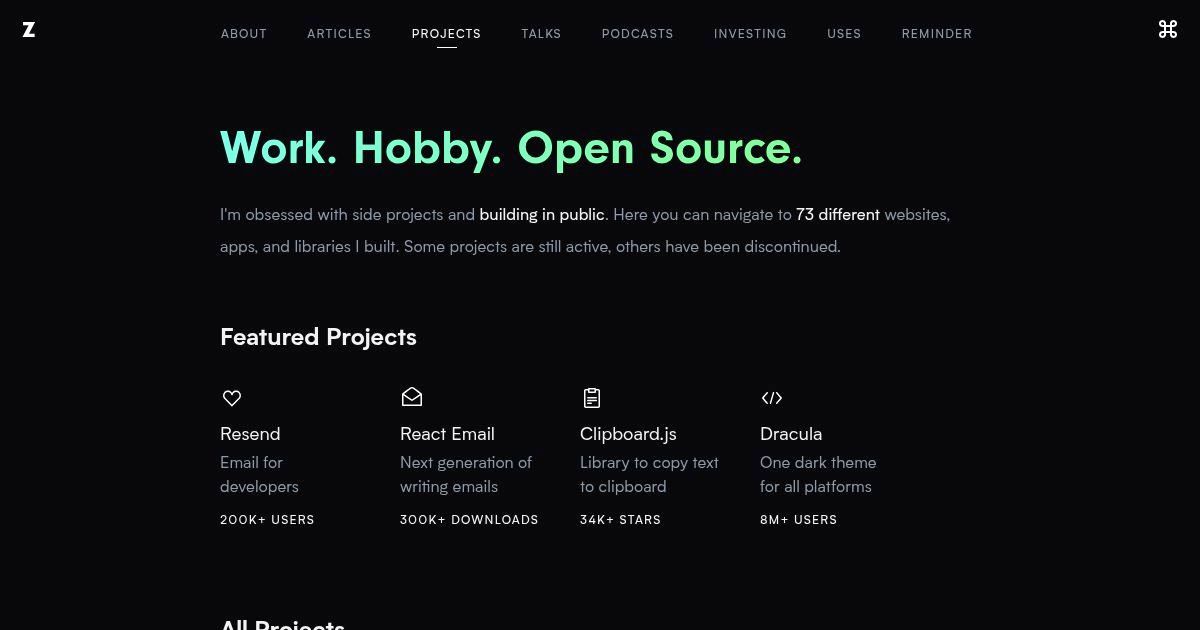
Given how digital the world has become, every individual can have a portfolio website. These act as a public CV of sorts and are helpful whether or not you’re actively seeking a job. Portfolio websites are mainly to give visitors a good idea of what kind of your professional capacity.
Examples: Kristina Smolynar (Model), Zeno Rocha (Developer)
How to Create a Portfolio Website?
Some portfolio websites can be quite basic and simply offer information about your skills and experience. However, certain occupations can benefit highly from portfolio sites – for example, web designers and artists.
Since they’re often simple, you can build portfolio websites in many ways. The easiest would be using no-code platforms that offer portfolio site-building as a service. If you prefer more control, then a platform like WordPress will do just as well.
- Best Platforms: WordPress (with Generate Press or Divi), Webnode, Webflow
- Essential Tools: Drag-and-drop page builder, image gallery plugins (Envira Gallery, NextGEN), contact form (WPForms, Contact Form 7)
2. Personal Blogs
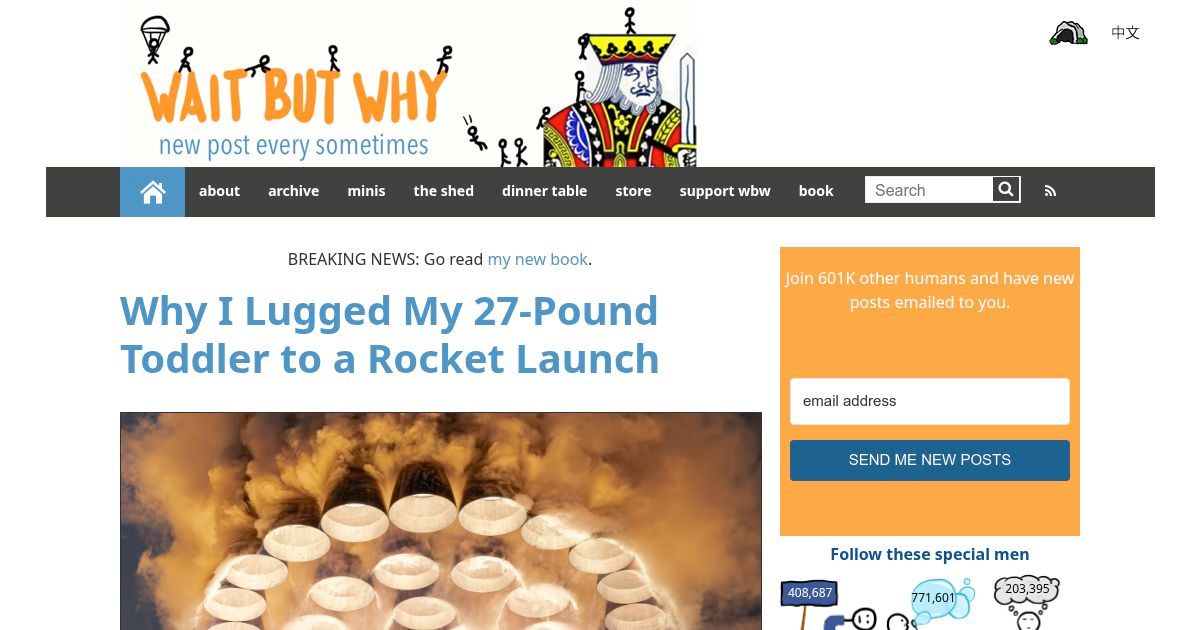
The lines between personal blogs and affiliate websites have become a little blurred. Many bloggers start out creating content that appeals to them. The ones that are successful and draw a large following eventually turn to affiliate marketing.
Examples: Wait but Why (Tech), KY Speaks (Food and Travel)
How to Create a Personal Blog?
Individuals typically build and operate these websites, wanting to share information on hobbies or other personal interests. There’s often little marketing to speak of, and most successful personal blogs are driven by organic traffic.
Due to the content-centric nature of personal blogs, many bloggers use the WordPress content management system (CMS). However, some platforms also offer bloggers an easy way out, for example, Blogger and Tumblr.
- Best Platforms: WordPress.org (self-hosted), Ghost, Medium
- Essential Tools: Caching Plugins (WP Rocket, Fastest Cache), Security Plugins (BBQ Firewall), SEO plugins (Rank Math), social sharing tools, content scheduling tools
3. Business Website

Business websites are those created specifically to support companies. The range of features they contain varies depending on the needs of each business. The most basic business websites will contain information on products or services offered.
Examples: Nike (Sportwear), McDonald’s (Fast Food)
How to Create a Business Website?
Some may offer the use of tools as further support. For example, real estate websites may allow visitors to view properties for sale or rent via video clips or 3D interactive tours. Because of this variation, business websites are one of the most diverse categories of websites around.
Business websites used to be the domain of large corporations that could afford to hire or outsource web development. Thanks to website builders and apps like WordPress, businesses of all sizes can now run a company website.
- Best Platforms: WordPress.org (flexible and customizable), Webflow (for custom design)
- Essential Tools: Business email hosting, SEO tools, appointment scheduling (Calendly, Bookly)
4. Business Blogs

It may sound like business blogs and websites are the same thing, but there is a difference. Many business websites today create a blog section as a standalone portion of their digital portfolio.
Examples: Kaspersky Daily (Internet Security), The Keyword (Web Technology)
How to Create a Business Blog?
These business blogs serve a few specific purposes. The content published on business blogs helps the company increase organic reach by leveraging Search Engine Optimization (SEO). In addition, businesses use them to post information in greater depth than typically found on business websites alone.
How companies integrate business blogs with their website depends on how they created their business website. Regardless, the business blog segment is often run on dedicated CMS platforms like WordPress or Drupal.
- Best Platforms: WordPress.org (best for customization), Ghost (for minimalistic content sites)
- Essential Tools: SEO plugins, content calendar tools, Google Analytics integration
5. eCommerce Website / Online Store

There are several ways you can sell products online, and eCommerce websites are one of them. Sometimes referred to as online stores, these websites are highly product-focused. Essentially, you list things to sell, provide a means to pay for them, and ship products once sold.
Examples: Kroger (Retail Food & Beverage), Cases of Mine (Mobile Accessories)
How to Create a eCommerce Website?
eCommerce is increasingly popular since they allow companies to reduce the overhead incurred from maintaining physical retail stores. However, they’re slightly more complex to build and maintain than regular websites.
- Best Platforms: Shopify (for ease of use), Hostinger Website Builder (for smaller store), WooCommerce (for WordPress users)
- Essential Tools: Payment gateways (Stripe, PayPal), SSL security, inventory management in supply chain
6. Non-profit Website

Non-profit websites may sound a little odd since it’s an additional expense for organizations that should be minimizing non-core costs. However, a digital presence can increase the effectiveness of non-profits by opening new channels of potential funding or expanding awareness.
Examples: American Society for Prevention of Cruelty to Animals (Animal Welfare), The Nature Conservancy (Environmental).
How to Create a Non-profit Website?
Having boots on the ground and asking for donations can be very limiting. A non-profit website not only expands reach but can open new payment channels to that broader audience. In addition, many digital service providers look kindly to certain non-profits and may assist with services or expertise.
Non-profit sites need donation integration, volunteer sign-ups, and event management features.
Non-profits look towards budget-oriented solutions like WordPress. This platform also offers the advantage of modularity to configure the website easily to custom specifications.
- Best Platforms: WordPress (with GiveWP or Charitable plugins), Wix
- Essential Tools: Donation tools, email marketing (Mailchimp, Constant Contact)
7. Educational Website

Apart from providing potential students more information about the institution, educational websites can also serve many other purposes. For example, it can be the front of your internal communication platform or a full-blown digital education system.
Examples: Pluralsight (Technology Skills training), Harvard University (Formal Higher Education), Cakeflix (Baking and Decorating Tutorials).
How to Create a Educational Website?
Thanks to the many tools available, there are few limits to what educational websites can be. You can upload coursework digitally, have an online assignment and grading system, or even live-stream lectures or provide one-on-one facetime online to students.
How you create an educational website depends on the features you’ll need. Informational sites can be built using almost anything. For more focused features, look towards learning management systems (LMS) like Moodle.
- Best Platforms: WordPress (with LearnDash or LifterLMS), Teachable, Moodle
- Essential Tools: Course management, quiz builders, discussion forums
8. News Portal

The days of leafing through dirty newspapers are all but over. In the US alone, the circulation of physical newspapers dropped by more than 50% over the past two decades. The digital space is where the action is now.
Examples: CNN (General News & Opinion), CNET (Tech News), Medical News Today (Medical).
How to Create a News Portal Website?
From news portals to digital magazines, there’s a wealth of information online. If this is what you’re interested in, there are many great examples along with tried and tested tools.
News portals require a fast, SEO-friendly platform with multi-author support and content monetization. For basic news sites with advertising models, you can simply use a CMS like Joomla or WordPress.
- Best Platforms: WordPress (with news themes), Drupal
- Essential Tools: AMP (Accelerated Mobile Pages), ad management tools, RSS feed automation
Things to Know When Building a Website for the First Time
How Do I Determine the Type of Website to Build?
The type of website you should build depends on its purpose, target audience, and required features.
A personal blog needs a simple content management system (CMS) like WordPress, while an eCommerce site requires shopping cart functionality and payment processing. Consider factors like interactivity, scalability, and content structure to choose the right format for your needs.
Does Website Type Affect My Choice in Web Hosting?
Yes, the type of website you are building affects the choice in web hosting. Different websites have different hosting requirements. A simple blog or business site runs well on shared hosting, but a high-traffic news portal, eCommerce store, or web app needs VPS, cloud, or dedicated hosting for better speed, uptime, and security.
Choosing the right web host ensures your website performs optimally and can scale as needed.


Does Website Type Affect the Cost of Building It?
Yes, the cost varies based on the complexity of the website. A basic blog or portfolio site can be built for minimal cost using free themes and shared hosting, while an eCommerce or membership site requires premium plugins, advanced security, and higher-performance hosting, increasing expenses. Custom development and integrations also add to the cost.
Which Website Building Platform is Right for You?
Not everyone has coding skills, and that’s okay.
Website builders, CMS (Content Management Systems), and LMS (Learning Management Systems) make website creation accessible. Platforms like WordPress, Shopify, or Hostinger Website Builder offer pre-coded structures, allowing you to focus on content instead of technical complexities. Choose a platform based on your needs – whether it’s for blogging, eCommerce, or online learning.
How Long Does It Take to Build Different Types of Websites?
The time required to build a website varies depending on complexity, features, and development approach. Faster website development is possible with pre-built templates and platforms, but complex sites with advanced features need custom coding, testing, and iteration, extending the timeline.
Estimated development timeline for each website type:
- Portfolio Websites (1-2 Weeks) A simple portfolio site using a template on Webnode, Wix, Yola, or WordPress can be ready in a few days. Custom-designed sites take up to two weeks with branding and additional functionality.
- Personal Blogs (A Few Days – 1 Week) Setting up a blog on WordPress or Medium can be done in a day with a pre-built theme. Adding custom branding, SEO optimization, and monetization features may take a few more days.
- Business Websites (2-4 Weeks) A small business website takes about 2-4 weeks, depending on the level of customization. Using pre-built themes speeds up development, while custom designs and integrations (e.g., booking tools, chatbots) extend the timeline.
- Business Blogs (1-3 Weeks) A business blog setup is quick (1-2 days), but creating a proper content strategy, optimizing SEO, and structuring posts take a couple of weeks before it becomes fully operational.
- eCommerce Website / Online Store (4-12 Weeks) An online store takes at least 4 weeks to set up, depending on the number of products and integrations. Basic Shopify setups are faster (2-3 weeks), but WooCommerce stores require customization, payment processing setup, and performance tuning, extending the timeline.
- Non-Profit Websites (3-6 Weeks) A basic non-profit website with donation processing can be built in 3 weeks using WordPress or Weebly. Custom-built sites with volunteer sign-up forms, event calendars, and grant management can take 6 weeks or longer.
- Educational Websites (6-12 Weeks) Building an eLearning site depends on content volume and interactive features. A simple Teachable course site can be set up in a month, but a fully functional LMS-based WordPress site takes 2-3 months.
- News Portals (6-12 Weeks or Ongoing Development) News portals require ongoing development and optimization. A basic WordPress news site can launch within 6 weeks, but integrating advanced features like ad management, multi-author controls, and fast-loading AMP pages extends development to 3 months or more.
How Do You Balance Website Design and Usability?
While an attractive website is important, usability and functionality should come first. A well-structured layout improves navigation, while responsive design ensures mobile compatibility. Additionally, design elements can impact performance – overloading a page with large images, animations, or unnecessary scripts can slow down load times. Balance aesthetics with efficiency to create a smooth user experience.
What Are the Best Ways to Grow Your Website’s Traffic?
A website alone won’t attract visitors – it needs SEO, content marketing, and link-building to drive traffic. Outreach, guest posting, and social media engagement expand reach, while tools like Google Analytics, email marketing platforms, and social media schedulers streamline marketing efforts. A clear promotion strategy is key to growing your audience.
Let’s Get It Started!
Building a website isn’t just about launching a page – It’s about continuous improvement, optimization, and growth. Whether you’re creating a personal blog, an online store, or a business website, focusing on cost, performance, tools, design, and marketing will help you develop a website that meets your goals and delivers long-term value.
You May Also Be Interested In: