Artificial Intelligence (AI) is now part of many websites. From chatbots that answer questions to algorithms that suggest what to buy next, these features help businesses boost user experience and drive engagement.
But building a site with AI is only half the job.
To keep things running smoothly, you also need the right web hosting setup. Hosting a website with AI integration means more than just fast servers. You’ll need infrastructure that can handle data-heavy tasks like machine learning, real-time analysis, or natural language processing.
In this article, we explain what AI integration really means in the context of web hosting, and what to look for when picking a hosting provider for your AI-powered site.
What Does “AI Integration” in Website Hosting Mean?
AI integration in website hosting means your hosting infrastructure is capable of supporting applications that rely on artificial intelligence. This includes machine learning models, deep learning frameworks, natural language processing (NLP), image recognition, or real-time data analysis.
These AI-driven features aren’t just decorative — they often perform heavy-duty computing in the background. That means your hosting setup must go beyond the basics. To function efficiently, AI-powered websites need:
- High-performance CPUs and GPUs for training or executing models.
- Sufficient RAM and SSD storage for handling large datasets quickly.
- Support for frameworks like TensorFlow, PyTorch, or OpenAI APIs.
- Scalable infrastructure that can handle traffic spikes or computational surges.
- Reliable uptime and fast I/O operations to avoid latency in real-time decision making.
Real-World Examples

- Netflix uses AI to analyze viewer behavior and generate hyper-personalized movie and show suggestions. This involves processing vast amounts of viewing data with predictive algorithms.
- Shopify offers AI-driven product recommendation tools, such as the Perzonalization app, which uses predictive algorithms to analyze customer behavior and browsing history. These tools provide real-time personalized product suggestions, aiming to increase revenue through upselling and cross-selling strategies.
- Grammarly offers real-time writing suggestions by running NLP models that analyze tone, grammar, and context.
- GitHub Copilot, powered by OpenAI Codex, provides intelligent code completion. This relies on constant API communication and substantial compute resources, especially in collaborative environments.
These examples aren’t just high-end tech showpieces. Smaller websites are also embedding AI — like using AI chat widgets (e.g., Tidio, ChatGPT plugins), dynamic content personalization tools, or AI-powered search bars. Even a modest site running WooCommerce can benefit from product recommendation engines or inventory forecasting powered by AI.
What Hosting Features Are Essential for AI Integration?
Not all hosting platforms are equipped to handle the demands of AI-powered websites. While most shared hosting plans fall short, cloud and VPS solutions are better suited due to their flexibility, scalability, and access to more powerful hardware.
To run AI-powered websites effectively, your hosting provider must offer more than just the basics. AI models can be resource-intensive and unpredictable, so your infrastructure must be built to handle both scale and speed.
Below are the key hosting features to look for and recommended hosting solutions to try out.
1. High Processing Power
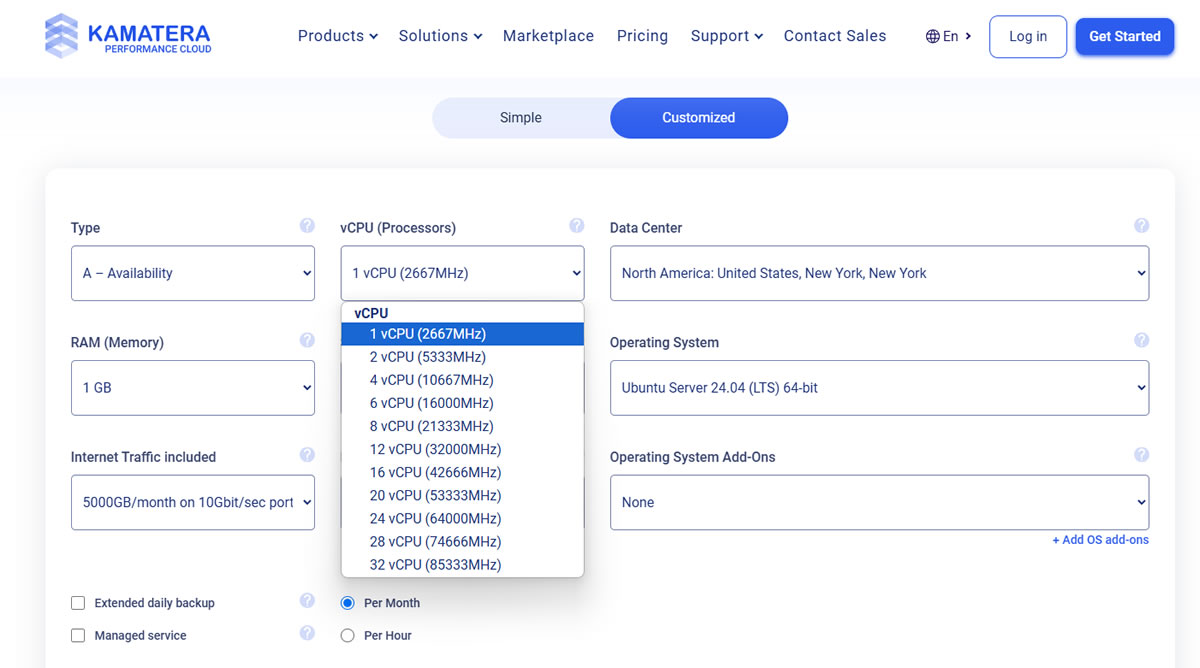
AI workloads — such as training deep learning models or performing real-time inference — require serious computing power. A capable hosting provider should offer multi-core CPUs to handle parallel processing efficiently, and more importantly, access to dedicated or virtual GPUs. These GPUs are essential for speeding up compute-heavy tasks like image classification, neural network training, or natural language processing. Without this hardware, AI performance can lag significantly.
2. Scalable Hosting Resources

Traffic and computational needs for AI applications can be highly unpredictable. To accommodate this, your hosting provider should support both vertical and horizontal scaling.
Vertical scaling allows you to upgrade resources like RAM or CPU on a single server, while horizontal scaling adds additional servers or containers to distribute the workload. Cloud-based platforms are particularly well-suited for this, offering seamless, on-demand scalability with minimal downtime or disruption.
3. Fast Storage

AI applications process and generate large volumes of data in real-time, which makes storage performance a critical factor. SSD or NVMe storage drives are preferred for their high read/write speeds and reliability. Additionally, your host should deliver high IOPS (input/output operations per second) to avoid data bottlenecks and ensure smooth performance during training or inference operations.
4. Low-Latency Networking

For AI tools that rely on real-time feedback — like chatbots, recommendation systems, or fraud detection— network performance is crucial. A reliable hosting provider should offer optimized bandwidth routes to minimize latency, and ideally, integrate with a global CDN to ensure fast content delivery regardless of your user’s location. This becomes especially important for applications with a global user base.
5. API and Framework Compatibility

AI-powered websites often rely on third-party APIs (like OpenAI, Hugging Face, or AWS SageMaker) and specific frameworks such as TensorFlow or PyTorch.
Your hosting environment should support commonly used programming languages like Python and Node.js, and provide root or container-level access for installing libraries, SDKs, or custom environments. Flexibility at this level ensures you can integrate the tools your application depends on — without hitting compatibility roadblocks.
Cost Considerations: Is AI Integration Expensive?
Hosting a website with AI capabilities can get costly — but the final price depends heavily on the scale and complexity of your AI features. Here’s a breakdown of the main cost factors to help you plan ahead.
Hardware Resources
AI tasks, especially those involving model training or inference, often require GPU-equipped servers, which are significantly pricier than standard CPU-based machines. For example:
- Dedicated GPU servers typically start at around $400 to $600/month.
- Standard CPU servers, suitable for lighter AI tasks, can cost as little as $50 to $100/month.
If your AI use case is limited to running pre-trained models or using third-party APIs, you may not need dedicated GPUs—saving you a chunk of your monthly bill.
Bandwidth and Storage
AI applications tend to move large amounts of data—especially if you’re processing images, video, or real-time user interactions. This leads to higher:
- Bandwidth consumption: Hosting providers usually include a bandwidth limit, with overage charges ranging from $0.01 to $0.10 per GB.
- Storage needs: Fast SSD or NVMe storage is a must for quick data access, but also comes at a premium when you’re scaling.
Managed vs. Unmanaged Hosting
Going with a managed cloud hosting solution — like Kinsta’s application hosting or ScalaHosting’s managed VPS— means higher upfront costs, but less hands-on maintenance. These platforms handle server optimization, updates, and monitoring, which can save you time and avoid costly mistakes.
- Managed hosting plans typically add $100–$200/month on top of your base server cost.
Example Cost Breakdown
Let’s look at a simple cost estimation for a mid-sized AI-powered eCommerce site:
- GPU-powered cloud server: $500/month
- Bandwidth usage: 2TB monthly traffic, with the first 1TB free. At $0.05/GB overage, the second 1TB adds $50.
- Managed service add-on: $150/month
- Total Monthly Hosting Cost: $700
This figure can vary widely depending on your AI workload, hosting provider, and infrastructure choices. However, it provides a useful baseline for budgeting.
If you’re just experimenting with AI features (e.g., integrating ChatGPT, image tagging, or smart search), start with standard VPS hosting and scale up only when needed. This staged approach keeps costs manageable while you test your concept.
Questions to Ask Before Choosing a Hosting Provider for Your AI-Powered Website

Choosing a hosting provider for an AI-driven website is about finding a platform that aligns with your project’s technical demands, future growth, and reliability expectations. The best way to evaluate a host? Ask the right questions.
Below are the essential questions to guide your selection — along with what each reveals about the provider’s suitability for AI workloads:
Do you offer GPU-accelerated servers?
AI applications often require GPU computing power for training models or running real-time inference. If you’re working with machine learning or deep learning, make sure your host provides dedicated or virtual GPU options—and ask which models are available (e.g., NVIDIA A100, T4, etc.).
What are your scalability options?
Can the provider handle sudden increases in traffic or compute load? Look for solutions that support both vertical scaling (upgrading RAM, CPU, or GPU) and horizontal scaling (adding more servers or containers).
Is your infrastructure optimized for data-heavy workloads?
Ask about the type of storage used — NVMe SSDs are ideal for AI — and the IOPS performance. Also inquire about bandwidth limits, overage fees, and how fast data can be read or written during high-load periods.
Which AI frameworks and APIs do you support?
If you’re using TensorFlow, PyTorch, Keras, Hugging Face, or OpenAI’s APIs, your host should allow custom environments, container setups (like Docker), or pre-installed support for these tools. Clarify if you can install your own libraries and dependencies.
How do you handle data privacy, security, and compliance?
AI often involves processing personal or sensitive user data. Confirm whether the host complies with regulations like GDPR, CCPA, or HIPAA. Ask how they handle data encryption, backups, and DDoS protection.
What’s your average uptime and reliability track record?
Downtime can disrupt AI features, especially if they rely on real-time processing (e.g., personalized content or chatbot responses). Look for uptime guarantees above 99.9% and ask for real-world benchmarks or SLAs.
What support do you offer for AI-related deployments?
Managed hosting can be a game-changer if you don’t want to deal with low-level server maintenance. Ask about 24/7 technical support, onboarding help, and whether the support team has experience with AI setups or data science workflows.
Can you share examples or case studies of AI-powered projects hosted with you?
Proven use cases offer insight into how well the platform handles real-world AI demands. If they’ve hosted machine learning platforms, image classifiers, or recommendation engines before, that’s a strong vote of confidence.
Are there hidden or usage-based costs I should be aware of?
Get clarity on pricing for bandwidth overages, storage expansion, API usage, or support tiers. Some platforms advertise low entry prices but charge steeply once you start scaling or using additional features.
Create a shortlist of hosting providers and send them these questions directly — or look for answers in their knowledge base and documentation. Providers that offer clear, confident responses (and even share detailed case studies) are more likely to support your AI goals in the long run.
Conclusion
Asking the right questions is the most practical way to uncover whether a hosting provider can truly support your AI-powered website. It’s about having an infrastructure that scales, supports your tech stack, and keeps your data secure.
Whether you’re launching a chatbot, training models, or integrating AI APIs into your platform, the right host makes all the difference. Define your resource needs, look closely at performance and flexibility, and partner with a provider that can support your growth long-term.
For a head start, explore HostScore.net’s top-rated hosting providers. Options like Kamatera, ScalaHosting, Hostman, and Kinsta offer scalable, developer-friendly environments that are well-equipped to handle AI workloads — no matter your project size.