
Fonts are everywhere. From billboards to magazines, typography plays a vital role in visual communication. Regardless if you run an eCommerce store or a blog, your website relies on text to convey information.
Choosing the right font is crucial for readability, branding, and overall user experience.
What Are Web Safe Fonts?
Web safe fonts are typefaces that render consistently across different operating systems and browsers. These fonts ensure your website looks the same on all devices without relying on external font hosting.
For those seeking options, below are 25 widely supported, beautiful fonts for your website.
Serif Fonts
Serif fonts have small strokes at the ends of letters, giving a traditional and formal look.
| Font Name | Description |
|---|---|
| Times New Roman | Classic and professional, widely used in academic and business settings. |
| Georgia | A highly readable font, optimized for screen display. |
| Garamond | Elegant and timeless, great for editorial content. |
| Baskerville | A refined font with excellent contrast and readability. |
| Courier New | A monospaced font that mimics a typewriter style. |
Sans-Serif Fonts
Sans-serif fonts are clean and modern, suitable for digital content.
| Font Name | Description |
|---|---|
| Arial | A simple and highly readable font used across industries. |
| Helvetica | A popular choice for clean, professional design. |
| Verdana | Designed for readability on screens, with wide spacing. |
| Tahoma | Similar to Verdana but slightly more compact. |
| Trebuchet MS | A stylish sans-serif font optimized for digital screens. |
Monospace Fonts
Monospace fonts have equal spacing between characters, often used in coding.
| Font Name | Description |
|---|---|
| Courier New | A classic monospaced font resembling a typewriter. |
| Lucida Console | Designed for better readability in programming. |
| Consolas | Optimized for coding with clear character distinction. |
| Monaco | A clean monospace font commonly used in macOS. |
| Andale Mono | A legible font for technical documents and coding. |
Cursive & Decorative Fonts
These fonts add personality and uniqueness to designs but should be used sparingly.
| Font Name | Description |
|---|---|
| Brush Script MT | A stylish cursive font, best for headlines. |
| Comic Sans MS | A casual font with a playful appearance. |
| Lucida Handwriting | A decorative script font for special occasions. |
| Papyrus | An artistic font with a unique texture. |
| Impact | A bold and attention-grabbing font for headlines. |
Why Should You Use Web Safe Fonts?
In an ideal world, you should be able to choose any font for your website. In reality, there are restrictions on the type of fonts you can use.
Most computers and web browsers come with a set of pre-installed fonts, but their designs can differ across systems. There wasn’t a standard font set shared by all manufacturers. If a font used on your website is not installed on a user’s computer, the browser will revert to a generic font, which may be less readable or inconsistent with your branding.
To prevent this issue, web designers have relied on the Core Fonts for the Web, released by Microsoft in 1996, as a standard for most website fonts. These fonts eventually became known as “web safe fonts” because they render consistently across different computers and operating systems.
Should I Use Web Safe Fonts for My Website?
Short answer: Absolutely.
If you want to maintain the design and branding consistency of your website, using web safe fonts ensures that your site appears exactly as intended.
In fact, nearly all websites today use some form of web safe font. Web designers recommend using web safe fonts to prevent browsers from defaulting to generic fonts like Times New Roman, which can disrupt your site’s aesthetic if a custom font is not available.
How Do I Add Web Safe Fonts?
There are several ways to integrate web safe fonts into your website. If you are not familiar with programming or have little technical experience, you can simply copy and paste the raw CSS code into your stylesheet.
Follow these steps to add the fonts you want to your site.
- Open your
header.phpfile. - Copy the font source or standard code (see reference 1).
- Paste the code at the top of your header file.
- Open your
style.cssfile and apply the font code to define your text styling (see reference 2).
Reference 1
<link href="https://fonts.googleapis.com/css?family=Abel" rel="stylesheet">Reference 2
body {font-family:'Abel';font-size:22px;}How to Choose the Right Web Safe Font?
Readability

Readability is one of the most important factors when choosing a font. A font that is too decorative or too small can make text difficult to read, which can frustrate users and increase bounce rates.
Fonts like Arial, Georgia, and Verdana are widely used because they are clear and legible on digital screens. When selecting a font, always consider factors such as character spacing, line height, and contrast to enhance readability.
Brand Personality

Fonts play a significant role in shaping your brand’s identity. Serif fonts such as Times New Roman and Garamond convey a sense of tradition and reliability – which make them ideal for formal or corporate websites. On the other hand, sans-serif fonts like Helvetica and Tahoma provide a modern and sleek aesthetic that suits tech startups and contemporary brands. Your chosen font should align with your brand’s message and overall visual style.
Browser Support

While some fonts may look great on your design software, they may not be supported across all browsers and operating systems. Using web safe fonts ensures that your text appears consistently regardless of where your visitors are coming from. Fonts like Arial, Courier New, and Trebuchet MS are universally supported, ensuring seamless display on different platforms.
Contrast & Spacing

Contrast and spacing can significantly impact text visibility and user experience. Fonts with good contrast against the background improve readability, particularly for users with visual impairments. Additionally, proper letter spacing and line height can make text more digestible, reducing strain on the eyes. Be sure to test your fonts under different lighting conditions and screen sizes to optimize legibility.
Best Practices for Using Web Safe Fonts
- Test across devices and browsers to ensure consistent rendering.
- Stick to a maximum of two fonts to maintain design harmony.
- Use contrast effectively – pair serif with sans-serif for balance.
- Ensure readability by using appropriate font sizes (16px or higher for body text).
- Optimize line spacing to improve text legibility.
Font Tools to Check Out
If you’re struggling to choose the right font or want to explore different options, these tools can help:

- HostScore Checker Tool Want to know what fonts a website is using? Our in-house HostScore Checker Tool analyzes and identifies font scripts directly from any webpage.
- Font Pair A great resource for typography inspiration, Font Pair offers curated Google Font pairings, plugins, and guides to help you craft visually appealing text combinations.
- Wordmark.it For a quick preview of how your text will look in various fonts, Wordmark.it is a handy tool. Simply type a word or phrase, and it will generate an instant preview of how it appears in multiple fonts, making font selection faster and easier.
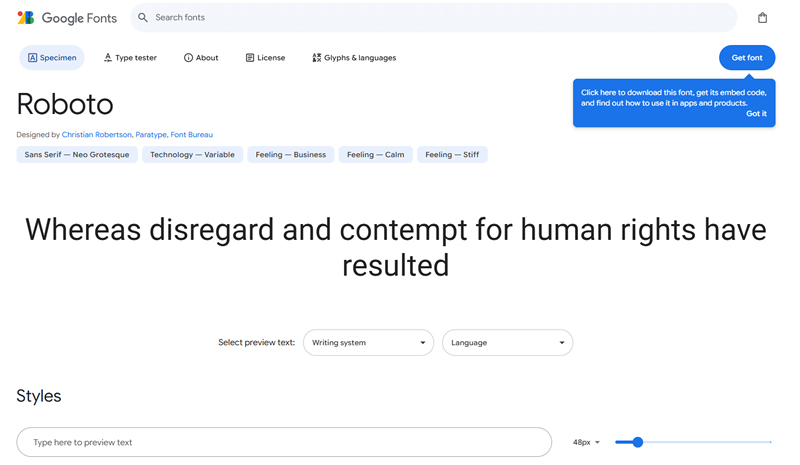
- Google Fonts Google Fonts is a free and widely used repository offering web-friendly fonts. It provides easy CSS and API integration, ensuring seamless performance across browsers and devices.
- WhatTheFont If you’ve come across a font online and want to identify it, WhatTheFont allows you to upload an image of the font. The tool then cross-checks its database to provide the closest match. If you still can’t find an exact match, you can consult their community forum for additional assistance.
How Fonts Affect Website Speed and Hosting Performance
While fonts are a design choice, they also play a crucial role in website speed and performance. Custom and external web fonts often require additional HTTP requests, increasing page load times. Hence, to optimize your site’s performance:
- Use Web Safe Fonts – These fonts load faster since they are pre-installed on most devices, eliminating extra requests.
- Minimize Font Variants – Stick to essential weights and styles to reduce the number of files your site needs to load.
- Host Fonts Locally – Instead of relying on third-party font providers, hosting fonts on your own server can speed up delivery and enhance security.
- Leverage a Performance-Optimized Hosting Provider – A web host with NVMe SSD storage and built-in CDN support helps ensure that your website – and its fonts – load as fast as possible.
If your website is lagging despite using lightweight fonts, your hosting provider might be the bottleneck. Investing in a high-performance host ensures that every part of your site, including typography, loads quickly for the best user experience.
Final Thoughts
You’ve picked the perfect web safe font. It’s readable, stylish, and looks great on any screen. But here’s the catch – a slow website will ruin it all.
No one sticks around for a beautiful font if your site takes forever to load. Web safe fonts help, but they’re not magic. If your hosting provider is sluggish, your pages will still drag.
Fast fonts need fast hosting. Want typography that loads in a blink? Make sure your web host isn’t the reason your visitors bounce. Check out our top hosting picks – because great design deserves great speed.

