The best NVMe hosting providers in our shortlist are Atlantic.Net, ScalaHosting, and Hostinger.
Atlantic.Net leads for businesses needing configurable NVMe infrastructure. ScalaHosting suits buyers seeking a managed cloud VPS, while Hostinger provides a lower-cost starting point for websites and custom applications.
Our recommendations also include Kinsta for managed WordPress hosting and Flashcloud for smaller websites needing setup assistance. Kinsta’s public documentation identifies SSD storage without explicitly confirming NVMe, so its inclusion reflects its WordPress platform rather than a verified NVMe specification.
NVMe storage can improve database access, file operations, and other storage-intensive tasks. However, your hosting plan’s CPU allocation, RAM, disk I/O limits, and application configuration also affect performance. This guide compares the complete hosting environment, including management, resource restrictions, recovery options, and upgrade paths.
Which NVMe Hosting Providers Should You Consider?
| Provider | Best For | Main Advantage | Limitations |
|---|---|---|---|
| Atlantic.Net | Enterprise applications and large databases | Configurable hardware with NVMe RAID options | Higher budget and configuration requirements |
| ScalaHosting | Small websites through growing businesses | Affordable shared entry with managed VPS upgrades | Lack dedicated hosting option; higher renewal prices |
| Hostinger | Budget-conscious users and self-hosted applications | AI assistance and ready-to-deploy application templates | Lack dedicated hosting option; resource restrictions in shared plans |
| Kinsta | WordPress-centric businesses and agencies | Integrated staging, caching, backups, and monitoring | Overage charges may occur; expensive for those managing multiple small sites |
| Flashcloud | Small businesses needing launch assistance | Starter website service and migration assistance | Higher renewal prices |
1. Atlantic.Net
Website: https://www.atlantic.net/
Atlantic.Net is our leading recommendation for businesses needing configurable NVMe infrastructure. Its dedicated-host range includes NVMe storage configurations with RAID redundancy, giving buyers specific storage arrangements to evaluate alongside CPU cores, RAM, and transfer allowances. Select the configuration carefully, because Atlantic.Net also offers SATA SSD options within the same product range.
Atlantic.Net suits database-heavy applications, established online businesses, and organizations with infrastructure requirements beyond a standard website-hosting package. Buyers can discuss custom configurations and management services rather than fitting every workload into a fixed shared plan. This flexibility is useful when storage capacity, processing resources, and operational responsibilities need to be agreed before deployment.
The main trade-off with Atlantic.Net is a more involved purchasing decision and a much higher budget for dedicated infrastructure. You need to compare CPU, RAM, storage configurations, and management services against your workload before committing. Smaller websites with modest resource needs may find a shared hosting plan or managed VPS more economical.
Learn more in our Atlantic.Net review.
Atlantic.Net Pros & Cons
Pros
- Configurable NVMe server infrastructure
- NVMe RAID configurations available
- Server management services available
- 100% uptime SLA and audited global data centers
- Excellent server performance confirmed through our recent performance tests
- HIPAA-ready and PCI-ready infrastructure for regulated workloads
Cons
- Less beginner-friendly and more expensive than usual shared hosting
- Custom requirements need sales discussions.
2. ScalaHosting

ScalaHosting is our recommendation for buyers seeking NVMe storage in either shared hosting or a managed cloud VPS. Its shared plans suit smaller websites that need straightforward hosting without server administration. These plans include NVMe storage, automated backups, free SSL, and website migration assistance, providing an accessible starting point for blogs and business websites.
ScalaHosting’s managed cloud VPS suits websites that need more configurable CPU, RAM, and storage. SPanel provides a browser interface for managing websites and hosting services, while the managed service reduces the server administration you handle yourself. Our ScalaHosting load-testing report provides additional evidence for the tested VPS configuration, although those results should not be applied to its shared plans.
Choose shared hosting when your resource needs are modest, then consider a managed VPS as your workload grows. Shared plans share CPU and RAM, so NVMe storage alone does not guarantee consistent performance during busy periods. Compare renewal prices and resource allocations carefully, because the VPS upgrade brings a higher ongoing cost.
Learn more in our ScalaHosting review.
ScalaHosting Pros & Cons
Pros
- NVMe storage across shared and VPS plans
- SPanel simplifies website and server management
- Configurable CPU, RAM, and storage
- Automated backups and migration assistance included
- Excellent server performance confirmed through our recent performance tests
Cons
- Renewal prices for shared and VPS plans are significantly higher than initial promotional rates
- No dedicated server plans available for enterprise-scale workloads
3. Hostinger

Website: https://hostinger.com/
Hostinger is our budget-focused recommendation for NVMe VPS hosting with easier setup. Its VPS plans combine AMD EPYC processors, NVMe SSD storage, and root access. Hostinger Agent, its unified AI assistant incorporating the former Kodee assistant, helps users configure, troubleshoot, and manage their VPS through plain-language requests. This reduces the command-line knowledge needed for common administration tasks.
Hostinger also provides ready-to-deploy templates for applications including WordPress, WooCommerce, n8n, Nextcloud, OpenClaw, and Ollama. These templates handle much of the initial software installation, helping you launch a website, automation platform, or self-hosted application without assembling the server environment from scratch. Together, the templates and AI assistance make a low-cost VPS more approachable for users willing to manage their own hosting.
The trade-off with Hostinger VPS is that easier setup does not remove your responsibility for server maintenance, security, and application recovery. Check renewal pricing, disk I/O limits, bandwidth allowances, and CPU-credit restrictions before subscribing. These conditions matter particularly for applications requiring sustained processing or storage throughput.
Learn more in our Hostinger review.
Hostinger Pros & Cons
Pros
- Budget-friendly NVMe VPS options
- AMD EPYC processors
- AI assistant simplifies common server tasks.
- Root access for custom configurations
- Ready-to-deploy templates reduce setup work
Cons
- CPU credits restrict sustained processing
- Renewal prices are much higher than introductory signup rates
- No dedicated server plans available for enterprise-scale workloads
4. Kinsta

Website: https://kinsta.com/
Kinsta is our WordPress-focused recommendation for businesses that want managed hosting and integrated site-management tools. MyKinsta (Kinsta built-in user dashboard) provides controls for caching, PHP versions, backups, and staging, alongside application performance monitoring. These tools suit teams that regularly update WordPress sites and need a practical way to test changes and investigate slow requests.
Kinsta also serves custom-application developers through its separate Sevalla platform. Sevalla handles application, database, and static-site hosting, while MyKinsta remains focused on managed WordPress. Consider Sevalla when you need application deployment services, but assess its storage, persistence, resource allocation, and billing separately from Kinsta’s WordPress plans.
Learn more in our Kinsta review.
Kinsta Pros & Cons
Pros
- Outstanding uptime and speed backed by Google Cloud’s premium tier network.
- Managed hosting focused on WordPress
- Integrated caching and staging tools
- Advanced firewall, DDoS protection, and built-in malware scanning.
- MyKinsta dashboard with detailed analytics, staging environments, and centralized backup controls
- Separate application hosting through Sevalla.
Cons
- Plan allowances can trigger overage charges
- Email hosting not included
- WordPress plans exclude general application hosting
- Pricing is expensive for those managing multiple small sites
- Certain WordPress plugins are restricted due to performance or security issues
5. Flashcloud

Website: https://flashcloud.com/
Flashcloud is our recommendation for smaller websites that need NVMe hosting with setup assistance. Its hosting includes NVMe storage, LiteSpeed-powered servers, integrated Cloudflare CDN, and configured server caching. Flashcloud also offers setup and migration assistance, reducing the work involved in moving an existing website.
Flashcloud’s free starter website service gives new business owners another reason to consider it. Customers can provide a business brief and have its team prepare the initial WordPress website, rather than arranging a separate build. This makes Flashcloud particularly relevant to buyers whose immediate challenge is getting a business website launched and maintained.
Our Flashcloud performance tests provide additional context through WordPress benchmarks, server-response checks, and uptime monitoring. These results describe the tested shared-hosting environment, including its caching and application stack. Before subscribing, compare resource allowances, renewal costs, and upgrade options against your expected website growth.
Learn more in our Flashcloud review.
Flashcloud Pros & Cons
Pros
- NVMe storage across hosting plans
- LiteSpeed servers with configured caching
- Cloudflare CDN included
- Free starter WordPress website service
- Setup and migration assistance available
Cons
- Introductory prices increase at renewal
- Still a relatively new and unproven hosting brand
Setting up hosting can be confusing. That’s why we created HostScore Setup Help, a done-for-you service for getting your hosting configured the right way.
We help with SSL installation, DNS & nameserver setup, WordPress install or migration, and security tuning. One-time fee. Backed by a 100% refund guarantee.
Explore Our ServicesWhich NVMe Host Fits Your Website or Application?
Your workload, budget, and preferred level of management should guide your choice. The providers below serve different needs, from launching a small business website to running demanding applications.
Which NVMe Host Suits Enterprise Applications and Large Databases?

Atlantic.Net is our recommendation for enterprise applications and large databases. Its configurable infrastructure lets businesses select CPU, RAM, and NVMe storage around their workloads. Its broader range also provides room to move to higher-specification servers or GPU hosting as processing requirements grow. GPU infrastructure becomes relevant when workloads expand into AI, inference, or other accelerated computing tasks.
Atlantic.Net’s high-profile client references include Kia, Lenovo, NASA, PUMA, Hilton, and Harvard University. That enterprise presence adds context to its appeal for established organizations evaluating a long-term infrastructure provider.
Which NVMe Host Suits Businesses That Need a Managed VPS?
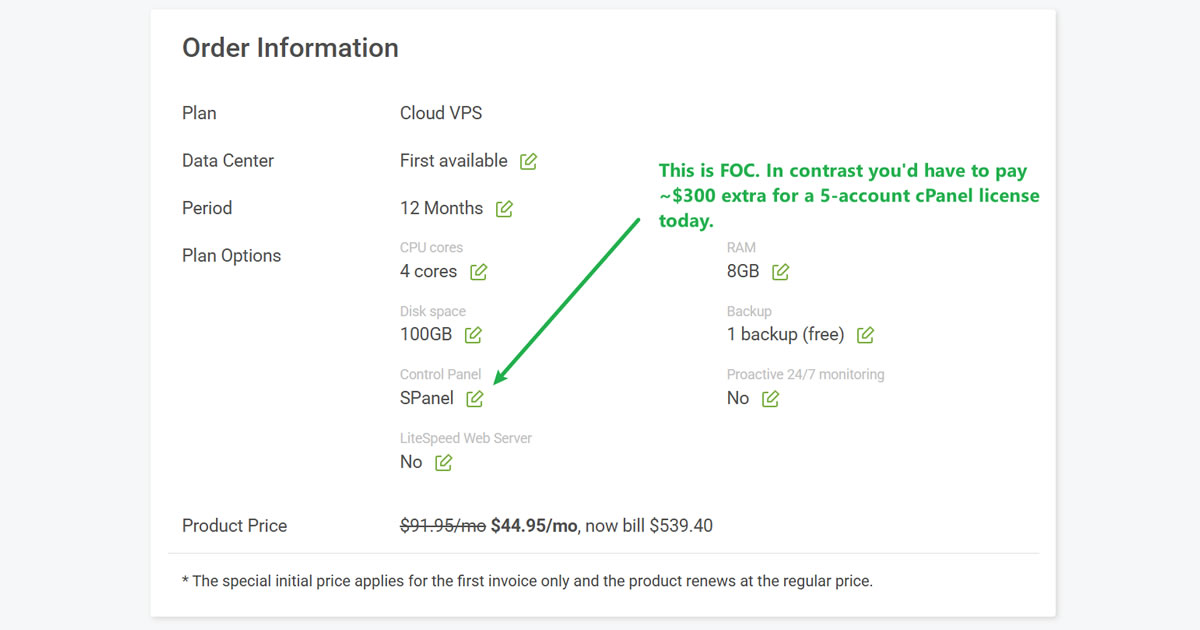
ScalaHosting suits businesses seeking configurable NVMe resources with hands-on server support. Its managed VPS plans let you select CPU, RAM, and storage, while SPanel (FOC) centralizes website, email, backup, and server-management tasks. SShield adds automated security monitoring and threat protection within supported environments.
Our positive experience with ScalaHosting’s support strengthens this recommendation. Its team has provided helpful technical assistance, while our recent load tests support our assessment of stable performance under simulated traffic. Together, the configurable resources, integrated tools, and support make ScalaHosting a practical choice for businesses that want more control with less administration.
Which NVMe Host Suits Budget-Conscious Buyers?

Flashcloud suits buyers seeking inexpensive shared hosting, while Hostinger suits those wanting a low-cost unmanaged VPS.
Flashcloud includes a human-built starter website with its hosting, reducing the separate expense and work involved in launching a small business site. Its value extends beyond storage to the assistance needed to get online.
Hostinger provides root access alongside an AI assistant and ready-to-deploy application templates. These tools reduce setup work for applications such as WordPress, n8n, Nextcloud, and Ollama, making an unmanaged VPS more approachable. You retain responsibility for server maintenance, but have practical help with installation, configuration, and troubleshooting.
Which NVMe Host Suits WordPress-Centric Sites?

Kinsta is our recommendation for WordPress-centric businesses that prioritise premium hosting, support, and performance. Its established reputation as a specialist WordPress host makes it particularly relevant to agencies, business websites, and teams that want experienced help with their hosting environment.
MyKinsta brings staging, backups, caching, PHP controls, and performance monitoring into one dashboard. These tools simplify routine maintenance and help teams investigate slow requests or test changes before publishing. Kinsta’s public documentation specifies SSD storage without confirming NVMe, so its recommendation here rests on its managed WordPress platform and service quality.
Which NVMe Host Suits Small Websites with Limited IT Resources?

Flashcloud is our recommendation for small websites with limited IT resources. Its budget-friendly shared hosting includes a human-built starter website and a free eligible domain across its web-hosting plans. Domain renewal remains included while the qualifying hosting subscription stays active, helping reduce ongoing expenses.
Flashcloud also handles server patches, monitoring, firewalls, and other infrastructure security tasks. SSL, malware protection, DDoS protection, and backups reduce the number of separate services owners need to arrange. Its anytime money-back guarantee provides a prorated refund for unused hosting time, giving customers flexibility if their needs change.
Which NVMe Host Suits Developers Deploying Custom Applications?
Hostinger and Kinsta’s Sevalla platform suit developers seeking different levels of infrastructure control. Hostinger’s NVMe VPS provides root access for custom software, while its AI Builder offers vibe-coded build and simpler deployment (read about our first-hand experience here).
Sevalla provides application, database, and static-site hosting separately from Kinsta’s WordPress service. Consider it when you prefer a managed deployment platform. Compare supported runtimes, background processes, persistent storage, and billing, and assess Sevalla’s storage specifications independently.
Which NVMe Host Suits WooCommerce and Other Online Stores?
Kinsta suits WooCommerce stores, while Atlantic.Net suits stores needing highly scalable infrastructure and PCI-ready hosting.
Kinsta’s WordPress expertise, support, and MyKinsta tools make it a practical choice for teams managing WooCommerce updates, staging, backups, and performance.
Atlantic.Net offers configurable servers and PCI-compliant hosting environments for businesses with more demanding transaction and infrastructure requirements. Its scaling options provide room for larger databases and growing application workloads. Confirm the compliance scope before purchasing, because compliant hosting infrastructure forms only part of a store’s overall PCI DSS responsibilities.
What Is NVMe Hosting and How Does It Work?
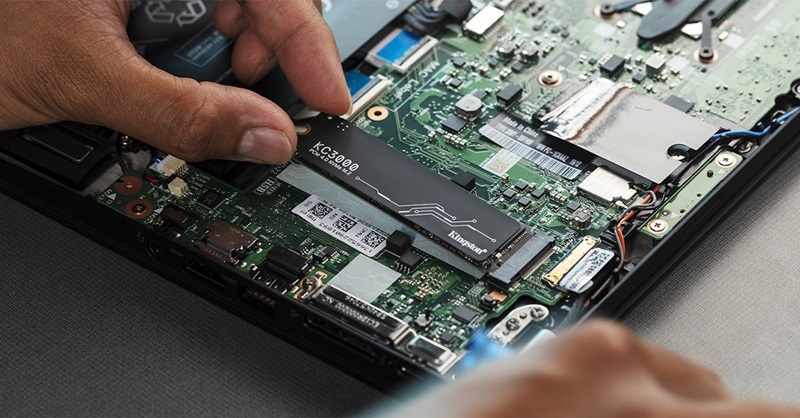
NVMe hosting stores website or application data on infrastructure backed by NVMe SSDs. NVMe stands for Non-Volatile Memory Express, a storage protocol designed for flash storage. Locally attached NVMe SSDs typically communicate through PCIe, supporting substantial parallel I/O with less protocol overhead than older SATA-based storage.
The hosting service may still share its physical drives among customers or deliver storage over a network. NVMe describes part of the storage system; it does not establish your CPU allocation, account-level disk speed, or management service.
How Does NVMe SSD Hosting Compare with SATA SSD and HDD Hosting?
NVMe SSDs generally offer greater performance potential than SATA SSDs and mechanical hard drives. Both NVMe and SATA SSDs use flash memory. HDDs store data on spinning magnetic disks, introducing mechanical delays when accessing scattered files.
From a hosting buyer’s point of view, you should compare NVMe SSD with SATA SSD, rather than treating “NVMe” and “SSD” as separate storage categories. The storage drive quality, server resource limits, and the hosting architecture still affect the performance you receive.
| Storage Type | Main Characteristics | Hosting Use Cases |
|---|---|---|
| NVMe SSD | High parallelism and strong random-I/O potential | Busy databases, dynamic applications, and storage-intensive workloads |
| SATA SSD | Flash storage with a more restrictive interface | Conventional websites and applications with moderate storage demands |
| HDD | Mechanical storage with slower random access | Capacity-focused archives and backups where access speed matters less |
When Does NVMe Storage Improve Hosting Performance?
NVMe helps most when waiting for storage contributes materially to application delays. Database queries that read uncached data, large imports, file searches, and concurrent storage operations can benefit from faster I/O.
We experienced a noticeable improvement while editing a WordPress theme. On a basic shared plan with SATA SSD storage, repeatedly saving changes and previewing our work felt sluggish. After moving to an NVMe cloud hosting plan, those tasks became much more responsive, making the editing process smoother.
The upgrade changed the hosting environment, so we cannot attribute the entire improvement to NVMe alone. CPU, RAM, and resource allocation may also have contributed. However, the experience illustrates why hosting performance matters inside the WordPress dashboard as well as on public pages.
A page served from a CDN or memory cache may barely touch the origin server’s disk. Faster storage will also have limited effect when slow code, insufficient CPU, or external APIs cause the delay. Evaluate the complete hosting environment before choosing an upgrade.
Who Should Pay More for NVMe Hosting?
Buyers running dynamic, storage-intensive workloads have the strongest reason to prioritize NVMe. Examples include active online stores, large databases, membership sites, and applications processing frequent uploads or imports.
A small brochure website, on the other hand, may gain more from a nearby server, effective caching, or better support. If that’s you, you should only choose an NVMe plan when the complete package fits your workload and budget, rather than paying extra for the storage label alone.
How Much Does NVMe Hosting Cost?
NVMe hosting costs depend largely on hosting type, management, and allocated resources. Shared plans provide an inexpensive starting point, while managed VPS and dedicated infrastructure carry higher charges for resources and administration.
The examples below illustrate the price differences. They are selected configurations, not directly equivalent plans or proof of relative performance.
| Hosting Type | Example | Signup Rates | Renewal Rates |
|---|---|---|---|
| Shared NVMe | Flashcloud Start | $2.79 for the first year, billed annually | Renews at $9.99/month |
| Shared NVMe | ScalaHosting Mini | $2.95 promotional rate | Renews at $11.95/month |
| Unmanaged NVMe VPS | Hostinger KVM 1 | $6.49 promotional rate | Renews at $11.99/month with a two-year commitment |
| Managed NVMe VPS | ScalaHosting Build #1 | $22.46 promotional rate | Renews at $54.95/month |
| Dedicated NVMe infrastructure | Atlantic.Net D5.A | $1,568 on demand | Listed at $697/month with a three-year commitment |
* Note: Prices are in USD and were checked in October 2026. Promotions, billing terms, taxes, and configuration availability can change. A lower monthly equivalent may require a substantial upfront payment or a longer commitment. For better planning of your web hosting budget, try our free Web Hosting Cost Calculator.
What Should You Check Before Buying NVMe Hosting?
Check the resources and operating conditions attached to your plan, not just its drive technology. Genuine NVMe hardware can still deliver disappointing results when storage is heavily shared, account limits are restrictive, or another component is overloaded.
Use the following checks to separate useful specifications from incomplete performance claims.
What IOPS and Disk Throughput Does Your Plan Actually Provide?
IOPS measures storage operations per second, while throughput measures the volume of data transferred per second. Small random database reads and large sequential file transfers place different demands on storage, so one headline number cannot describe every workload.
Ask whether the figure applies to your account, a shared storage pool, or an individual physical drive. Also check whether reads and writes share the same limit. CloudLinux, for example, supports separate account controls for I/O throughput and IOPS, demonstrating why fast hardware does not remove hosting-level restrictions.
Does the Provider Guarantee Storage Performance?
A performance ceiling is not a guaranteed minimum. “Up to” figures describe potential maximums, while burst allowances may only support short periods of activity.
A useful guarantee identifies the covered plan, workload conditions, measurement period, exclusions, and available remedy. Ask about sustained IOPS, throughput, and latency under contention. An uptime SLA alone does not promise storage speed, and there is no universal IOPS target suitable for every website.
Which CPU Models and Resource Policies Apply?
CPU generation, architecture, and allocation affect how effectively your application uses fast storage. Ask for the processor model available in your chosen region and whether the assigned vCPUs are shared, dedicated, or subject to credits.
For example, AMD’s EPYC 9474F uses Zen 4 architecture and lists a maximum boost frequency of up to 4.1 GHz. That specification does not promise every virtual core will sustain that frequency. Compare application results, resource guarantees, and sustained-use policies rather than ranking servers by GHz alone.
Intel Xeon, AMD EPYC, and AMD Ryzen families include many different generations and configurations. Confirm the actual model instead of assuming the family name establishes performance. Our previous CPU-limit guide explains how account restrictions can affect a website.
Can RAM and PHP Limits Restrict Your Website?
Insufficient RAM and limited PHP concurrency can restrict a website despite fast storage. RAM supports application processes and database caching; memory pressure can cause swapping, failed processes, or rejected requests.
WordPress also needs available PHP processing capacity for requests that bypass full-page caching. Busy checkouts, account pages, and membership functions can queue when that capacity is exhausted. Check the PHP worker or thread allocation, memory limits, and CPU resources together.
How Does the Host Protect Data During Power Loss?
Drive-level Power-Loss Protection helps preserve data when an SSD unexpectedly loses power. Hardware PLP commonly uses stored electrical energy to finish protected internal operations, including writing buffered data and preserving drive metadata.
Ask whether the drives protecting your application data include hardware PLP and what its coverage includes. A data centre UPS protects against a different failure scenario; it does not establish that every drive has PLP. RAID, replication, and backups also serve different purposes.
For important databases, durable write handling across the application, operating system, and storage system matters as well. PLP reduces a specific risk; it does not guarantee that every application transaction survives every failure.
What Do DWPD and TBW Tell You About Drive Endurance?
DWPD and TBW describe rated write endurance, rather than website speed. TBW expresses the cumulative terabytes written covered by a drive’s rating. DWPD expresses daily writes relative to drive capacity over the specified warranty period and workload conditions.
These ratings matter particularly for sustained database writes, transaction logs, and other write-heavy workloads. Compare the same capacity, rating period, and workload assumptions before judging two drives.
For hosted services, ask how the provider monitors drive health and replaces ageing hardware. Do not apply a physical drive’s entire endurance rating to your own VPS allocation or treat the rating as an exact failure date.
What Bandwidth Limits and Usage Policies Apply?
Network port speed, monthly transfer allowance, and disk throughput describe different limits. A fast network connection does not establish how much traffic you may transfer or how quickly your account can read storage.
Check what happens when an allowance is exhausted: extra charges, reduced speed, suspension, or an upgrade requirement. For “unlimited” or “unmetered” hosting plans, read fair-use rules and restrictions on downloads, streaming, proxies, or file storage.
Also distinguish origin-server traffic from CDN traffic and check whether backups or internal transfers count. Our bandwidth and data-transfer guide explains how to estimate your requirements.
Is Storage Local, Network-Attached, or Temporary?
Storage architecture affects latency, persistence, and recovery options. Local storage sits on the physical host, while network-attached storage introduces a network path and may support features such as replication or independent expansion. Neither arrangement guarantees better overall service.
Application platforms also distinguish temporary filesystems from persistent storage. Files written to an ephemeral container can disappear during replacement or redeployment. Confirm where uploads, generated files, and databases must live before launching.
Can Storage and Other Resources Scale Independently?
Check whether adding storage requires upgrading the whole plan or moving the application. Some services expand disks independently, while others bundle storage with additional CPU and RAM.
Ask whether an expansion volume uses the same storage class and performance policy as the original disk. Check inode limits, expected downtime, filesystem expansion requirements, and whether downsizing is supported later. For larger workloads, confirm whether scaling means resizing one server or distributing work across several.
What Backup and Recovery Arrangements Are Included?
A useful backup service must provide recoverable copies on a suitable schedule. Check retention, storage location, database consistency, restore procedures, and any restoration charges.
For online stores, ask how much recent order data could be lost between backups and how long recovery typically takes. RAID can maintain availability through certain drive failures, but it does not preserve an earlier copy after deletion, corruption, or ransomware. Test a restoration before relying on the service.
Who Investigates Slow Performance and Handles Server Maintenance?
Management scope determines who fixes problems when hosting slows down.
Confirm whether support covers infrastructure only or also the operating system, database configuration, web server, and application troubleshooting.
Ask how the provider investigates disk contention or account throttling and whether historical resource graphs are available. AI assistants and installation templates can reduce setup work, but ongoing monitoring, security updates, and recovery responsibilities still need a clear owner.
How Can You Verify NVMe Hosting Performance?
Verify network response, application behaviour, and storage performance separately. Combining these measurements helps identify the limiting component without attributing every improvement or delay to NVMe.
| Measurement | Suitable Tools | What You Learn |
|---|---|---|
| Network latency and route behaviour | Ping, mtr, provider looking glasses | Round-trip timing and routing observations where probes are supported |
| Website response and page delivery | WebPageTest, curl timing checks | Response timing through the tested network and website stack |
| Storage I/O | fio | IOPS, throughput, and latency for a defined storage workload |
| Application performance under traffic | LoadView, Loader.io, or equivalent load tools | Response times, throughput, and errors as request demand increases |
Which Tools Measure Network and Website Response?

Use network tools for connectivity checks and HTTP tools for website-response measurements. Test from locations relevant to your visitors, because geography and routing influence results.
WebPageTest provides request waterfalls and repeated page tests. curl can report DNS, connection, TLS, and first-byte timing. TTFB includes more than storage activity, and a cached CDN response may avoid the origin disk entirely.
Interpret mtr carefully: a router may deprioritize diagnostic probes while forwarding application traffic normally. A single slow intermediate hop does not prove an equivalent problem for website visitors.
How Can You Measure Storage IOPS, Throughput, and Latency?
Use fio to measure a defined workload on a VPS or dedicated test environment where benchmarking is permitted. Record block size, read/write mix, access pattern, queue depth, test duration, and whether the test bypasses the operating system’s page cache.
Use a disposable test file, never a live database or an unprotected raw device. Direct I/O can reduce operating-system caching effects, but other caches and storage layers can still influence results.
Report average latency alongside tail latency, such as p95 and p99, which indicate thresholds covering 95% and 99% of observed operations. Repeat tests at different times rather than treating one short run as sustained performance.
How Can You Check Performance Under Sustained Traffic?
Test the actions visitors actually perform, rather than repeatedly requesting only a cached homepage. For a store, include browsing, product searches, cart changes, and checkout activity in a safe test environment.
Increase demand gradually and record response times, completed requests, errors, and resource saturation. Observe whether throughput plateaus or latency rises after an initial burst. Distinguish concurrent users from requests per second, because user behaviour changes the load each user generates.
Obtain permission before load-testing shared or managed services. Our performance methodology explains how HostScore combines measurements to assess hosting behaviour.
FAQs About NVMe Hosting
Does NVMe Hosting Include Dedicated Storage Resources?
No. NVMe hosting can use shared drives, virtual disks, or dedicated infrastructure. The protocol does not establish exclusive drive access or reserved IOPS. Ask what resources belong to your account and what remains shared.
Does an NVMe Device Name Inside a VPS Prove the Physical Storage Type?
No. A virtual NVMe device identifies the interface presented to the guest system. It does not independently identify the physical drives behind that interface. Google Cloud, for example, can present network-attached Persistent Disk through an NVMe interface on supported machines.
Do NVMe Drives Automatically Include PLP or High Endurance?
No. NVMe specifies communication with storage, rather than a particular protection feature or endurance class. Confirm PLP and endurance from the actual drive or service specifications. Some enterprise SATA SSDs also include PLP and substantial write endurance.
What If a Host Does Not Publish PLP, Endurance, or IOPS Details?
Ask about the configuration and service conditions relevant to your workload. If the provider cannot supply a detail, record it as “Not publicly disclosed”. Missing specifications alone do not prove poor hardware, but buyers with strict requirements need sufficient evidence before committing.
How Should You Choose an NVMe Hosting Plan?
Choose the hosting environment that meets your workload, support needs, and ongoing budget. NVMe is useful when storage limits performance, but usable CPU, RAM, I/O allowances, recovery arrangements, and management matter just as much.
Compare verified specifications with relevant application tests, then confirm the restrictions and upgrade path before purchasing.