The best PostgreSQL hosting providers are ScalaHosting, Cloudways, Kinsta, Ultahost, and InMotion Hosting.
To choose the best hosting for PostgreSQL, the most important factors are version and extension support, resource allocation (RAM, I/O, CPU), automated backup and restore tools, server control and access (root, SSH, CLI), scalability options, and the quality of technical support and uptime guarantees.
Based on our hands-on reviews of 50+ hosting providers, ScalaHosting is the best PostgreSQL hosting provider overall. It offers optimized cloud plans with native PostgreSQL support, fast NVMe storage, full root access, and free snapshots for backup. Users benefit from high resource availability and managed support for database configurations.
Cloudways and Kinsta follow as top rated PostgreSQL hosts in our list, offering various degrees of customization, scalability, and developer tools. Cloudways supports PostgreSQL installations on multiple cloud environments (such as DigitalOcean and AWS) with server-level control and easy scaling. Kinsta, while primarily WordPress-focused, supports PostgreSQL through custom containers and dev workflows.
Compare Top Hosting for PostgreSQL Databases
| Provider | Best For | PostgreSQL Support | Ease Of Use | Backup & Restore | Scalability |
|---|---|---|---|---|---|
| ScalaHosting | Performance & Managed Cloud | Native on Cloud / VPS, Full Root Access | SPanel with One-Click Tools | Daily Snapshots, Manual Backups | Vertical & Horizontal Scaling |
| Cloudways | Multi-Cloud Flexibility | Custom Install on DO/AWS/GCP | Easy Interface, Server-Level Control | Automated Backups (Depending on Cloud) | Instant Scaling by Cloud Provider |
| Kinsta | Managed WordPress with PostgreSQL | Available via Container Workflows | Polished UI, Some Dev Knowledge Needed | Daily Backups, Built-In Recovery | Container-Based Scaling |
| Ultahost | Affordable Customization | Preinstalled or Custom Config | Standard VPS Panel (cPanel/DirectAdmin) | Manual or Add-on Backups | VPS/Cloud Plans Scale Easily |
| InMotion Hosting | Developer-Friendly VPS | Preinstalled on Cloud VPS | cPanel & CLI Access | Automated & On-Demand Backups | Shared & VPS Hosting |
Note: Our HostScore ratings offer a broad view of web host performance, but your specific needs may vary. This guide is designed to help readers who are actively looking for the best PostgreSQL hosting based on real-world use cases and key decision factors.
ScalaHosting

ScalaHosting was founded in 2007 by Hristo Rusev and Vladislav Georgiev and is headquartered in Dallas, Texas. The company provides shared hosting, managed VPS hosting, cloud hosting, email hosting, and reseller hosting, with a clear focus on users who want more control than standard shared hosting allows. Its platform centers on SPanel, an in-house control panel built as a cPanel alternative, and SShield, a security system that monitors and blocks server-level threats. ScalaHosting also extends its ecosystem with tools such as SWordPress Manager and the SKAI AI assistant, giving it a stronger platform identity than many hosts that rely mainly on third-party software. This makes ScalaHosting stand out as a hosting provider that develops, manages, and improves much of its own hosting stack.
What We Think of This Host?
ScalaHosting delivers excellent uptime, fast performance, and advanced in-house technology at competitive prices. Its shared and managed VPS plans include NVMe storage, SShield security, daily backups, and the proprietary SPanel control panel for simplified management. In HostScore’s tests, it maintained strong stability across U.S. and European servers. While renewal rates are higher and dedicated hosting is unavailable, ScalaHosting’s managed VPS plans remain up to 40% cheaper than rivals. All-in-all, it is it a reliable, high-value choice for users upgrading from shared hosting.
HostScore
ScalaHosting Pros
- Excellent uptime and fast server performance confirmed through HostScore’s long-term monitoring, load tests, and recent benchmark experiments
- Affordable managed VPS hosting, often up to 40% cheaper than comparable managed VPS providers
- Anytime unconditional money-back guarantee
- Automated daily backups with seven restore points
- NVMe storage across all shared hosting plans for faster database and file operations
- Innovative in-house technologies including SPanel, SShield security, SKAI AI assistant, and SWordPress Manager
ScalaHosting Cons
- Renewal prices for shared and VPS plans are significantly higher than initial promotional rates
- No dedicated server / bare metal plans available for enterprise-scale workloads
Cloudways

Established in 2011 by co-founders Aaqib Gadit, Pere Hospital, and Uzair Gadit, Cloudways is a managed hosting platform that initially focused on leveraging partnerships with AWS, Google Cloud Platform, and Digital Ocean to serve its customers better. The acquisition by DigitalOcean in August 2022 further solidified this partnership, enhancing Cloudways’ ability to provide superior managed hosting solutions.
What We Think of This Host?
Cloudways delivers managed hosting built on top of major cloud platforms, including DigitalOcean, AWS, Vultr, and Google Cloud. It gives site owners access to cloud-level performance and scaling, but without the burden of handling server administration themselves. The service is geared toward agencies, developers, and fast-growing businesses that need flexibility. That said, Cloudways is not aimed at first-time site owners. Its pricing structure can be harder to follow than traditional shared hosting, and there are no low-cost entry plans. Still, for users who want managed cloud power with advanced features, Cloudways is a strong choice.
HostScore
Cloudways Pros
- Reliable server uptime and speed performance
- Good abstration over complex cloud server setups with integrated dashboard
- High scalability; Autonomous plan supports auto-scaling
- Easy server cloning, site staging, and website transfer
- Host unlimited websites and applications in one account
- 30% discount for first two months with coupon “HOSTSCORE”
Cloudways Cons
- Getting expensive – Prices increased steadily for the past few years
- Limited trial period
- Excellent technical support, but poor billing practices and support
Kinsta

Kinsta was founded in 2013 by four friends — Mark Gavalda, Anita Dunai, Peter Sziraki, and Tom Zsomborgi — who shared a clear mission: to build the best managed WordPress hosting platform on the market. Carving out a niche in the competitive world of web hosting is no easy task, but Kinsta has done just that by staying laser-focused on performance, reliability, and user experience. The company made its mark with high-performance WordPress hosting built on Google Cloud Platform, quickly earning a reputation for technical excellence and world-class support. Over time, Kinsta has evolved beyond WordPress to offer application hosting, database hosting, and even free static site hosting — expanding its appeal to developers and businesses looking for scalable, container-based solutions. Under the leadership of CEO Mark Gavalda, Kinsta has grown into a globally recognized hosting provider, trusted by agencies, enterprises, and startups alike.
What We Think of This Host?
Kinsta is a premium managed WordPress hosting provider built on Google Cloud Platform. Known for its exceptional speed, strong security, and sleek user interface, Kinsta caters to users who want a hands-off experience with enterprise-grade infrastructure. It’s particularly attractive to businesses, developers, and agencies that prioritize performance and scalability over budget. While pricing is on the higher end, the platform delivers on its promise of stress-free, high-performance WordPress hosting, making it one of the top-tier choices for serious websites.
HostScore
Kinsta Pros
- Outstanding uptime and speed backed by Google Cloud’s premium tier network.
- 300+ CDN locations worldwide through Cloudflare Enterprise integration.
- Advanced firewall, DDoS protection, and built-in malware scanning.
- Specialized WordPress support in English, Portuguese, Spanish, Italian, French, German, Japanese, Danish, Dutch, and Swedish.
- Free site migration assistance handled by Kinsta’s support team.
- MyKinsta dashboard with detailed analytics, staging environments, and one-click tools.
- Free premium Cloudflare features, including HTTP/3, wildcard SSLs, and edge caching at no extra cost.
Kinsta Cons
- Pricing is expensive and less suitable for those managing multiple small sites.
- No built-in email hosting, requiring a separate provider.
- Certain WordPress plugins are restricted due to performance or security issues.
InMotion Hosting
InMotion Hosting, founded in 2001 by Sunil Saxena and Todd Robinson in Los Angeles, has grown into a well-established U.S. hosting provider. Built by industry veterans, the company emphasizes reliable infrastructure, practical features, and customer-friendly support.
What We Think of This Host?
InMotion Hosting is a veteran provider known for its business-class hosting solutions, particularly for U.S.-based users. The company delivers steady uptime, scalable plans, and helpful support from a knowledgeable team. While it doesn’t dominate in any one area, it performs consistently well across shared, VPS, and dedicated hosting categories. Its focus on reliability and support makes it a smart option for small businesses and professional users looking for a dependable hosting partner.
HostScore
InMotion Hosting Pros
- Affordable entry pricing
- Developer stack on all shared hosting plans (Python/Node/Ruby, Git, SSH)
- Built-in hack, DDoS, and malware protection
- Long 90-day money back guarantee refund window (best in market)
- Free SSL, email, and site migration
InMotion Hosting Cons
- Lower shared hosting plans lack advanced speed features
- Higher renewal rates across shared, VPS, and reseller plans
- No Asia-based data center
- No Windows Server hosting option
Ultahost
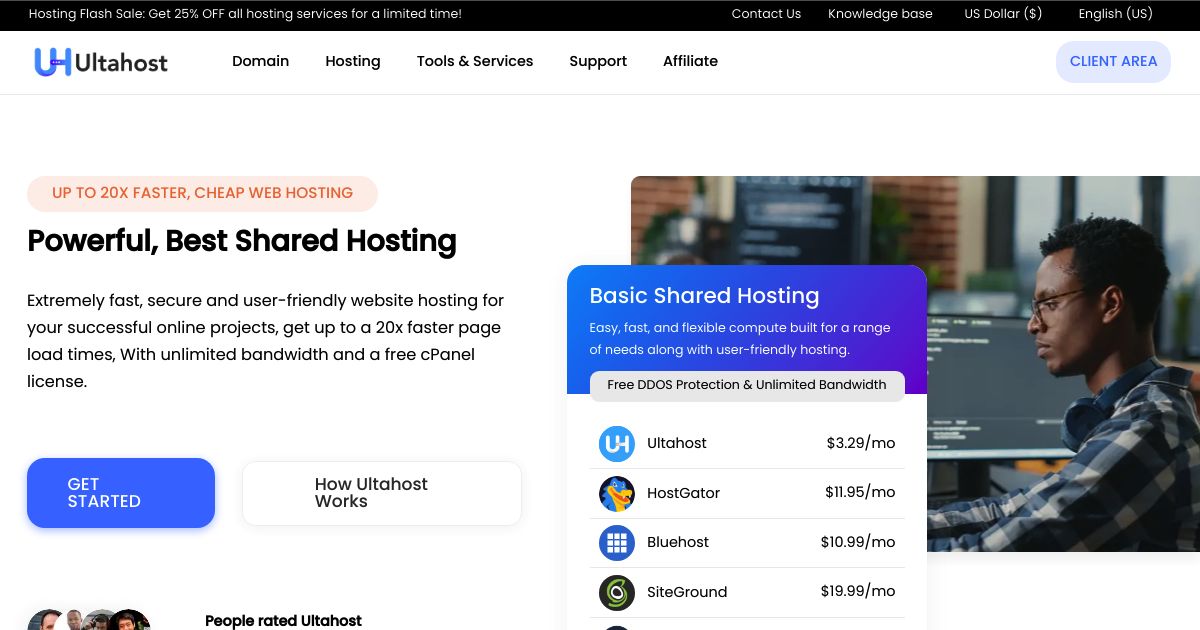
UltaHost, founded by Elin and Deen Doughouz in 2018, delivers high-performance hosting with NVMe-powered shared plans for enhanced speed. Incorporated in the USA in 2021, the company operates 20 data centers across 15 countries, including Japan, Korea, Singapore, and the US. Their facilities are SAS 70 Type 1 certified, featuring dual-city grid power feeds, battery backup, and advanced fire suppression systems. UltaHost offers reliable, secure, and affordable solutions, with a customer-centric approach, serving businesses of all sizes with tailored hosting services worldwide.
What We Think of This Host?
Ultahost is a newer hosting provider gaining attention for its affordable VPS and dedicated server plans. It delivers strong features for the price, including root access and NVMe SSD storage. Though still building its reputation, it’s a good option for developers or users who need more power than typical shared hosting without paying premium rates.
HostScore
Ultahost Pros
- Outstanding hosting uptime and speed performance
- Highly competitive pricing
- Wide choice of server locations in four continents
- NVMe storage, DDoS protection, and unmetered traffic included
- Free malware scan & web applications firewall (WAF) in all shared plans
- Dedicated plans offer wide choice of Intel Xeon, AMD Ryzen, and AMD EPYC processors
Ultahost Cons
- Lowest prices require a long initial billing term
- Renewal prices are higher than discounted signup rates
- Some dedicated server locations carry additional monthly charges
Comparison Among the Best PostgreSQL Hosting
Whether it’s speed, flexibility, or ease of use, each hosting provider shortlisted in our list brings a distinct strength. The table below compares these providers across key factors that matter to PostgreSQL users: support level, performance, scalability, backup options, and developer tools. Use it to identify which host best matches your project’s technical needs and budget.
| Provider | Best For | PostgreSQL Support | Ease Of Use | Backup & Restore | Scalability |
|---|---|---|---|---|---|
| ScalaHosting | Performance & Managed Cloud | Native on Cloud / VPS, Full Root Access | SPanel with One-Click Tools | Daily Snapshots, Manual Backups | Vertical & Horizontal Scaling |
| Cloudways | Multi-Cloud Flexibility | Custom Install on DO/AWS/GCP | Easy Interface, Server-Level Control | Automated Backups (Depending on Cloud) | Instant Scaling by Cloud Provider |
| Kinsta | Managed WordPress with PostgreSQL | Available via Container Workflows | Polished UI, Some Dev Knowledge Needed | Daily Backups, Built-In Recovery | Container-Based Scaling |
| Ultahost | Affordable Customization | Preinstalled or Custom Config | Standard VPS Panel (cPanel/DirectAdmin) | Manual or Add-on Backups | VPS/Cloud Plans Scale Easily |
| InMotion Hosting | Developer-Friendly VPS | Preinstalled on Cloud VPS | cPanel & CLI Access | Automated & On-Demand Backups | Shared & VPS Hosting |
Which Host Is Best For Small Businesses Running PostgreSQL?

For small businesses, the ideal PostgreSQL host needs to be reliable, affordable, and easy to manage without requiring deep technical expertise. ScalaHosting and Ultahost stand out here.
ScalaHosting’s SPanel control panel simplifies database management, and its cloud hosting plans come pre-optimized for performance. This makes it a great option for small business sites that rely on database-heavy apps — such as CRMs, ERPs, or analytics dashboards.
Ultahost, on the other hand, offers lower entry pricing with customizable VPS environments. It’s ideal for startups or micro-businesses that need PostgreSQL pre-installed or want the freedom to build their stack from scratch. Both hosts provide root access, which means room to grow as your technical needs evolve.
Which PostgreSQL Host Offers The Best Balance Of Price And Performance?

ScalaHosting again leads the pack here. Its managed cloud pricing is very competitive, and the hardware stack includes fast NVMe storage and guaranteed resources — both of which significantly impact PostgreSQL’s I/O performance. You also get SPanel for free, eliminating cPanel licensing fees, and enabling one-click PostgreSQL setup and daily backups without extra cost.
Ultahost also deserves mention for value-focused users. While it doesn’t include the same proprietary tooling, its base plans offer solid RAM and CPU specs for the price. Both hosts provide high uptime, quick provisioning, and responsive support — giving users a strong return on investment, whether hosting internal apps or customer-facing databases.
Which PostgreSQL Hosting Is Best For Scalability And High Traffic Apps?
When it comes to handling growth and spikes in traffic, Cloudways offers the most flexible scalability model. Because it sits on top of leading cloud providers like DigitalOcean, AWS, and Google Cloud, you can scale resources vertically or horizontally with a few clicks. PostgreSQL can be deployed and managed on these environments easily, with server-level access and performance monitoring built-in.
Kinsta is another strong choice for apps expecting steady growth. While it’s known as a managed WordPress host, its infrastructure is container-based and runs on Google Cloud. This allows developers to create staging environments and custom app containers, including PostgreSQL backends, with seamless scalability. If your app architecture is modular or microservices-based, Kinsta’s setup is particularly appealing.
Which PostgreSQL Host Is Ideal For Beginners Or Non-Tech Users?
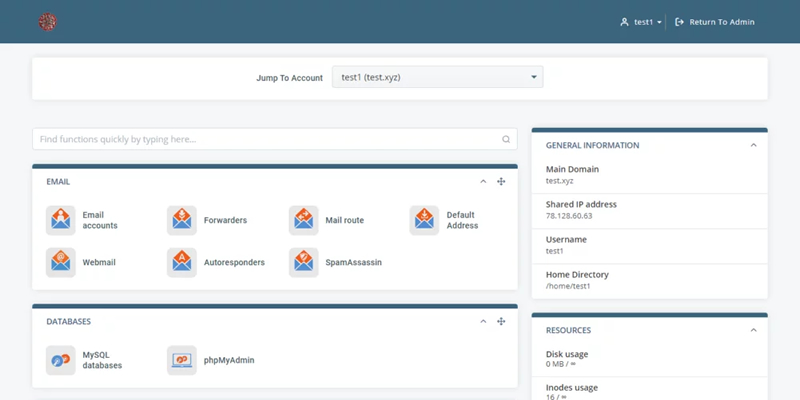
ScalaHosting is best suited for non-technical users or teams without in-house sysadmins. Its in-house built SPanel simplifies server management, offering an intuitive dashboard for database creation, resource monitoring, backups, and firewall settings. Unlike traditional unmanaged VPS or cloud setups, it doesn’t require deep Linux knowledge to operate.
InMotion Hosting is also beginner-friendly, thanks to its cPanel integration and extensive documentation. For users who prefer a familiar interface and guided support for PostgreSQL-related issues, InMotion’s onboarding and managed services are a solid fit.
Which PostgreSQL Host Offers Automated Backups And Easy Recovery Options?

If you’re prioritizing peace of mind, ScalaHosting, Kinsta, and Cloudways both shine with their backup implementations.
ScalaHosting includes free daily snapshots in all cloud plans. In addition, users can create manual backups before making changes – which allows for flexible and safe PostgreSQL management. Both features minimize downtime and simplify disaster recovery for busy teams.
Both Cloudways and Kinsta provide automatic daily backups with point-in-time restore capabilities directly from the dashboard. This means you can roll back databases to specific states with zero command-line work.
Which Provider Offers The Most Developer-Friendly PostgreSQL Hosting & Extension Support?
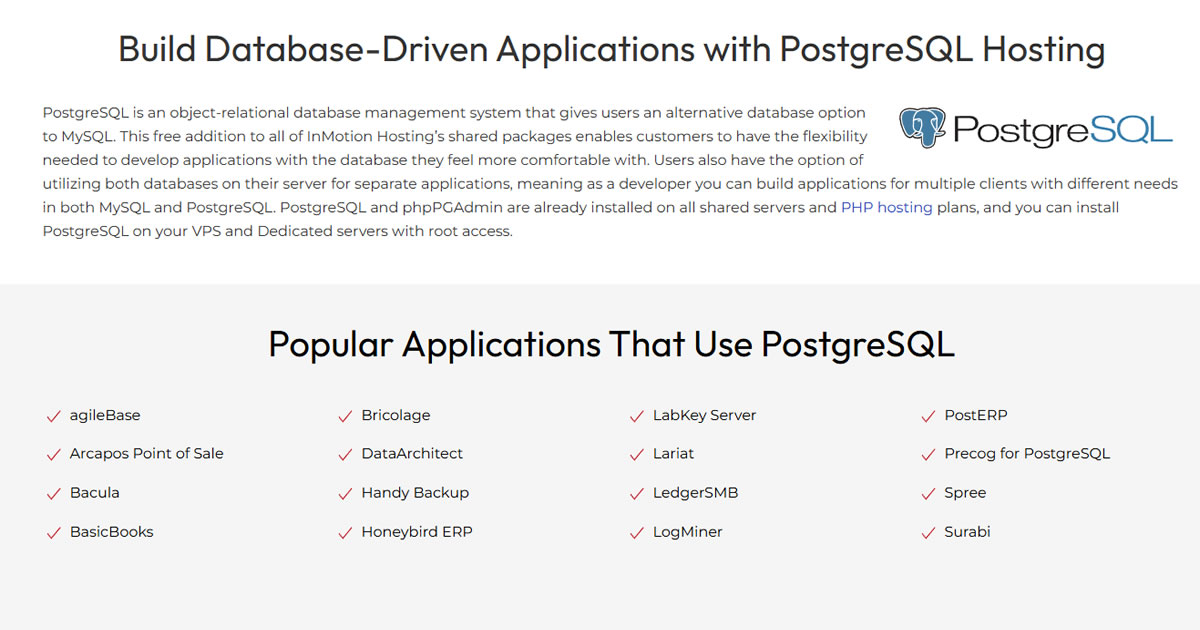
For developers needing full control over PostgreSQL environments, Cloudways offers the most flexibility. You can choose your underlying cloud provider, configure PostgreSQL installations manually, and enable extensions like PostGIS, pg_stat_statements, or TimescaleDB depending on your stack. The platform supports server-level access, SSH, Git, and built-in staging.
InMotion Hosting is also a good fit for developers who prefer cPanel environments. It offers CLI access, support for custom versions of PostgreSQL on shared and VPS environment, and compatibility with most PostgreSQL modules. Both hosts support multi-environment setups, making them ideal for staging, production, and CI/CD workflows.
What is PostgreSQL Hosting and How Does it Work?
PostgreSQL Hosting refers to web or cloud hosting environments that support the installation, configuration, and operation of PostgreSQL, an open-source relational database system known for its robustness, extensibility, and SQL compliance.
When you choose a hosting plan with PostgreSQL support, the hosting provider either preinstalls PostgreSQL on your server or gives you root or control panel access to install and manage it yourself.
PostgreSQL can run on shared, VPS, cloud, or dedicated servers, but is most commonly paired with VPS or cloud environments due to its higher resource requirements. In these environments, you can create databases, configure user access, tune performance settings, and integrate extensions depending on your application’s needs.
Some managed hosting providers also offer tools for database monitoring, backups, performance tuning, and scalability — making PostgreSQL hosting suitable for everything from small websites to enterprise-grade SaaS applications.
What Are The Benefits Of Using PostgreSQL?

PostgreSQL, often referred to as “Postgres,” is an advanced open-source relational database management system (RDBMS) that supports both SQL (relational) and JSON (non-relational) querying. It is widely considered one of the most advanced open-source databases available.
The key benefits of PostgreSQL include:
- Advanced Features: PostgreSQL supports full ACID compliance, complex queries, custom data types, table inheritance, and JSONB for semi-structured data.
- Extensibility: You can add custom functions, write procedures in multiple languages (like PL/pgSQL or Python), and load powerful extensions like PostGIS for geospatial queries or TimescaleDB for time-series data.
- Strong Security: PostgreSQL includes role-based authentication, SSL support, data encryption, and fine-grained access contro.
- Cross-Platform Support: PostgreSQL works across Linux, Windows, macOS, and most cloud platforms.
- Reliability & Stability: It’s known for minimal data corruption issues and long-term support across major versions, making it ideal for mission-critical applications.
What Are The Differences Between PostgreSQL And MySQL Hosting?
While both PostgreSQL and MySQL are popular open-source relational databases, they differ significantly in design philosophy, performance characteristics, and use cases:
- Performance: MySQL tends to be faster for simple read-heavy operations, while PostgreSQL excels in write-heavy, complex query scenarios with large datasets.
- Feature Set: PostgreSQL supports advanced features like full-text search, window functions, materialized views, and richer JSON support (especially JSONB), which are limited or more basic in MySQL.
- Standards Compliance: PostgreSQL follows SQL standards more strictly, making it easier to migrate between systems or build complex applications.
- Extensibility: PostgreSQL allows for custom extensions and user-defined functions in various languages. MySQL is less extensible in this regard.
- ACID & Transactions: While both offer transactional support, PostgreSQL’s implementation is more mature and feature-rich — particularly for multi-version concurrency control (MVCC).
In short, if your application requires complex queries, large-scale data operations, or geospatial/time-series support, PostgreSQL is generally the better choice. For simpler web apps with basic CRUD operations, MySQL is typically easier to manage and host.
What To Look For In A PostgreSQL Hosting Provider?
Choosing the right PostgreSQL host means aligning features with your technical goals and budget. Here are the key factors to consider:
- Version & Extension Support: Look for hosts that allow you to choose your PostgreSQL version and enable popular extensions like PostGIS, pg_stat_statements, and TimescaleDB.
- Resource Allocation: PostgreSQL performance is tied to RAM, I/O speed, and CPU. VPS or cloud plans with guaranteed resources are preferable over shared hosting.
- Backup & Restore Tools: Automated daily backups and easy point-in-time restores are crucial, especially for transactional applications.
- Control & Access: Full root access or SSH availability allows developers to tune configurations and monitor performance. Some users may prefer managed services with cPanel or custom dashboards like SPanel.
- Scalability: If you expect traffic or data growth, choose providers that support seamless vertical or horizontal scaling.
- Support & Uptime: Look for 24/7 support availability, solid SLAs, and positive reputation for handling technical issues related to PostgreSQL.
How Much to Pay for a PostgreSQL DB Hosting?
The cost of PostgreSQL hosting varies widely depending on the hosting provider, the type of hosting (Shared, VPS, or Cloud), and the level of resources required. Generally, prices can range from $2.30 per month for basic plans to over $100 per month for more advanced, resource-intensive plans.
Shared Hosting with PostgreSQL (Starts from $2.24/mo)

Some hosting providers offer shared hosting plans that include PostgreSQL support at an affordable price. For example, InMotion Hosting provides PostgreSQL on their shared hosting plans, starting at $2.24 per month. This is the budget-friendly solution to run PostgreSQL databases without needing the resources of a VPS or dedicated server.
VPS Hosting with PostgreSQL (Starts from $30/mo)

For more control and dedicated resources, VPS hosting is a popular choice. ScalaHosting, through its SPanel, offers VPS hosting with PostgreSQL support, starting at $29.95 per month. This option provides better performance, security, and customization compared to shared hosting.
Cloud Hosting with PostgreSQL (Starts from $5/mo)

Cloud hosting provides scalability and high performance for applications with variable workloads. Kinsta offers managed PostgreSQL hosting on its cloud platform, with pricing starting at $5 per month. This option provides flexible environment to run their PostgreSQL databases.
You May Also Be Interested In: