
Choosing a web hosting provider with built-in malware protection is essential for keeping your website secure and running smoothly. ScalaHosting stands out with its proprietary SShield security system, which offers real-time malware scanning and automatic threat removal as part of its hosting plans. For more options to safeguard your site from malicious threats, read on.
1. ScalaHosting
Visit Online: https://www.scalahosting.com
Established in 2007, ScalaHosting provides reliable and affordable web hosting with 24/7 customer support. They offer a range of plans that fit any budget, from shared to dedicated servers hosting.
With their high-performance servers, you can expect your website to load quickly with no downtime or slow loading times. Plus, they’re backed by a 99.9% uptime guarantee. ScalaHosting has an A+ rating from the Better Business Bureau, so you know you can trust them with your website hosting needs.
Malware Detections & Removal at ScalaHosting
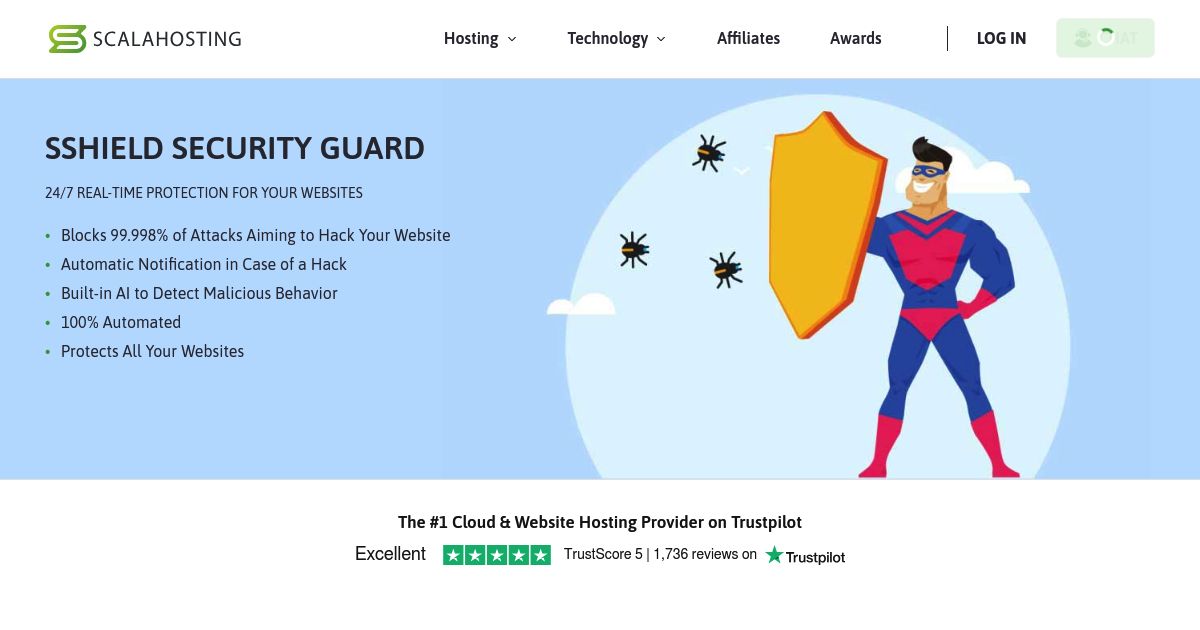
ScalaHosting’s SShield security system offers real-time malware scanning and automated removal, ensuring constant protection against malicious threats.
What We Like & Dislike About ScalaHosting?
ScalaHosting Pros
- Excellent uptime and fast server performance confirmed through HostScore’s long-term monitoring, load tests, and recent benchmark experiments
- Affordable managed VPS hosting, often up to 40% cheaper than comparable managed VPS providers
- Anytime unconditional money-back guarantee
- Automated daily backups with seven restore points
- NVMe storage across all shared hosting plans for faster database and file operations
- Innovative in-house technologies including SPanel, SShield security, SKAI AI assistant, and SWordPress Manager
ScalaHosting Cons
- Renewal prices for shared and VPS plans are significantly higher than initial promotional rates
- No dedicated server / bare metal plans available for enterprise-scale workloads
2. Hostinger

Visit Online: https://www.hostinger.com
Hostinger is a web hosting provider based in Lithuania that has been around since 2004. They have a global presence with data centers in the US, Europe, and Asia, providing reliable hosting services to customers worldwide. With Hostinger, you can expect fast loading times, uptime guarantees, and unlimited databases.
Malware Detections & Removal at Hostinger
Hostinger provides integrated Malware Scanner and Imunify360 for comprehensive malware detection and automatic removal. Their VPS hosting includes Monarx for advanced malware management.
What We Like & Dislike About Hostinger?
Hostinger Pros
- Affordable entry plan at $2.99/month for 3 websites, plus 15% off with HOSTSCORE15.
- Global network of data centers in Europe, Asia, North America, and South America
- Excellent AI ecosystem with AI Builder (new!), Hostinger Agent with memory, OpenClaw, Hermes, n8n, and Paperclip
- User-friendly hPanel with API and MCP access for AI-assisted hosting management
- Developer API and MCP integration - Hostinger Connector lets Claude, Cursor, Codex, and other MCP-compatible tools manage websites
- Multiple payment methods accepted, including crypto and digital wallets
Hostinger Cons
- The lowest price requires 48 months upfront and renews at $10.99/month
- Advanced Agent features and managed AI applications may require separate paid plans
- Hostinger AI Builder sites have limited portability compared with WordPress websites
- Hostinger does not support Windows hosting.
3. Verpex

Visit Online: https://www.verpex.com
Founded in late 2018, Verpex emerges from a seasoned team whose prior ventures were acquired by GoDaddy. This privately funded cPanel-based cloud hosting service prioritizes security and performance. Boasting over 250,000 hosted websites across 181 countries by 2024, Verpex emphasizes swift hosting, expert support, and enduring client partnerships at competitive rates.
Malware Detections & Removal at Verpex
Verpex relies on Imunify360 for malware detection and protection. This includes continuous threat monitoring and automatic removal of detected malware.
What We Like & Dislike About Verpex Hosting?
Verpex Pros
- Budget-friendly entry pricing on shared and VPS hosting plans
- 45-day money-back guarantee on shared/reseller plans (longer than industry standard)
- Daily backup included in all shared hosting plans at no extra cost
- Unlimited free site migrations
- Choice of 8 global data centers across five continents
- Wide hosting selection including Windows, reseller, and managed servers
Verpex Cons
- Steep renewal pricing after the first term (up to 90% higher than intro rates)
- Short refund window on managed VPS (7 days compared to 30+ with some competitors)
4. TMD Hosting
Visit Online: https://www.tmdhosting.com
TMDHosting is a leading web hosting provider that offers reliable and affordable hosting solutions. With a focus on performance and uptime, TMDHosting provides customers with high-speed servers and a 99.99% uptime guarantee. They were also established in 2007 and have maintained a reputation for providing excellent customer support and user-friendly hosting solutions for businesses and individuals of all sizes.
Malware Detections & Removal at TMD Hosting
TMD Hosting uses Imunify360 for real-time malware scanning and removal. This tool offers proactive threat detection and automatic cleanup to keep your site secure.
What We Like & Dislike About TMDHosting?
TMDHosting Pros
- Affordable pricing with our exclusive promo code
- Choice of global data centres in six continents
- Easy-to-use centralized dashboard
- Free white glove migration
- Host unlimited websites in Business or Enterprise plans
- Outstanding customer support
- Reinforced DDoS protection for all shared hosting accounts
TMDHosting Cons
- Lowest shared plan does not support automatic backup
- Free domain has no privacy protection
- Price increase during the renewal
5. InMotion Hosting
Visit Online: https://www.inmotionhosting.com
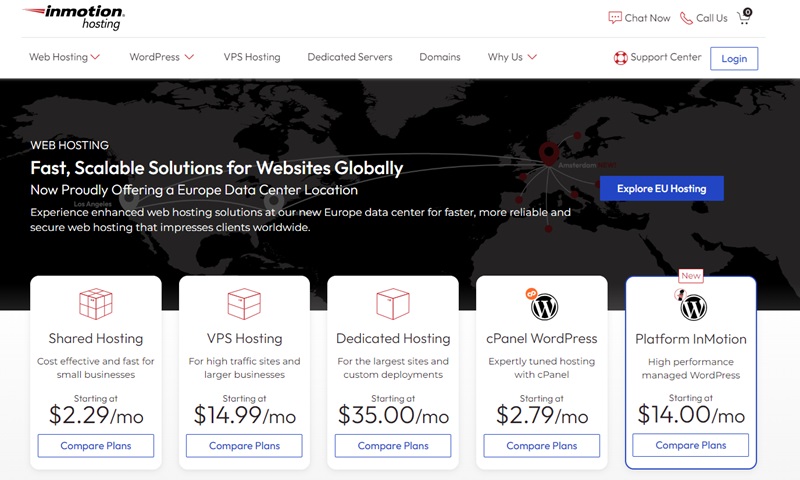
InMotion Hosting, established in 2001 by Sunil Saxena and Todd Robinson in Los Angeles, California, has grown to become a well-regarded name in the web hosting industry. The company’s foundation by industry veterans is reflective of its deep commitment to offering reliable and user-friendly hosting solutions.
Malware Detections & Removal at InMotion Hosting
InMotion Hosting uses Monarx for continuous malware monitoring and automatic remediation, providing a secure hosting environment.
What We Like & Dislike About InMotion Hosting?
InMotion Hosting Pros
- Affordable entry pricing
- Developer stack on all shared hosting plans (Python/Node/Ruby, Git, SSH)
- Built-in hack, DDoS, and malware protection
- Long 90-day money back guarantee refund window (best in market)
- Free SSL, email, and site migration
InMotion Hosting Cons
- Lower shared hosting plans lack advanced speed features
- Higher renewal rates across shared, VPS, and reseller plans
- No Asia-based data center
- No Windows Server hosting option
Malware Explained: What You Need to Know as a Website Owner
What is Malware?
In simple terms, malware refers to software created with malicious intent to harm, exploit, or otherwise compromise digital devices or networks. This can mean stealing sensitive information, encrypting files for ransom, disrupting operations, or even using your website to spread further attacks.
How Malware Can Affect Your Website Operations?
Malware can significantly impact your website operations in several ways, including:
- Performance Degradation: Malware often consumes server resources, making your website slow or unresponsive.
- Data Theft: It can steal sensitive data, such as user information and payment details.
- SEO Damage: Search engines may blacklist infected websites, severely impacting your SEO and online visibility.
- Reputation Harm: An infected website can harm your business’s reputation, leading to a loss of trust among users and customers.
- Revenue Loss: Downtime and lost customer trust can result in significant revenue loss.
Types of Malware
Listed below are the common types of malware and its potential impact on your websites.
| Type of Malware | Description | Impact on Website |
|---|---|---|
| Virus | A type of malware that attaches itself to clean files and spreads to other clean files. | Can corrupt files, slow down website performance, and cause data loss. |
| Worm | A standalone malware that replicates itself to spread to other computers. | Consumes bandwidth, slows down the network, and can lead to denial of service (DoS) attacks. |
| Trojan | Disguised as legitimate software but performs malicious activities once installed. | Can steal sensitive data, provide remote access to hackers, and install additional malware. |
| Ransomware | Encrypts the victim’s data and demands payment for the decryption key. | Causes data inaccessibility, financial loss, and can severely disrupt website operations. |
| Spyware | Secretly monitors user activities and collects personal information without consent. | Steals sensitive information such as login credentials and financial details, compromising user privacy. |
| Adware | Automatically delivers advertisements, often intrusive and unwanted. | Annoys users, slows down website performance, and can lead to loss of user trust. |
| Rootkit | Enables unauthorized users to gain control over a computer system without being detected. | Provides persistent, undetected access to hackers, potentially leading to further exploitation. |
| Backdoor | Creates a secret pathway into a system for remote access. | Allows hackers to access and control the system remotely, posing significant security risks. |
| Keylogger | Records keystrokes to capture sensitive information like passwords and credit card numbers. | Steals sensitive information, leading to identity theft and financial fraud. |
| Botnet | A network of infected computers controlled by a hacker, used to perform coordinated attacks. | Can be used for large-scale attacks like DDoS, affecting website availability and performance. |
| Fileless Malware | Operates in the system’s memory rather than being stored on disk, making it harder to detect. | Executes malicious actions without leaving a traditional footprint, complicating detection and removal. |
| Phishing | Tricks users into providing personal information by pretending to be a trustworthy entity. | Steals sensitive information, such as login credentials and financial details, through deceptive means. |
| Cryptojacking | Uses the victim’s resources to mine cryptocurrencies without their knowledge. | Consumes server resources, slows down performance, and increases operational costs. |
| Malvertising | Distributes malware through online advertising networks. | Infects websites through ads, potentially leading to data theft and user distrust. |
Common Tools Used for Malware Detection and Removal
Web hosting companies use various tools to ensure their servers and hosted websites remain free from malware. Some of the most commonly used tools include:
Imunify360
Imunify360 is a comprehensive security suite designed for web hosting environments. It is favored for its all-in-one approach, combining multiple security features into a single, integrated solution, making it a top choice for many web hosting companies.
- Real-Time Malware Scanning: Continuously scans files as they are uploaded or modified, ensuring immediate detection of threats.
- Automatic Removal: Malicious files are automatically cleaned or quarantined, reducing the risk of infection spreading.
- Reputation Management: Checks IP addresses against global blacklists to prevent malicious traffic from reaching your site.
Monarx
Monarx focuses on intelligent, automated malware protection, particularly for PHP-based web applications. It is often known for its advanced detection methods and ease of integration, InMotion and Hostinger are two notable companies that use Monarx for their hosting platforms.
- Real-Time Monitoring: Constantly watches for malicious activity and file changes, ensuring threats are detected promptly.
- Signature-less Detection: Unlike traditional antivirus solutions that rely on known malware signatures, Monarx analyzes the behavior of files to identify malicious activity. This method allows it to detect new and unknown threats effectively.
- Automatic Cleaning and Quarantine: Automatically removes or quarantines detected threats, minimizing the need for manual intervention.
- Lightweight Performance: Designed to have minimal impact on server performance, ensuring that security does not slow down your website.
SShield
SShield is an AI-driven security solution that provides real-time protection and automatic threat mitigation. Because SShield is developed in-house by ScalaHosting, you can only use this malware protection tool when hosting with SShield.
- Real-Time Malware Scanning: Continuously monitors your website for malicious files and activities.
- AI-Powered Detection: Utilizes artificial intelligence to enhance detection accuracy and reduce false positives.
- Detailed Reporting: Provides comprehensive reports on detected threats and actions taken, allowing users to stay informed about their site’s security status.
- Minimal Performance Impact: Designed to run efficiently without significantly affecting server resources, ensuring your site remains fast and responsive.
Patchman
Patchman specializes in vulnerability management for popular content management systems (CMS) including WordPress, Joomla, and Drupal.
- Vulnerability Detection: Scans for known vulnerabilities in CMSs and plugins, identifying potential entry points for attackers.
- Automatic Patching: Applies security patches to vulnerable components automatically, reducing the risk of exploitation.
- CMS Integration: Seamlessly integrates with major CMS platforms, providing tailored protection and updates.
Don’t Forget Your Own Device
While server-side protections like Imunify360 or Monarx are crucial, it’s equally important to secure the device you use to manage your website. A compromised laptop or desktop can serve as a silent backdoor—injecting malware into your site via FTP, infected browser extensions, or stolen login credentials.
Your website’s security starts with a clean local machine.
If you’re managing WordPress or uploading files from an infected PC or Mac, you could be unintentionally opening the door to hackers—even if your hosting provider has strong server-side defenses.
For Mac Users
CleanMyMac Software is a trusted all-in-one tool that scans your Mac for malware, removes system junk, and optimizes performance. It’s especially useful for keeping your machine clean and secure when working on multiple websites or client projects.
For Windows Users
Malwarebytes is a popular and effective tool for Windows PCs. It provides real-time protection against viruses, ransomware, and spyware—and can run alongside your existing antivirus. Malwarebytes is lightweight and known for catching threats that traditional antivirus programs might miss.
How to Choose the Right Web Host with Malware Protection
Not all web hosts are created equal when it comes to security. If you’re looking for reliable malware protection included in your hosting plan, here are the key factors you should evaluate – beyond just the marketing promises:
1. Real-Time Malware Scanning and Removal
The cornerstone of good malware protection is real-time detection. Malware can spread quickly, so it’s essential to choose a web host that offers continuous, real-time scanning of all files – especially those uploaded via FTP or admin panels.
Look for solutions powered by tools like SShield or Monarx, which can detect and neutralize threats automatically before they compromise your site.
2. Automatic Monitoring and Cleanup
Manual cleanup takes time and technical knowledge. The best hosting providers automate this process by:
- Quarantining or deleting malicious files
- Notifying you of actions taken
- Blocking malicious IPs and behaviors
This saves you time and reduces downtime after an attack.
3. Comprehensive Security Suite
Malware scanning is just one part of the puzzle. A truly secure hosting environment should also include essential security features like Web Application Firewall (WAF), DDoS protection, automatic patching for CMS vulnerabilities, and security audit logs. All of these features work together to prevent infections and block malicious traffic.
4. Customer Support and Security Expertise
When malware hits, time is critical. Choose a host with 24/7 customer support and a good reputation for resolving security issues promptly. Bonus points if they offer hands-on malware removal assistance or in-depth guides for DIY cleaning.
5. Performance and Uptime
Security should never come at the cost of performance. Look for hosts with a proven track record of reliable uptime and fast page load times, and built in caching mechanism.
If you wish to learn more – we discussed about the five critical aspects in hosting performance here.
6. Transparent Pricing and Value
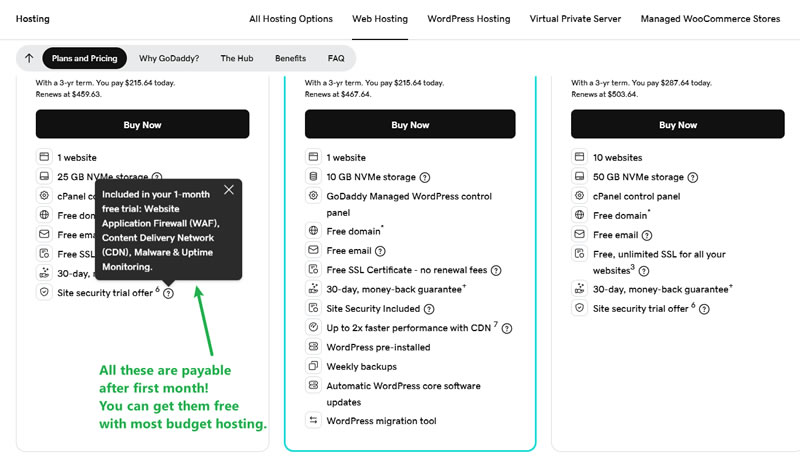
Many hosting providers advertise “free malware protection” but charge extra for cleanup, security reports, or advanced features. Read the fine print and compare what’s included in the base plan, costs for add-ons like premium security or malware removal, as well as value compared to other hosts at the same price point.
Final Thoughts: Secure Hosting Starts with Smart Choices
Choosing a web hosting provider with built-in malware protection is a critical layer of defense in today’s threat landscape. As we’ve explored in this article, top hosts like the ones we mentioned above offer powerful tools to actively scan, detect, and remove malicious threats before they can do damage.
But hosting security doesn’t exist in a vacuum.
Even the most secure servers can’t fully protect your website if your own computer is compromised. That’s why a clean local device is just as important as choosing the best hosting provider. Keep your local machines clean so that you’re not introducing threats to your site during day-to-day management.
With the right combination of secure hosting and safe practices, you’ll be in a much better position to keep your websites clean, fast, and safe.
Frequent Asked Questions
What happens if malware is detected but not removed?
If malware is detected but not removed, it can continue to harm your website by stealing data, slowing down performance, and potentially causing your site to be blacklisted by search engines. It’s crucial to choose a hosting provider that offers automatic malware removal to mitigate these risks.
Why is malware protection important in web hosting?
Without proper protection, malware can silently infect your website, damage your reputation, and affect performance. Web hosts with built-in malware protection reduce the risk of infection and often handle threat removal automatically.
What options do I have if my host doesn’t remove detected malware for free?
If your host doesn’t provide free malware removal, you can manually clean your site using security plugins like Sucuri or hire professional services to do it for you. It’s advisable to opt for a hosting provider that includes this service in their package to avoid additional costs and effort.
Do all hosting companies offer free malware scans?
Unfortunately no, not all hosting companies offer free malware scans. It’s important to check the security features provided by the hosting company before signing up. Look for hosts that include free malware scanning and removal in their packages for better protection
How often should I scan my website for malware?
It is recommended to have continuous real-time scanning to ensure immediate detection and removal of malware. If your host does not offer this, aim for at least weekly scans using security tools or plugins.
What are the signs that my website might be infected with malware?
Common signs include unexpected changes in website performance, unusual error messages, unauthorized redirects, and notifications from search engines about suspicious activity. Regular monitoring and scanning can help detect these issues early.
Can I rely solely on my hosting provider’s security features?
While hosting providers offer robust security features, it’s essential to take additional measures such as regular updates, using strong passwords, and implementing additional security plugins to enhance your website’s security.
Can malware on my personal computer infect my website?
Yes. If your local PC or Mac is compromised, malware can steal passwords or inject malicious code when you access your site via FTP or admin dashboard. That’s why local device security is just as important as server-side protection.
Are malware scanning plugins enough for WordPress security?
Plugins like Wordfence or Sucuri can help, but server-side protection offers deeper, real-time defense. The best approach is a combination of secure hosting, security plugins, and strong user practices.

