
TL;DR
Cheap Linux VPS Hosting attracts users with its cost-effectiveness, reliability, and support for diverse scripting languages and open-source technologies. Notably, Hostinger is spotlighted in our list for its unique blend of features including AI server management and budget-friendly plans, making it a standout choice for readers seeking a reliable yet economical Linux VPS hosting solution.
Note: While our HostScore ratings provide a general overview of host performance, there are other factors you should consider for your specific needs. Our top hosting picks address this by offering tailored suggestions for different requirements, as demonstrated in this article.
Hostinger

Hostinger Review
Hostinger offers low-cost hosting through a beginner-friendly platform that combines managed website tools, WordPress support, and room to scale. Its custom hPanel replaces cPanel with a simpler interface, while built-in caching, a CDN, automated migration, staging, SSH, Git, and WP-CLI support more advanced workflows.
The entry-level Premium plan currently starts at $2.99 per month* with a 48-month commitment and renews at $10.99 per month. It supports three websites and includes 20GB of SSD storage, weekly backups, free SSL certificates, a domain for the first year, and two mailboxes per website for the first year. Higher plans add NVMe storage, daily backups, more websites, and greater server resources.
Hostinger provides one of the best overall balances of price, performance, and ease of use in this comparison. It is particularly suitable for beginners, WordPress users, and owners managing several small websites, although experienced cPanel users will need to adjust to hPanel.
* Note: HostScore readers can enter promo code ‘HOSTSCORE15’ or ‘HOSTSCORE’ at checkout to unlock additional savings on eligible Hostinger plans.
Exclusive Hostinger Coupons – Save 10% or 15%!
Use promo code ‘HOSTSCORE’ for 10% off any plan — Or go big with promo code ‘HOSTSCORE15’ on a 4-year plan and unlock 15% off. Longer subscription = bigger savings. Claim Your Hostinger Deal Here!
VPS Hosting Plans Available
Supported Language
Developers Features
HostScore
Hostinger Pros
- Affordable entry plan at $2.99/month for 3 websites, plus 15% off with HOSTSCORE15.
- Global network of data centers in Europe, Asia, North America, and South America
- Excellent AI ecosystem with AI Builder (new!), Hostinger Agent with memory, OpenClaw, Hermes, n8n, and Paperclip
- User-friendly hPanel with API and MCP access for AI-assisted hosting management
- Developer API and MCP integration – Hostinger Connector lets Claude, Cursor, Codex, and other MCP-compatible tools manage websites
- Multiple payment methods accepted, including crypto and digital wallets
Hostinger Cons
- The lowest price requires 48 months upfront and renews at $10.99/month
- Advanced Agent features and managed AI applications may require separate paid plans
- Hostinger AI Builder sites have limited portability compared with WordPress websites
- Hostinger does not support Windows hosting.
InMotion Hosting
InMotion Hosting Review
InMotion Hosting positions its shared hosting around small businesses and growing websites rather than the lowest possible entry price. The company has operated since 2002 and combines cPanel management with generous storage, bundled email, developer tools, and access to human support.
The Launch plan currently starts at $4.79 per month, depending on the billing term, and renews from $14.99 per month. It supports two websites and includes 100GB of NVMe storage, unmetered bandwidth, free SSL, domain-based email, a first-year domain on eligible terms, and migration assistance. The Power and Pro plans increase website limits, storage, performance features, and support access. All shared plans support tools such as Python, Node.js, Ruby, and Git.
InMotion Hosting costs more than budget-first competitors, but the larger resource allocations, 90-day money-back guarantee, bundled email, and established support operation make it a stronger value choice for small businesses. Note that the Launch plan provides chat and ticket support; phone support begins with higher tiers.
VPS Hosting Plans Available
Supported Language
Developers Features
HostScore
InMotion Hosting Pros
- Affordable entry pricing
- Developer stack on all shared hosting plans (Python/Node/Ruby, Git, SSH)
- Built-in hack, DDoS, and malware protection
- Long 90-day money back guarantee refund window (best in market)
- Free SSL, email, and site migration
InMotion Hosting Cons
- Lower shared hosting plans lack advanced speed features
- Higher renewal rates across shared, VPS, and reseller plans
- No Asia-based data center
- No Windows Server hosting option
GreenGeeks

GreenGeeks Review
GreenGeeks sets itself apart in the crowded hosting market with a strong environmental commitment. For every unit of energy their servers consume, they purchase 3x that amount in renewable energy credits. This makes GreenGeeks one of the few truly eco-conscious web hosts on the market, a compelling option for nonprofits, creators, and businesses who want to reduce their carbon footprint.
Their shared hosting plans start at $2.95 per month and come with SSD storage, cPanel access, unlimited email accounts, nightly backups, and a free domain for the first year. You also get free CDN integration, staging tools, and built-in security features. WordPress users benefit from auto-updates, one-click install, and performance optimizations tailored for CMS-driven sites.
Beyond its green angle, GreenGeeks maintains good server performance across data centers in the United States, Canada, and Europe. With responsive customer support and a rich feature set even at entry level, the company offers a unique combination of sustainability and value that makes it ideal for socially conscious website owners.
VPS Hosting Plans Available
Supported Language
Developers Features
HostScore
GreenGeeks Pros
- 300% green energy offset with RECs
- Affordable entry pricing for shared and WordPress hosting plans
- Free daily backup for all shared hosting plans
- Partnership with One Tree Planted plants a tree for every new hosting account
- Free website migration assistance
- Enhanced scalability options with VPS and dedicated plans
GreenGeeks Cons
- Higher renewal rates across shared and WordPress plans
- Slightly lackluster customer service, with complaints of limited support for customers transferring domains out of the platform
- No Windows Server hosting option
Ultahost
Ultahost Review
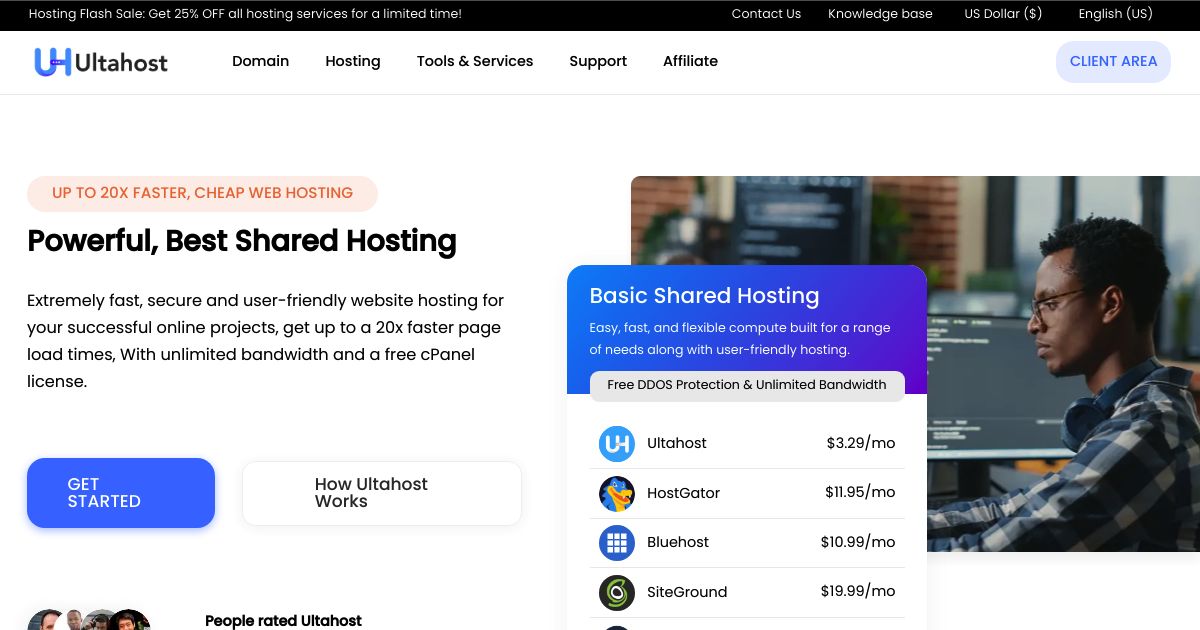
UltaHost claims to offer powerful shared hosting plans, two words we usually don’t associate. However, the plans are relatively cheap, at under $4/mo. While not the lowest price tag, it provides unmetered bandwidth and many freebies.
With each cheap shared hosting plan on UltaHost, you get free daily backups, domain transfers, and SSL certificates. Their shared hosting is also cPanel-based, which makes it a pretty sweet deal. Since cPanel is expensive, many competitors have shifted to other platforms.
UltaHost also offers an impressive range of data center locations for its shared hosting plans. You can choose from one of seven locations extending from North America to Singapore and everywhere in between.
Exclusive Deal: Get an Extra 10% discount at Ultahost!
Use promo code ‘HOSTSCORE’ at checkout to enjoy an additional 10% discount on your first bill. Click here to claim your discount and start saving with Ultahost today!
VPS Hosting Plans Available
Supported Language
Developers Features
HostScore
Ultahost Pros
- Outstanding hosting uptime and speed performance
- Highly competitive pricing
- Wide choice of server locations in four continents
- NVMe storage, DDoS protection, and unmetered traffic included
- Free malware scan & web applications firewall (WAF) in all shared plans
- Dedicated plans offer wide choice of Intel Xeon, AMD Ryzen, and AMD EPYC processors
Ultahost Cons
- Lowest prices require a long initial billing term
- Renewal prices are higher than discounted signup rates
- Some dedicated server locations carry additional monthly charges
Fastcomet

Fastcomet Review
FastComet is a customer-friendly hosting provider that emphasizes hands-on support and transparent pricing. Based in the U.S., FastComet operates a global network of servers and is particularly popular among users who need help migrating from other hosts or launching their first website with minimal friction.
Plans start at $1.99/month and include managed cPanel hosting, daily backups, SSD storage, and built-in security tools like web application firewall (WAF), malware scanning, and brute-force protection. What makes FastComet stand out is its free managed migrations—offered even to users on the lowest plan tier—with a support team that handles every step of the transition.
FastComet’s support is available 24/7 via live chat and email, and often gets praised for its speed and clarity. Whether you’re running a personal blog or a growing WordPress site, FastComet combines budget-friendly pricing with thoughtful technical assistance that’s rare to find at this price point.
VPS Hosting Plans Available
Supported Language
Developers Features
HostScore
Fastcomet Pros
- High-speed and reliable hosting
- Decent range of hosting plans
- Comprehensive support
- Excellent reputation
Fastcomet Cons
- Limited features on lower-priced plans
NameCheap

NameCheap Review
Namecheap combines domain registration and cPanel hosting within one account, making it convenient for users who prefer to manage both services through the same company. Its shared hosting range now includes AI-assisted WordPress setup, a Sitejet website builder, domain-based email, free SSL certificates, and Imunify360 security.
The Stellar plan currently costs $1.48 per month after an eligible 30-day trial and renews at $5.88 per month. It supports three websites with 20GB of SSD storage and 30 mailboxes. Stellar Plus and Stellar Business support unlimited websites and mailboxes, while adding more storage and an automated backup tool. The entry plan receives internal backups approximately twice per week, but Namecheap explicitly states that these backups are not guaranteed. Review Namecheap’s current shared hosting plans and limitations.
Namecheap is a sensible low-cost option for personal sites, experiments, and small multi-domain projects. Its renewal pricing is relatively moderate, but readers who require dependable daily backups or larger server allocations should consider a higher tier or another provider.
VPS Hosting Plans Available
Supported Language
Developers Features
HostScore
NameCheap Pros
- Budget-friendly shared hosting plans with free domain and SSL
- Competitive domain pricing with free lifetime privacy protection
- Free site migration for new customers
- Developer-friendly environment with Perl, Ruby, and Python support on shared hosting
NameCheap Cons
- Intro prices increase at renewal, sometimes doubling
- VPS plans are raw and unmanaged — control panels and management add significant extra cost
- Extra fee to host in UK instead of default US data center
- Weak security on shared hosting
What is Cheap Linux VPS Hosting?
Cheap Linux VPS Hosting refers to an affordable, virtualized server hosting solution based on the Linux operating system. It offers a customizable environment with root access, suitable for users requiring exclusive server resources. This cost-effective option balances performance and expense, making it a popular choice among VPS hosting shoppers.
How Much Does a Cheap Linux VPS Host Usually Cost?
The cost of a cheap Linux VPS hosting can vary widely depending on the provider, the resources allocated (such as CPU, RAM, storage), and any additional features or services included.
Generally, entry-level low cost Linux VPS hosting plans can start from as low as $5 per month for the most basic resources, such as 1 GB of RAM and a single CPU core, with limited bandwidth and storage.
Mid-range plans, which offer a better balance between resources and cost, typically range from $10 to $30 per month. These plans are slightly pricier but often include more server resources such as CPU cores, RAM (2GB to 4GB), storage (often SSD for faster access), more bandwidth, and additional features like automated server backups and security enhancements.
It’s important to consider not just the price but also the reliability of the provider, the quality of customer support, the scalability of the VPS hosting solution, and any additional costs such as for backups, domain registration, or SSL certificates.
Always check for hidden fees and review the terms of service to understand what you’re getting into before making a decision.
Can I Get Linux VPS Hosting for Free?
Finding completely free Linux VPS hosting is challenging due to the costs associated with maintaining the physical hardware and infrastructure required for VPS services. However, there are a few avenues you might explore for free. These include:
- Educational Programs: Some platforms offer free credits or special programs for students and educators. GitHub Student Developer Pack is one such example, providing access to various tools and services, including hosting resources.
- Free Trials from Cloud Providers: Major cloud service providers like Amazon Web Services (AWS), Google Cloud Platform (GCP), and Microsoft Azure offer free tiers or trial periods with limited resources. These can function similarly to a VPS for learning, development, and small-scale applications.
- Open Source Projects: Contributors to certain open-source projects may receive access to hosting resources as part of the community support from sponsors or through partnerships with hosting providers.
What Are the Limitations in Cheap Linux VPS?
While attractive for their affordability, cheap Linux VPS often come with a set of limitations that might affect your project in the long run. Understanding these limitations is crucial to making an informed decision:
- Limited Resources: Lower cost often means less RAM, CPU power, and disk space, potentially hindering performance for demanding applications.
- Shared Environment: Cheap VPS may still share physical server resources with other VPS instances, affecting stability and speed during peak times.
- Support and Maintenance: Budget options might come with limited customer support and self-managed maintenance, requiring technical proficiency from the user.
- Security Risks: Cheaper VPS solutions might not include advanced security features, making them more susceptible to vulnerabilities and attacks.
Do I Still Get Root Access in a Cheap Linux VPS Plan?
Yes, most cheap Linux VPS plans include root access, providing users with full control over the server environment. Root access allows users to install software, customize server settings, and manage security measures, offering flexibility and control that are essential for advanced server management and application deployment. However, the extent of access and ease of use can vary between providers, so it’s important to confirm the specifics before making a decision.
Is Cheap Linux VPS Host Safe?
The cost of a Linux VPS hosting plan is not a direct indicator of its security capabilities.
While it’s true that cheaper VPS plans might come with fewer features – which could indirectly impact security, the core security of a Linux VPS hinges more on the hosting provider’s infrastructure and how the server is managed by the users.
If the hosting provider maintains strict isolation between servers; and, if users are diligent in managing their servers (e.g. applying updates, implementing necessary security measures, etc) – then even budget-friendly VPS options can offer robust security.
It’s crucial to evaluate the reputation and practices of the hosting provider alongside the specific needs and capabilities of the user to ensure a secure VPS hosting environment.
Cheap VPS Solution vs Windows VPS Hosting
For those of you who are looking for cheap Linux VPS options – the lack of licensing fees, lower resource requirements, and the availability of free open-source software make Linux VPS a more cost-effective choice compared to Windows VPS hosting.
While Windows hosting provides advantages in certain use cases, especially for those deeply invested in the Windows ecosystem or requiring specific Windows-only applications, the associated costs are typically higher due to licensing, resource consumption, and software fees.
How the choice between Linux and Windows VPS affects cost
| Factor | Linux VPS | Windows VPS |
|---|---|---|
| Licensing Fees | None (open-source, free to use) | Required (adds to the cost) |
| Resource Efficiency | More resource-efficient (can run on less powerful configurations) | Less resource-efficient (requires more resources due to GUI and background processes) |
| Management Costs | Potentially lower for those familiar with Linux; requires technical skill for command-line interfaces | Potentially higher but more user-friendly for those familiar with Windows; additional costs for Windows-specific tools |
| Additional Software | Many free, open-source options available | Licensing fees for Windows-specific applications and server software |
Final Thoughts
Wrapping up our exploration of cheap Linux VPS hosting – it’s proven that while budget constraints often dictate our choices, they shouldn’t compromise the quality and scalability we require from a hosting solution.
Linux VPS hosting, with its affordability, flexibility, and a wide array of features, stands out as a compelling option for those looking to strike a balance between cost and performance. Whether you’re a beginner setting up your first project or a seasoned developer seeking a robust environment, the key lies in selecting a provider that aligns with your specific needs. Consider not just the price, but also reliability, customer support, and further server expansions. Remember, the right hosting environment is pivotal to the success of your online endeavors, making thorough research and consideration a worthwhile investment.

