Hostinger is a Lithuania-based web hosting provider that serves more than 3 million websites worldwide. Hostinger VPS Hosting is a virtual private server (VPS) solution that allocates dedicated resources and provides NVMe SSD storage, full root access, DDoS protection, and AI-assisted server management — making it suitable for websites and applications that need more power and control than shared hosting can offer.
Starting at just $6.49 per month for the KVM 1 plan and going up to $25.99 per month for KVM 8, Hostinger’s VPS plans are among the cheapest options on the market. Renewal prices are higher, and the service is unmanaged, which means you’ll be responsible for server updates, patches, and security. That trade-off makes Hostinger VPS a better fit for developers or technically confident users than for beginners.
In this review, we’ll look closely at Hostinger VPS pricing, features, performance, pros and cons, and how it compares with alternatives. Whether you’re upgrading from shared hosting or switching providers, this guide will help you decide if Hostinger VPS is the right fit.
Exclusive Hostinger Coupons – Save 10% or 15%!
Use promo code ‘HOSTSCORE’ for 10% off any plan — Or go big with promo code ‘HOSTSCORE15’ on a 4-year plan and unlock 15% off. Longer subscription = bigger savings. Claim Your Hostinger Deal Here!
What is Hostinger VPS Hosting?

Hostinger VPS hosting allocates virtualized CPU, RAM, and storage resources to each customer. Unlike shared hosting, where resources are divided among many users, VPS hosting isolates workloads for improved reliability and performance.
By balancing low prices with advanced features like NVMe SSDs and DDoS protection, Hostinger positions its VPS as a high-performance yet affordable option. It’s especially attractive for developers, resellers, and small businesses that want flexibility to configure their own hosting environment.
What Are the Key Features of Hostinger VPS?
Hostinger VPS hosting provides a blend of affordability and technical flexibility. The platform includes AI-assisted management (Kodee), a custom hPanel control panel, NVMe SSD storage, global data center choices, and preconfigured templates for faster deployment. Together, these features give developers and small businesses a balance of control, speed, and convenience.
How Does the Hostinger AI Assistant Simplify VPS Management?

Hostinger integrates an AI assistant named Kodee into its VPS hosting to guide users through common server management tasks. The AI assistant answers configuration questions, suggests optimizations, and helps troubleshoot issues in plain language. While Kodee doesn’t replace an experienced sysadmin, it lowers the learning curve for developers or site owners managing their first VPS.
How Does hPanel Provide a User-Friendly Control Panel?
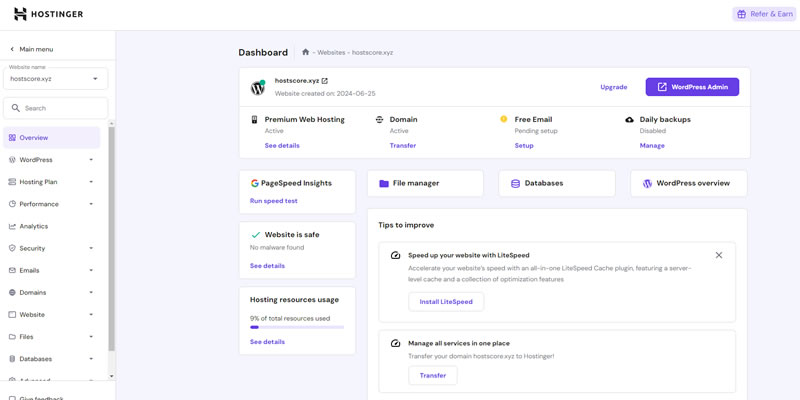
Instead of cPanel or Plesk, Hostinger provides its own hPanel to manage VPS hosting. hPanel allows users to configure domains, manage files, access backups, and install applications with a clean, simplified interface. Compared to traditional control panels, hPanel emphasizes usability, making server administration less intimidating for non-technical users.
Why Does NVMe SSD Storage Accelerate VPS Performance?

Hostinger VPS plans store data on NVMe SSD drives, which read and write files significantly faster than standard SSDs or HDDs. From our own experience, the difference is striking: when editing a WordPress design on a SATA SSD server, tasks like updating page elements or saving customizations felt sluggish. Switching to an NVMe-powered server made those same edits nearly instantaneous. This kind of speed boost is especially valuable for eCommerce, LMS, or application-heavy sites that process a high volume of read/write operations.
How Do Hostinger’s Global Data Centers Reduce Latency?

Hostinger operates data centers in key locations including the USA, the United Kingdom, Germany, Brazil, France, Lithuania, India, Malaysia, and Indonesia. Hosting your server near your target audience reduces latency and improves website loading times. This global reach makes Hostinger an excellent option for businesses or developers serving diverse or international audiences.
What Preconfigured Templates Does Hostinger Offer for Easy Setup?

Beyond its custom hPanel interface, Hostinger VPS also lets users auto-install a wide range of server control panels at checkout. Options include popular choices like cPanel, Plesk, DirectAdmin, CloudPanel, FASTPANEL, CyberPanel, and Webmin, along with lightweight alternatives such as TinyCP, HestiaCP, and EasyPanel. Having this flexibility means you can set up the server environment with the management layer you’re most comfortable with, without needing manual installation.
For developers and advanced users, Hostinger provides preconfigured templates for modern stacks and frameworks. You can launch environments with Docker, Supabase, or n8n preinstalled, or deploy ready-to-use applications like WordPress and WooCommerce. These templates save time by automating common setup steps, making it easier to move straight into development or site building.
Combined, the panel choices and application templates give Hostinger VPS a wide usability range from simple WordPress hosting to complex automation workflows.
How Much Do Hostinger VPS Plans Cost?
Hostinger offers four VPS plans under its KVM series: KVM 1, KVM 2, KVM 4, and KVM 8 (see detailed offerings here). Prices range from $6.49 per month for the most basic configuration to $25.99 per month for the highest tier. These plans are ideal for developers or experienced users who need affordable yet powerful hosting solutions.
Table below shows the breakdown of the pricing and specifications for each plan:
| Features | KVM 1 | KVM 2 | KVM 4 | KVM 8 |
|---|---|---|---|---|
| vCPU | 1 Core | 2 Cores | 4 Cores | 8 Cores |
| Memory | 4 GB | 8 GB | 16 GB | 32 GB |
| Bandwidth | 4 TB | 8 TB | 16 TB | 32 TB |
| Control Panel | hPanel | hPanel | hPanel | hPanel |
| Disk Space (NVMe) | 50 GB | 100 GB | 200 GB | 400 GB |
| Root Access | Yes | Yes | Yes | Yes |
| Signup Price | $4.99/mo | $6.99/mo | $10.49/mo | $19.99/mo |
| Renewal Price | $7.99/mo | $17.99/mo | $29.99/mo | $59.99/mo |
What Important Details Should You Know About Hostinger VPS Pricing?
Hostinger includes unlimited inodes, 300 MB/s network speed, and free hPanel access across all VPS plans. These baseline features ensure that even entry-level plans support sizable projects without extra cost.
Renewal rates are notably higher than the initial signup price. If you plan to stay long-term, it’s worth calculating the total cost of ownership rather than focusing only on the low entry price.
When ordering, you can choose a server location in the USA, Brazil, France, Germany, Lithuania, or India. Picking the right data center reduces latency for your target audience.
Hostinger VPS hosting is unmanaged. You get full control over your server environment, but you’re also responsible for tasks like updates, patches, and security. This setup is ideal for developers or technically skilled users. If you prefer a fully managed option, Hostinger Cloud Hosting may be the better fit.
What Are the Pros & Cons of Hostinger VPS?
What Do We Like About Hostinger VPS
1. Affordable VPS Hosting

Hostinger positions its VPS plans at some of the lowest entry prices in the market, starting at $6.49/mo. Even after renewal, the cost remains below many managed VPS alternatives. For developers, resellers, or small businesses that don’t mind handling their own server administration, this affordability makes Hostinger one of the most budget-friendly ways to access dedicated resources.
For budget-conscious users, the company provides a cost-effective entry point into the world of VPS hosting.
2. Flexible Server Setups & VPS Plans
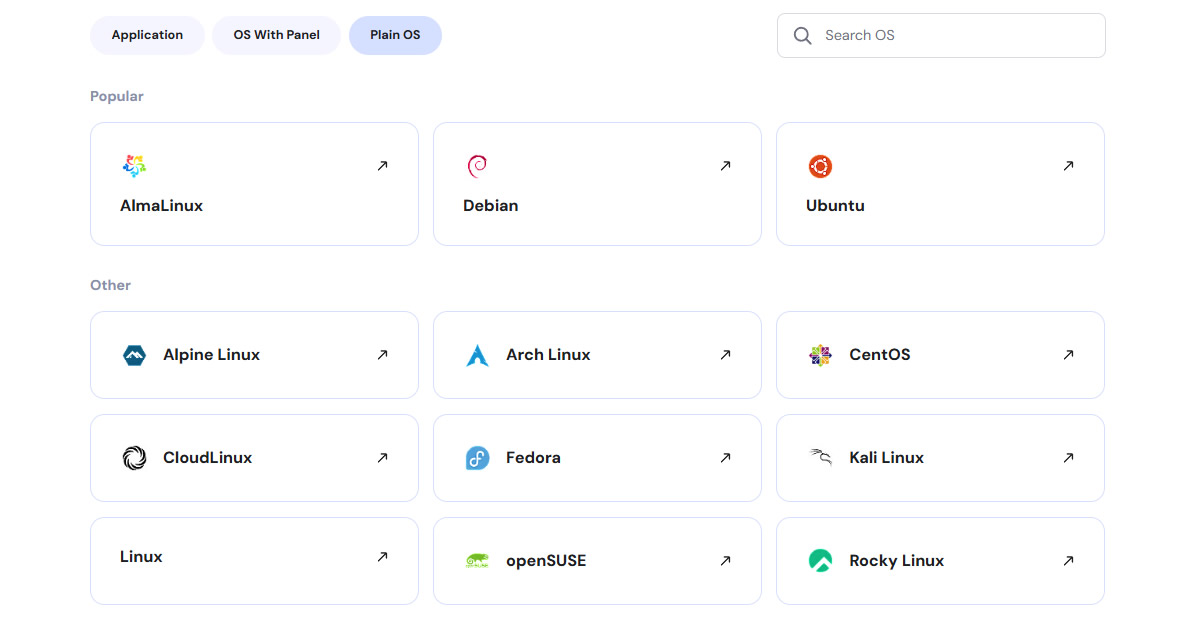
Hostinger VPS hosting scales from the KVM 1 plan with 1 vCPU and 4 GB RAM up to the KVM 8 plan with 8 vCPU and 32 GB RAM. Each plan includes root access, multiple Linux distributions, and the option to auto-install control panels or application templates during checkout. This flexibility allows users to start small, then upgrade seamlessly as traffic or application demands grow.
3. Superior Speed and Security
Hostinger powers its VPS plans with NVMe SSD storage, which accelerates read/write speeds compared to SATA-based servers. In our experience, editing WordPress on NVMe feels noticeably faster than on standard SSD. Combined with 300 MB/s network speed, this infrastructure ensures fast page loads and responsive performance.
On the security side, Hostinger includes DDoS protection, isolated virtualized resources, and the ability to configure firewalls or monitoring tools at the server level. While the platform is unmanaged, these built-in protections give users a strong foundation to secure their environment.
What Are the Downsides of Hostinger VPS?
1. Unmanaged Hosting Environment
Hostinger VPS hosting gives users full root access and server control, but it does not include managed services. This means you’re responsible for installing software, applying security patches, configuring backups, and monitoring performance.
For experienced developers, that level of control is a benefit. But for beginners or small business owners without technical expertise, the lack of management can quickly become overwhelming.
2. Support Limitations
Hostinger provides 24/7 live chat support, but VPS-specific assistance is limited. The support team responds quickly to account and billing queries, yet advanced technical issues often require users to troubleshoot on their own. Unlike managed VPS providers that include hands-on sysadmin help, Hostinger positions its support as guidance rather than full problem-solving. This can be a drawback if you expect the host to configure or fix server-level issues on your behalf.
Setting up hosting can be confusing. That’s why we created HostScore Setup Help, a done-for-you service for getting your hosting configured the right way.
We help with SSL installation, DNS & nameserver setup, WordPress install or migration, and security tuning. One-time fee. Backed by a 100% refund guarantee.
Explore Our ServicesWhat are the Best Alternatives to Hostinger VPS Hosting?
While Hostinger VPS hosting offers a compelling mix of affordability and flexibility, it’s important to consider the potential drawbacks. For users who may find these limitations concerning, there are plenty of other options that might suit your needs better.
Listed below are some great alternatives to Hostinger VPS hosting that might better suit your needs and preferences.
| Hosting Provider | CPU | RAM | Storage | Bandwidth | Starting Price |
|---|---|---|---|---|---|
| ScalaHosting | 2-12 vCPUs | 4-24 GB | 50-320 GB SSD | Unlimited | $29.95/mo |
| InMotion Hosting | 2-8 vCPUs | 2-16 GB | 45-360 GB NVMe | 2-6 TB | $10.99/mo |
| Cloudways | 1-16 vCPU | 1-64 GB | 25-1280 GB NVMe | 1-9 TB | $11.00/mo |
| Verpex | 2-8 vCPUs | 4-16 GB | 80-320 GB NVMe | Unlimited | $10.00/mo |
| Kamatera | 1-4 vCPUs | 1-16 GB | 20-100 GB SSD | 5 TB | $4.00/mo |
1. ScalaHosting

Website: https://www.scalahosting.com/cloud-vps/
ScalaHosting, founded in 2007, powers more than 700,000 websites across 120+ countries. Unlike Hostinger, it positions itself as a managed cloud VPS specialist. Performance depends on the plans you choose but opting for ScalaHosting directly unlocks unique perks such as unmetered bandwidth and built-in management tools.
All managed VPS plans include sPanel, a lightweight cPanel alternative; SShield Security, an AI-driven system that blocks threats in real time; and SWordPress Manager, which streamlines updates, backups, and optimization. ScalaHosting’s support team also responds quickly, averaging 30 seconds via live chat and 15 minutes for ticket replies.
Managed VPS plans start at $29.95/mo – more expensive than Hostinger’s entry VPS, but the price includes extras like a dedicated IP, all-NVMe storage, free SSL, domain, migration, and built-in tools (sPanel, SShield). For users who value managed support and premium features, the higher entry cost is offset by long-term value.
Learn more in our ScalaHosting review.
ScalaHosting Pros
- Excellent uptime and fast server performance confirmed through HostScore’s long-term monitoring, load tests, and recent benchmark experiments
- Affordable managed VPS hosting, often up to 40% cheaper than comparable managed VPS providers
- Anytime unconditional money-back guarantee
- Automated daily backups with seven restore points
- NVMe storage across all shared hosting plans for faster database and file operations
- Innovative in-house technologies including SPanel, SShield security, SKAI AI assistant, and SWordPress Manager
ScalaHosting Cons
- Renewal prices for shared and VPS plans are significantly higher than initial promotional rates
- No dedicated server / bare metal plans available for enterprise-scale workloads
2. InMotion Hosting
Website: https://www.inmotionhosting.com/
With nearly two decades of experience, InMotion Hosting serves over 170,000 customers and supports more than 500,000 WordPress installations. Based in California, the company offers shared hosting, VPS, dedicated servers, and WordPress hosting, with a strong focus on performance and customer satisfaction.
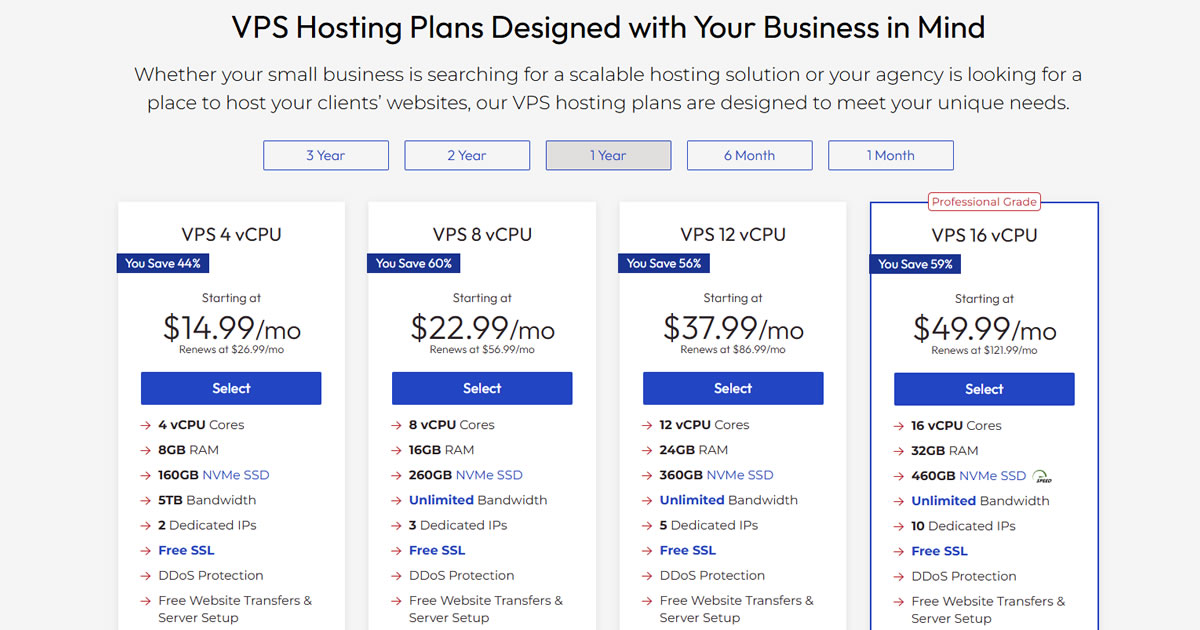
InMotion VPS hosting is notable for its 90-day money-back guarantee, far longer than Hostinger’s 30-day policy. Plans use NVMe SSDs with UltraStack configurations that deliver faster write speeds and consistent performance. Users can choose between managed VPS with cPanel/WHM for ease of use, or self-managed cloud VPS for a more budget-friendly, command-line-driven setup. The service is backed by a responsive, US-based support team available across multiple channels.
Managed VPS pricing starts at $10.99/mo, offering solid value with NVMe SSD storage, cPanel/WHM access, extended refund protection, and award-winning support. While not the cheapest option, InMotion balances performance, features, and customer service, making it a dependable alternative to Hostinger.
Learn more in our InMotion Hosting review.
InMotion Hosting Pros
- Affordable entry pricing
- Developer stack on all shared hosting plans (Python/Node/Ruby, Git, SSH)
- Built-in hack, DDoS, and malware protection
- Long 90-day money back guarantee refund window (best in market)
- Free SSL, email, and site migration
InMotion Hosting Cons
- Lower shared hosting plans lack advanced speed features
- Higher renewal rates across shared, VPS, and reseller plans
- No Asia-based data center
- No Windows Server hosting option
3. Cloudways

Website: https://www.cloudways.com/en/
Launched in 2011, Cloudways operates as a Platform as a Service (PaaS) rather than a traditional host. Instead of running its own infrastructure, Cloudways lets users deploy websites on providers like DigitalOcean, Vultr, Linode, AWS, and Google Cloud. This flexibility gives customers more choice in performance and price.
Cloudways combines cloud hosting with managed services, making it attractive for developers and businesses who want control without sysadmin overhead. Its dashboard is developer-friendly, simplifying migrations and configurations, while integrated add-ons such as firewalls, CDNs, and automated backups enhance security and reliability. Scalability is another strength, as resources can be adjusted on demand, though higher traffic leads to higher costs.
Pricing depends on the chosen cloud provider. The most affordable option is DigitalOcean at $11.00/mo, followed by Vultr and Linode at slightly higher rates. AWS and Google Cloud sit at the premium end, designed for resource-heavy projects. Cloudways is a versatile alternative to Hostinger for users who value managed convenience and multiple infrastructure choices.
Learn more in our Cloudways review.
Cloudways Pros
- Reliable server uptime and speed performance
- Good abstration over complex cloud server setups with integrated dashboard
- High scalability; Autonomous plan supports auto-scaling
- Easy server cloning, site staging, and website transfer
- Host unlimited websites and applications in one account
- 30% discount for first two months with coupon "HOSTSCORE"
Cloudways Cons
- Getting expensive - Prices increased steadily for the past few years
- Limited trial period
- Excellent technical support, but poor billing practices and support
4. Verpex

Website: https://www.verpex.net/
Although a relatively new player, Verpex has grown quickly with a diverse range of hosting services, from shared and reseller hosting to VPS, dedicated servers, and managed WordPress hosting. For users seeking a low-cost but reliable VPS solution, Verpex is one of the closest competitors to Hostinger.
Verpex VPS hosting combines affordability with solid features. All plans include NVMe SSD storage for fast site performance, plus global coverage across 12 data centers in the US, UK, Canada, Australia, Germany, Singapore, and India. Security is handled by Imunify360, which provides malware scanning, firewall protection, and automated threat defense. Users also get flexibility in choosing a control panel including DirectAdmin, cPanel, or Plesk, along with 24/7 support via chat and email.
Verpex VPS pricing starts at $10.00/mo, making it one of the cheapest managed VPS options available. Plans are easy to scale as your site grows, giving you premium features like NVMe storage and multiple server locations without a premium price tag.
Learn more in our Verpex review.
Verpex Pros
- Budget-friendly entry pricing on shared and VPS hosting plans
- 45-day money-back guarantee on shared/reseller plans (longer than industry standard)
- Daily backup included in all shared hosting plans at no extra cost
- Unlimited free site migrations
- Choice of 8 global data centers across five continents
- Wide hosting selection including Windows, reseller, and managed servers
Verpex Cons
- Steep renewal pricing after the first term (up to 90% higher than intro rates)
- Short refund window on managed VPS (7 days compared to 30+ with some competitors)
5. Kamatera

Website: https://www.kamatera.com/
Founded in 1996, Kamatera is part of Israel’s OMCGroup and focuses on enterprise-grade cloud infrastructure. Its services include cloud servers, firewalls, and reseller hosting, but its customizable VPS makes it a direct alternative to Hostinger.
Kamatera stands out with fully customizable configurations, letting users choose exact CPU, RAM, storage, and bandwidth requirements instead of fixed tiers. The platform appeals to developers who want granular control, but it may not suit beginners unfamiliar with server administration. Kamatera also offers optional add-ons like cloud firewalls and managed services, giving advanced users flexibility to tailor both performance and security.
Pricing starts at $4.00/mo for basic setups, with costs scaling according to resources selected. This pay-as-you-go model ensures you only pay for what you use. Managed service add-ons are available for $50/mo (Pro Managed) or $150/mo (Premium Managed+). Kamatera is best suited for developers or businesses that value flexibility over simplicity.
Learn more in our in-depth Kamatera review.
Kamatera Pros
- Excellent server speed performance
- Highly flexible hosting plans
- Wide range of support and use cases
- Affordable pricing at bare server unit
- Choice of 24 distributed data centers
- Free to create a $100 worth server during the first 30 days
Kamatera Cons
- Confusing pay-as-you-go pricing model
- Many vital add-ons require extra cost
Final Thoughts: Is Hostinger VPS Right for You?
Choosing a VPS host depends on your goals, budget, and technical skill. Here’s when Hostinger makes sense, when you may be better off with an alternative, and practical tips to help you decide.
Hostinger VPS is a Great Option If:
Hostinger VPS is a solid fit if:
- You’re budget-conscious but still need performance – its low entry pricing paired with NVMe SSDs and AMD EPYC CPUs deliver strong value.
- You have technical skills – since it’s unmanaged, you’ll be responsible for server updates, patches, and troubleshooting.
- You want flexibility and scalability – full root access, multiple OS choices, and tiered plans make it easy to scale.
- You serve a global audience – with data centers across five continents, latency can be optimized for international traffic.
What Makes Other VPS Providers a Better Fit?
Other providers may be a better fit if:
- You prefer managed hosting – ScalaHosting and Verpex include management, freeing you from server maintenance.
- You need premium support – Cloudways offers a more hands-on support model for users who want troubleshooting help.
- You’re wary of renewal hikes – Hostinger’s entry prices are very low, but renewals rise sharply. If predictable long-term pricing matters, consider alternatives with fixed rates.
Personal Verdict & Tips
Hostinger VPS strikes a balance between affordability and performance, making it a strong choice for developers, resellers, and small businesses that value control. The combination of NVMe SSD storage, scalable KVM plans, and global data centers makes it competitive for the price.
That said, it’s not beginner-friendly. The unmanaged environment means you’ll need the confidence to manage updates, configure firewalls, and troubleshoot issues. If you’d rather avoid the technical load, a managed VPS provider will cost more but save time and reduce risk.
Our tip: Assess your technical skills and long-term budget before signing up. If you’re comfortable managing a server or eager to learn, Hostinger offers excellent value. If not, managed alternatives may be a smarter investment.