Vercel is our top hosting choice for vibe coding, especially when your AI coding tool generates a Next.js, React, or frontend-heavy application. Render ranks second for full-stack applications, while Hostinger provides a more beginner-friendly building and hosting experience. Cloudflare Workers suits edge applications, and Kamatera gives developers complete control over the server environment.
Vibe-coded applications still use conventional frameworks, databases, APIs, and storage systems. The right host fro your vibe-coded project depends on what the AI tool generated. A static React website has different hosting requirements from a Node.js application with user accounts, uploaded files, scheduled tasks, and background workers.
Our guide combines hands-on testing with documentation-based research. HostScore has tested Hostinger and Kamatera directly, and both providers delivered consistent performance in our tests. Our Vercel, Render, and Cloudflare Workers recommendations are based on their current documentation, supported workloads, pricing model, and suitability for AI-generated applications.
Which Hosts Are Best for Vibe Coding?
| Provider | Best for | Hosting model | Database and storage | Starting cost* | Main limitation |
|---|---|---|---|---|---|
| Vercel | Next.js and frontend-heavy apps | Serverless application platform | External databases, marketplace integrations, and object storage | Free for personal projects; Pro from $20/month | Usage-based costs and runtime constraints |
| Render | Full-stack apps and background workers | Managed application platform | Managed PostgreSQL, Key Value, persistent disks, and external databases | Free preview tier; paid compute for production | Free services sleep and use ephemeral storage |
| Hostinger | Beginners and all-in-one deployment | AI Builder, managed Node.js hosting, and VPS | Integrated builder backend, MySQL, and external databases | From $2.99/month on a 48-month promotional term | Product capabilities and portability vary |
| Cloudflare Workers | Edge applications and serverless APIs | Edge serverless platform | D1, KV, R2, Durable Objects, and external databases | Free tier; paid plan from $5/month | Some Node.js applications require adaptation |
| Kamatera | Custom stacks and full server control | Cloud VPS and infrastructure as a service | Self-hosted or external databases and storage | From $4/month | Requires server administration |
1. Vercel

Vercel is our best overall hosting platform for vibe-coded applications because many AI coding tools generate React, Next.js, Vite, and other frontend-focused projects. Vercel provides a short path from a Git repository to a working deployment, making it particularly suitable for prototypes, SaaS interfaces, dashboards, and content-driven applications.
Why Do We Recommend Vercel for Next.js and Frontend-Heavy Apps?
Vercel connects to GitHub, GitLab, Bitbucket, and Azure DevOps repositories. Each supported commit or pull request can trigger a deployment with its own preview URL. You can also deploy through the Vercel CLI, REST API, deploy hooks, or direct browser upload. Framework detection, environment variables, build logs, custom domains, and production rollbacks reduce the infrastructure work needed after an AI tool generates the initial code.
Vercel is less suitable when an application expects unrestricted access to an always-running server. Background processing, database connections, file storage, and long-running operations must fit Vercel’s managed compute and storage model.
Vercel’s free Hobby plan is intended for personal, non-commercial projects, while the Pro plan starts at $20 per month and includes usage credit. Commercial apps should account for compute, storage, data transfer, image processing, and other metered resources when estimating costs.
2. Render

Render ranks second because it supports a broader range of conventional backend workloads than a frontend-first serverless platform. It is a strong match for vibe-coded Express, FastAPI, Django, Rails, Laravel, and Docker applications that need persistent web services, private networking, scheduled jobs, or separate background workers.
Why Do We Recommend Render for Full-Stack Apps and Background Workers?
Render deploys applications from connected Git repositories, public repositories, or existing Docker images. Developers can define build and start commands, store environment variables, attach persistent disks, configure health checks, and connect services through a private network. Render also separates web services, private services, background workers, cron jobs, PostgreSQL databases, and Key Value instances. This structure makes it easier to turn an AI-generated project into a production architecture without administering the underlying operating system.
Render’s free services are useful for experiments, but they are not intended for production applications. A free web service spins down after 15 minutes without inbound traffic, and its local filesystem is erased when the service restarts, redeploys, or spins down. Free PostgreSQL databases also expire after 30 days. A persistent production app may require separate paid services for compute, databases, workers, and storage, so the total cost can rise as the architecture becomes more complex.
3. Hostinger

Hostinger ranks third because it combines an AI application builder, managed Node.js hosting, conventional web hosting, and VPS hosting under one provider. This range gives beginners a guided starting point while preserving an upgrade path for applications that eventually require exported code or a configurable server.
Why Do We Recommend Hostinger for Beginners and All-in-One Deployment?
Our experience with the new Hostinger AI Builder was positive. We used it to create an uptime-monitoring application with user accounts, stored website checks, performance charts, incident records, scheduled monitoring, and a public status page. The initial build took about 16 minutes and used 7.5 AI credits. During our one-to-two-hour verification period, the application completed its scheduled checks without missing a cycle. Hostinger’s underlying hosting services have also produced consistently good performance in our ongoing tests.
Hostinger users still need to distinguish between AI Builder, managed Node.js Web Apps, and VPS hosting. Managed Node.js applications run on demand and stop after a period without inbound traffic, although Hostinger starts the process again when a new request arrives. AI Builder projects can be exported as React and Vite-based Node.js code, but the export excludes integrated backend data and cannot be imported back into the builder for further prompting. A VPS removes most runtime restrictions, but it also makes the customer responsible for server configuration, security, backups, monitoring, and deployment.
4. Cloudflare Workers

Cloudflare Workers ranks fourth because it runs application code across Cloudflare’s distributed network without requiring a conventional server. It suits lightweight APIs, authentication layers, AI gateways, scheduled functions, and web applications designed around short, event-driven requests.
Why Do We Recommend Cloudflare Workers for Edge and Serverless Apps?
Cloudflare Workers can deploy server-side code alongside static application assets. Its surrounding platform includes D1 for serverless SQL, KV for key-value data, R2 for object storage, Queues for asynchronous processing, and Durable Objects for coordinated state.
The free plan supports up to 100,000 Worker requests per day, while the paid plan starts at a $5 monthly minimum and includes higher request and CPU allowances. Cloudflare does not add separate data transfer charges to Workers, although individual storage products have their own usage rates.
Cloudflare Workers is not a drop-in replacement for a Node.js hosting. Cloudflare supports many Node.js APIs and popular web frameworks, but an application that depends on unrestricted filesystem access, native packages, long-running server processes, or unsupported runtime behavior may need code changes. Developers must also select the correct storage service instead of saving persistent data to a local filesystem. Cloudflare now recommends Workers as its primary platform for new applications, including most use cases previously handled through Pages.
5. Kamatera

Kamatera provides developers control over the operating system, runtime, network configuration, and application stack. It is the most flexible option in this ranking, but it assumes that the user can manage a server or pay for managed assistance.
Why Do We Recommend Kamatera for Custom Stacks and Full Server Control?
Kamatera can run Node.js, Python, PHP, Docker, PostgreSQL, MySQL, Redis, WebSockets, scheduled jobs, and long-running background processes on the same cloud server. Developers can configure CPU, RAM, NVMe storage, operating system, and data center location according to the application’s requirements. This flexibility is useful when AI-generated code does not fit a serverless runtime or managed application platform. Kamatera also delivered consistent performance during HostScore’s testing, which supports its placement for projects that prioritize resource control and predictable server behavior.
Kamatera places server administration in the customer’s hands. A self-managed deployment requires operating system updates, firewall rules, SSL configuration, backups, monitoring, database maintenance, and a deployment pipeline. Its $4 entry configuration includes 1 vCPU, 1 GB RAM, and 20 GB NVMe storage, but those resources may be too limited for an application server and database running together. Managed services, backups, control panels, and other components can increase the total cost. Kamatera is therefore better suited to experienced developers or businesses with access to technical setup assistance.
Setting up hosting can be confusing. That’s why we created HostScore Setup Help, a done-for-you service for getting your hosting configured the right way.
We help with SSL installation, DNS & nameserver setup, WordPress install or migration, and security tuning. One-time fee. Backed by a 100% refund guarantee.
Explore Our ServicesHow Much Does Hosting a Vibe-Coded App Cost?
Hosting a vibe-coded app can cost nothing ($0) for a simple prototype or more than $100 per month for a production application with databases, workers, storage, and external APIs. The application architecture usually affects the final bill more than the tool used to generate the code.
| Application stage | Typical hosting cost | What the cost usually covers |
|---|---|---|
| Static demo | $0 | Static files, platform subdomain, SSL, and limited bandwidth |
| Personal prototype | $0–$10/month | Basic serverless functions, small databases, and low traffic |
| Commercial frontend app | $20–$50/month | Production deployment, team access, logs, and higher usage limits |
| Persistent full-stack app | $25–$100+/month | Application compute, managed database, workers, storage, and monitoring |
| Self-managed VPS app | $4–$40+/month | Virtual server resources without application management |
Usage-based platforms require closer monitoring because traffic, function execution, database queries, storage operations, and data transfer can change the monthly bill. A VPS provides a more predictable infrastructure cost, but server maintenance and technical assistance add time or service fees.
What Is Vibe Coding Hosting?
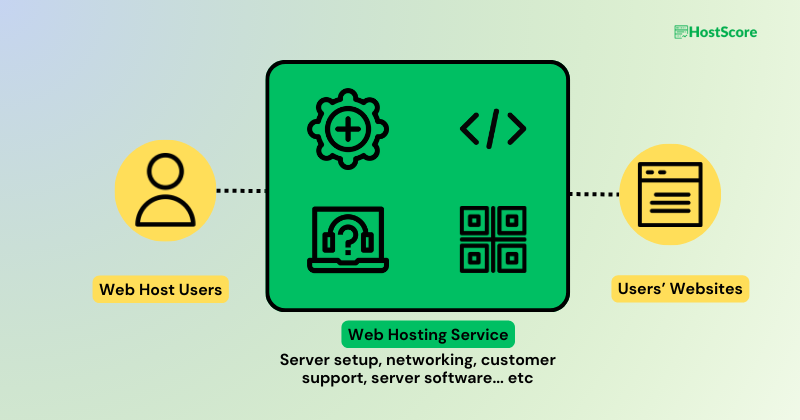
“Vibe coding hosting” is the infrastructure used to publish and operate applications created primarily through natural-language prompts (vibe-coded applications). It is not a separate technical category of hosting. The generated application still depends on a framework, runtime, database, storage system, network, and deployment process.
The term can describe several hosting models:
| Hosting model | How it works | Suitable applications |
|---|---|---|
| AI builder with bundled hosting | The builder generates and hosts the application within one platform | MVPs, business tools, simple SaaS products, and non-technical users |
| Frontend and serverless platform | Static assets and request-based functions run on managed infrastructure | React, Next.js, APIs, dashboards, and traffic-driven applications |
| Managed application platform | The provider runs web services, databases, workers, and scheduled jobs | Full-stack applications with persistent backend processes |
| Cloud VPS | The customer controls the operating system and software stack | Custom runtimes, Docker applications, WebSockets, and long-running workers |
A vibe coding tool may hide most of this infrastructure during development. However, the hosting model becomes important when the application needs custom backend logic, uploaded files, database migrations, background processing, or predictable production costs.
How Should You Choose Hosting for a Vibe-Coded App?
Vibe-coded or not, the best hosting platform must support the application’s actual runtime and data requirements. Do not choose a host solely because it promotes AI tools or one-click deployment. For vibe-coders who are choosing your application hosting for the first time, here are the factors to consider.
Match the Framework and Runtime
Start by identifying the application framework and runtime. A static Vite project can run almost anywhere, while Next.js server rendering, Express, Django, Laravel, and FastAPI require compatible application runtimes.
Check the project files for indicators such as package.json, requirements.txt, composer.json, Dockerfile, and framework configuration files. These files help determine whether the application needs Node.js, Python, PHP, Docker, or only static hosting.
Separate Static, Serverless, and Persistent Workloads
Static websites serve prebuilt HTML, CSS, and JavaScript files without running backend code on every request. Serverless applications execute functions when requests arrive, while persistent services keep an application process running.
This distinction affects platform compatibility. A background worker, WebSocket server, monitoring service, or continuously running automation may need Render, a VPS, or another platform that supports persistent processes. A marketing site or frontend dashboard may run efficiently on Vercel or Cloudflare Workers.
Verify Database and File Storage Requirements
A production app needs persistent storage when it saves user accounts, orders, uploaded files, application settings, or activity records. Local files may disappear when a serverless function or ephemeral service restarts.
Check whether the project expects PostgreSQL, MySQL, SQLite, a key-value store, or an integrated builder database. File uploads should normally use persistent object storage rather than the application’s local filesystem.
Check How the App Is Deployed and Updated
The deployment method determines how easily you can publish, test, and recover changes to a vibe-coded app. Git-based hosting connects to the application repository and deploys each approved commit. Preview environments and rollbacks are especially valuable because one AI prompt can change multiple files and introduce unexpected problems.
Git is not the only deployment option. Newer AI-native hosting such as DropTheHassle accept built website folders and support workflows for Claude Code, ChatGPT, Gemini Canvas, and Windsurf. Compatible tools can publish through its MCP connector, after which DropTheHassle serves the website over HTTPS and lets the user connect a custom domain.
A simpler deployment workflow does not mean the host supports every runtime. This model fits static sites and browser-based applications; while Node.js, PHP, and Python backends may require a separate application host or cloud server. Confirm which parts of the app each service runs and how you will update them.
Protect Environment Variables and API Keys
The hosting platform should store database credentials, API keys, signing secrets, and payment tokens outside the public codebase. Secrets placed inside frontend files or committed to a public repository can be exposed to visitors.
Review the generated code before deployment and move sensitive values into the host’s environment-variable or secret-management system. Frontend environment variables may still become public during the build, depending on the framework and naming convention.
Compare Scaling and Billing Models
Serverless platforms scale requests automatically but often meter function execution, storage operations, database queries, and data transfer. Managed platforms bill separate services, while VPS providers charge for allocated server resources.
Estimate costs under normal traffic and during a spike. A low entry price matters less if the app generates frequent background jobs, large file transfers, AI API requests, or inefficient database queries.
Review Portability and Migration Options
Code export does not always provide complete portability. An exported frontend may still depend on the builder’s authentication, database, storage, email, or scheduling services.
Check whether you can export the source code, database records, uploaded files, environment variables, and deployment configuration. A documented migration path reduces vendor lock-in if the application outgrows its original platform.
Understand the Host’s Support Boundary
Hosting support usually covers deployment failures, DNS, SSL, platform availability, and account-level problems. Support teams do not normally debug application logic or repair insecure AI-generated code.
A managed builder may assist with a wider part of the development process, while a VPS provider primarily maintains its network and physical infrastructure. Technical users can handle this separation themselves, but beginners may need a developer or a hosting setup service.
Do You Need Separate Hosting When Your Vibe Coding Tool Includes It?
No, you do not need separate hosting when the builder’s native environment supports the application’s requirements. Bundled hosting usually provides the fastest path from a prompt to a live project because the builder already understands its own database, authentication, storage, and deployment systems.
Platforms such as Hostinger AI Builder, Lovable, Bolt, Replit, and Base44 can reduce the initial infrastructure work. Native hosting is a practical choice when:
- The application is still an MVP or internal prototype.
- The included database and storage limits are sufficient.
- The platform supports the required domain, SSL, authentication, and backend features.
- The application does not need an unsupported runtime or persistent process.
- The expected usage fits the platform’s billing model.
Separate hosting becomes useful when the application needs a custom backend, unrestricted server processes, more predictable resources, detailed observability, specific data locations, or a deployment workflow outside the builder.
Before migrating, check the entire dependency chain. Exporting the visible code does not automatically move hosted databases, user accounts, uploaded files, scheduled jobs, or platform-specific functions.

What Security Checks Are Needed Before Deployment?
AI-generated applications require a human security review before they process real customer data. Secure hosting protects the infrastructure, but it cannot correct weak permissions, exposed credentials, or unsafe application logic.
Review these areas before publishing:
- Authentication: Confirm that signup, login, password reset, and session expiration behave correctly. Test whether a user can access another account by changing a URL, record ID, or API request.
- Authorization: Apply permission checks on the server rather than hiding interface elements. An administrator page remains vulnerable if a regular user can call its backend endpoint directly.
- Database rules: Restrict which users and services can read, create, update, or delete each type of record. Test these rules with multiple accounts.
- API keys and secrets: Store credentials in protected environment variables. Remove exposed keys from the repository and rotate any credential that has already been committed.
- Input validation: Validate form fields, URLs, database queries, and API payloads on the server. Browser-side validation alone can be bypassed.
- File uploads: Restrict file types, file sizes, filenames, and storage locations. Uploaded files should not execute as application code.
- Dependencies: Scan packages for known vulnerabilities and remove unused libraries. Generated projects may include outdated packages or dependencies that are unnecessary for production.
- Rate limiting: Limit login attempts, form submissions, account creation, password resets, and expensive API requests. Rate limits reduce abuse and unexpected usage charges.
- Error handling: Prevent production error messages from exposing stack traces, database details, file paths, or secret values. Log enough information for debugging without recording sensitive data.
- Backups and recovery: Back up application data and confirm that the backup can be restored. A backup that has never been tested is not a reliable recovery plan.
- Deployment controls: Review changes before they reach production. Use separate preview and production environments when the platform supports them.
To learn more, visit OWASP to get a broader checklist for reviewing code created with AI assistance.
Frequently Asked Questions
Can Shared Hosting Run a Vibe-Coded App?
Yes, shared hosting can run a vibe-coded app when the finished project uses static HTML, CSS, JavaScript, PHP, or another runtime supported by the plan. Shared hosting is less suitable for persistent Node.js processes, Python services, background workers, Docker containers, and custom server software.
Can I Host a Lovable or Bolt App Somewhere Else?
Usually, yes. You can move a Lovable or Bolt project when the platform lets you export or synchronize the source code. However, you may need to replace integrated databases, authentication, storage, serverless functions, and environment variables before the exported project works independently.
Will SQLite Work on Serverless Hosting?
SQLite may work for read-only data or supported serverless database services, but a local SQLite file is usually unsuitable for a production serverless app. Ephemeral filesystems can erase changes between deployments or instances. Use a managed SQL database, persistent disk, or VPS when the application needs durable writes.
Do I Need Docker to Deploy an AI-Generated App?
No, most AI-generated applications do not require Docker. Managed platforms can deploy common Node.js, Python, PHP, and frontend frameworks directly from a repository. Docker becomes useful when the app requires a custom runtime, system package, repeatable environment, or portable deployment configuration.
Can a Vibe-Coded App Use Its Own Domain and SSL?
Yes, most application platforms and web hosts support custom domains and SSL certificates. The feature may require a paid plan on some AI builders. Confirm the domain, DNS, certificate renewal, and subdomain rules before choosing a platform.
What Happens If My App Exceeds a Free Hosting Limit?
The platform may pause the app, throttle requests, disable new builds, or begin charging for additional usage. The exact action depends on the provider and whether a payment method is attached. Configure billing alerts and spending limits before launching publicly.
Final Thoughts: Match the Hosting Environment to the App
The best vibe coding host depends on what the generated application needs after the prompting ends. Vercel is our first choice for Next.js and frontend-heavy projects, while Render suits full-stack applications with workers and managed databases. Hostinger simplifies the entire process for beginners, Cloudflare Workers supports edge-first applications, and Kamatera provides unrestricted server control.
Start with the simplest platform that supports the application’s runtime, database, storage, and background tasks. Before launching, verify security, portability, production costs, and the host’s support boundary.