The best web hosting providers for law firms are One.com, Flashcloud, and ScalaHosting.
Law firms need hosting that keeps their websites professional, reachable, and secure. The right provider should offer reliable uptime, SSL, backups, business email, and straightforward management for contact forms, consultation requests, and public website content.
One.com ranks #1 in our pick because it combines hosting, daily backups, email, SSL, and beginner-friendly website tools. Its Website Builder, Aida AI, and optional design services suit solo lawyers and small practices that want an all-in-one platform.
Flashcloud takes second place and is our leading recommendation for firms with limited IT resources. Its plans include website and email migration, a starter website, professional email, SSL, daily backups, and 24/7 human support, reducing the amount of setup a law firm must manage internally.
ScalaHosting provides a stronger cloud upgrade path for firms needing more control. For law firms that require dedicated resources, stronger server management, or room to scale beyond shared hosting, its managed cloud VPS plans offer greater flexibility and technical control.
Side-by-Side Comparison of the Best Web Hosts for Law Firms
| Web Host | Hosting Options | Starting Price | Best For |
|---|---|---|---|
| One.com | Shared, VPS Hosting | $2.99/mo | Solo lawyers and small firms wanting an all-in-one setup |
| Flashcloud | Shared, WordPress, VPS, dedicated Hosting | $2.79/mo | Small firms and practices with limited IT resources |
| ScalaHosting | Shared, VPS, Cloud, and Reseller Hosting | $2.95/mo | Growing firms needing managed cloud and more technical control |
| Hostinger | Shared, VPS, and Cloud Hosting | $2.99/mo | Budget-conscious firms and websites serving international audiences |
| Kinsta | - Hosting | $35.00/mo | High-traffic or business-critical WordPress websites |
| InMotion Hosting | Shared, VPS, Dedicated, Cloud, and Reseller Hosting | $4.79/mo | U.S. law firms wanting cPanel, phone support, and bundled email |
Note: While our HostScore ratings offer a data-backed overview of hosting performance, choosing the best hosting for your law firm website depends on specific needs — whether it’s scalability, speed, advanced security features, or built-in email hosting. This guide is designed to help law firms and legal practitioners who are actively looking for the best web hosting based on real-world use cases.
1. One.com

Website: https://one.com/en-gb/hosting/
One.com is a Denmark-based hosting provider founded in 2002. It offers shared hosting, managed WordPress, VPS hosting, domains, professional email, Website Builder, Aida AI, and optional website design services through one platform.
Why Do We Recommend One.com for Solo Lawyers and Small Law Firms?
One.com combines the main services a small law firm needs under one account. Its hosting plans include SSL, daily backups, professional email accounts, domain tools, and one-click WordPress installation.
Lawyers without an internal web team can use Website Builder or Aida AI to create practice-area pages, attorney profiles, office information, and consultation forms. One.com also offers professional design services for firms that want someone else to build the website.
Our Explorer plan produced strong WordPress benchmark results and handled normal small-business traffic well. However, One.com is better suited to public-facing websites than custom client portals or legal applications.
One.com Pros & Cons
Pros
- Combines website hosting, domain management, email, SSL, and backups.
- Shared plans include daily website backups
- Offers Website Builder, Aida AI, and optional professional design services.
- Uses European data centres with WAF, DDoS protection, and DNSSEC.
- Delivered strong results in our WordPress benchmark testing.
- Provides 24/7 chat support throughout the year.
Cons
- Entry shared plans support fewer websites and provide limited server resources.
- The 15-day money-back period is shorter than most competitors.
- Advanced malware removal and some security tools may require add-ons.
2. Flashcloud
Website: https://flashcloud.com/
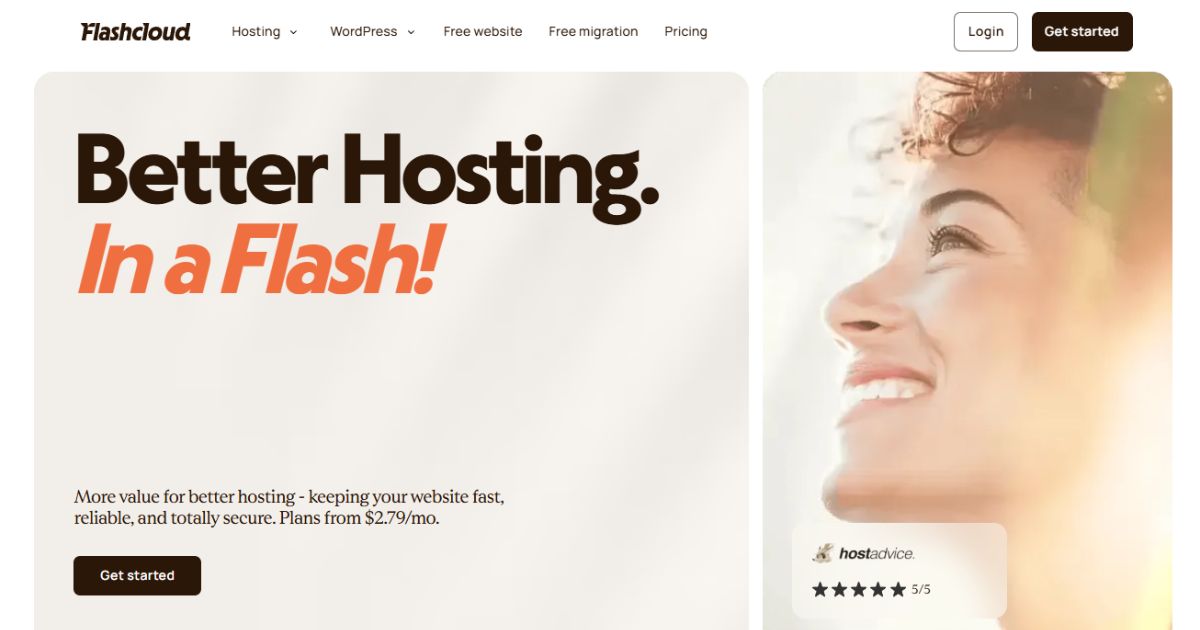
Flashcloud is a newer U.S.-registered hosting company offering shared, WordPress, VPS, and dedicated hosting. Its platform uses cPanel, LiteSpeed, NVMe storage, Cloudflare CDN, and preconfigured caching; while its web hosting plans bundle email, SSL, migration, daily backups, and a starter website.
Why Do We Recommend Flashcloud for Small Firms With Limited IT Resources?
Flashcloud reduces the number of website tasks a small law firm must coordinate. Its team can migrate an existing website and email accounts or create a starter WordPress website for a new firm. Domain registration, domain privacy, SSL, professional email, and daily backups are also included.
The provider offers 24/7 human support through live chat, email, and tickets. This makes it a practical choice for firms that do not have an employee available to troubleshoot website transfers, email configuration, caching, backups, or routine hosting problems.
In our testing, Flashcloud delivered consistent performance for normal WordPress workloads (full report here). Its preconfigured Cloudflare, LiteSpeed Cache, and Redis setup also reduces the amount of performance configuration required from the customer.
Learn more in Flashcloud review.
Flashcloud Pros & Cons
Pros
- Website, database, and email migration included
- Handcrafted starter website included with hosting
- Daily backups with 30 days of history
- Unlimited professional email mailboxes on web hosting plans
- 24/7 human support through chat, tickets, and email
- Preconfigured Cloudflare, LiteSpeed Cache, and Redis
Cons
- Shorter operating history than established hosting brands
- Introductory shared hosting prices increase at renewal
- Shared plans are not intended for resource-heavy legal applications
3. ScalaHosting

Website: https://scalahosting.com/
ScalaHosting was founded in 2007 and is headquartered in Dallas, Texas. The company offers shared hosting, WordPress hosting, business email, managed cloud hosting, unmanaged cloud servers, and managed AWS hosting, supported by its SPanel, SShield, and SWordPress technologies.
Why Do We Recommend ScalaHosting for Firms That Need More Control and Security?
ScalaHosting gives growing law firms a clear path from shared hosting to managed cloud infrastructure. Firms can start with an affordable website plan and later gain dedicated resources without moving to an unrelated provider.
Scala’s managed cloud plans use SPanel to manage websites, email, databases, backups, and server resources. Supported SPanel environments also include SShield, which monitors server activity and responds to suspicious behaviour.
In the past, ScalaHosting performed strongly in our testing. Our managed VPS handled up to 500 concurrent users without request errors and produced strong application benchmark results. Daily offsite backups and 24/7 technical support add another layer of operational protection.
Learn more in Scalahosting review.
ScalaHosting Pros & Cons
Pros
- Offers a practical upgrade path for growing law firm websites.
- Includes daily offsite backups and supports unlimited email accounts on shared plans.
- Offers 24/7 technical support through chat and tickets.
- Includes SShield protection (advance security protection) with supported SPanel environments.
- Delivered stable performance under our high-concurrency load tests.
- Provides an anytime money-back option after the initial guarantee period.
Cons
- Renewal prices for shared and VPS plans are significantly higher than initial promotional rates
- No dedicated server / bare metal plans available for enterprise-scale workloads
4. Hostinger

Website: https://hostinger.com/
Hostinger is a Lithuania-based hosting company that serves customers through a global data centre network. Its products include managed web hosting, WordPress hosting, cloud hosting, self-managed VPS plans, professional email, hPanel, and several AI-assisted website tools.
Why Do We Recommend Hostinger for Budget-Conscious Law Firms?
Hostinger offers one of the lowest entry prices among our recommended hosting providers. Its plans combine hosting, SSL, security tools, website-building options, and email services through the beginner-friendly hPanel interface.
Law firms can build with WordPress or its new AI Builder. Developers also receive SSH, Git, WP-CLI, database access, and scheduled-task support for more customized websites. The company’s international server network and CDN make it suitable for firms serving clients across several regions. However, the lowest price requires a long subscription, and the entry plan provides weekly rather than daily backups.
Learn more in Hostinger review.
Hostinger Pros & Cons
Pros
- Offers low entry pricing from $2.99 per month.
- Provides an easy-to-use hPanel control panel.
- Supports WordPress, AI-assisted website & app building, and developer workflows.
- Operates multiple server locations across major global regions.
- Includes free SSL, malware scanning, access blocking, and CDN access.
- Provides a clear upgrade path from web hosting to cloud hosting.
- Extra 15% off with our exclusive coupon code “HOSTSCORE15”
Cons
- Significant price increases upon renewal
- The lowest price normally requires a 48-month commitment.
- Basic shared plan includes weekly rather than daily backups.
- Customer support is mainly chat-based, with no standard phone channel.
5. Kinsta

Website: https://kinsta.com/
Kinsta is a managed WordPress hosting provider founded in 2013. Its platform combines isolated WordPress environments with Cloudflare CDN delivery, edge caching, automated backups, staging, uptime monitoring, and application performance tools.
Why Do We Recommend Kinsta for High-Traffic WordPress Websites?
Kinsta suits law firms that depend heavily on their websites for search traffic, content marketing, or paid campaigns. Each WordPress site runs in an isolated environment, reducing the performance and security risks associated with conventional shared hosting.
The platform includes edge caching, a CDN with more than 300 locations, DDoS protection, firewall filtering, daily backups, and proactive monitoring. Its user dashboard, MyKinsta, also provides staging, activity logs, analytics, and user access controls for internal teams and agencies.
Kinsta gives customers direct access to WordPress engineers around the clock. Its higher price makes it an overkill for simple brochure websites; but worthwhile when website speed, campaign stability, and technical support affect lead generation.
Kinsta Pros & Cons
Pros
- Provides managed hosting built specifically for WordPress.
- Includes Cloudflare CDN, edge caching, firewall, and DDoS protection.
- Offers daily backups with at least 14 days of retention.
- Provides 24/7 support from WordPress engineers.
- Offers enterprise plans with higher SLAs and custom contract terms.
Cons
- Costs much more than standard shared hosting.
- Does not include business email hosting.
- Additional sites and storage can raise costs quickly.
- Some WordPress plugins are restricted for security or performance reasons.
6. InMotion Hosting
Website: https://inmotionhosting.com/
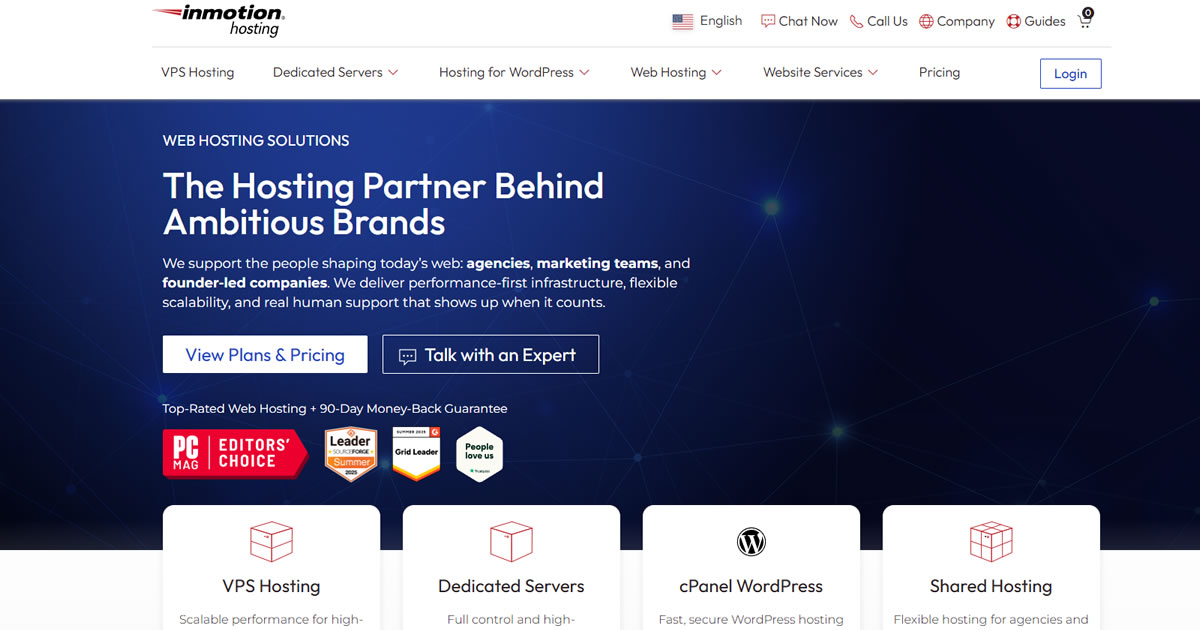
InMotion Hosting is a U.S.-based provider founded in 2001. It offers shared, WordPress, VPS, cloud, and dedicated hosting with cPanel, NVMe storage, bundled email, developer tools, and data centers in Virginia, California, and Amsterdam.
Why Do We Recommend InMotion Hosting for U.S.-Based Law Firms?
InMotion Hosting suits firms that prefer a U.S.-based provider with traditional cPanel management. Its shared plans combine website hosting, professional email accounts, SSL, security tools, and migration assistance.
We have used InMotion Hosting’s shared and VPS services for many years in the past. Performance remained stable throughout our experience, and its support team consistently provided useful help when we encountered technical issues.
The company offers 24/7 chat and ticket support, with phone assistance available on higher shared plans. Firms can also move from shared hosting to managed VPS or dedicated servers when they need isolated resources or more control.
Learn more in InMotion Hosting review.
InMotion Hosting Pros & Cons
Pros
- Provides free SSL, malware protection, DDoS protection, and a web application firewall.
- Offers 24/7 chat and ticket support; adds US-based phone support to Power and Pro plans.
- Supports SSH, Git, cron jobs, and several programming frameworks.
- Provides free assisted migration for eligible websites.
- Includes a 90-day money-back guarantee on qualifying plans.
Cons
- Automated backups are limited to selected plans or require Backup Manager.
- Promotional prices increase considerably at renewal.
- Smaller server network compare to the rest in our list
Setting up hosting can be confusing. That’s why we created HostScore Setup Help, a done-for-you service for getting your hosting configured the right way.
We help with SSL installation, DNS & nameserver setup, WordPress install or migration, and security tuning. One-time fee. Backed by a 100% refund guarantee.
Explore Our ServicesSide-by-side Comparison
| Web Host | Hosting Options | Starting Price | Best For |
|---|---|---|---|
| One.com | Shared, VPS Hosting | $2.99/mo | Solo lawyers and small firms wanting an all-in-one setup |
| Flashcloud | Shared, WordPress, VPS, dedicated Hosting | $2.79/mo | Small firms and practices with limited IT resources |
| ScalaHosting | Shared, VPS, Cloud, and Reseller Hosting | $2.95/mo | Growing firms needing managed cloud and more technical control |
| Hostinger | Shared, VPS, and Cloud Hosting | $2.99/mo | Budget-conscious firms and websites serving international audiences |
| Kinsta | - Hosting | $35.00/mo | High-traffic or business-critical WordPress websites |
| InMotion Hosting | Shared, VPS, Dedicated, Cloud, and Reseller Hosting | $4.79/mo | U.S. law firms wanting cPanel, phone support, and bundled email |
What Is the Best Web Host for Small Law Firms or Solo Practitioners?

The best web hosts for small law firms and solo practitioners are One.com and Flashcloud. Both combine website hosting with the basic services a small practice needs, but they suit slightly different working styles.
One.com is the better self-service option. Its Website Builder, Aida AI, business email, SSL, and daily backups give lawyers a straightforward way to create practice-area pages, attorney profiles, office pages, and consultation calls-to-action.
Flashcloud, on the other hand, is better for firms that want more assistance from the hosting provider. It includes website and email migration, a handcrafted starter website, daily backups, professional email, and 24/7 human support.
Choose One.com if you want an easy all-in-one website platform. Choose Flashcloud if you want the provider to handle more of the initial setup and migration work. From our perspective, both providers are intended primarily for public-facing law firm websites rather than confidential case-management systems.
What Is the Best Web Host for Law Firms Expecting High Traffic From SEO or PPC Campaigns?
The best web hosts for law firms expecting heavy campaign traffic are ScalaHosting and Kinsta. ScalaHosting offers a gradual managed cloud upgrade path, while Kinsta provides premium managed WordPress performance.
ScalaHosting suits law firms that expect their traffic to grow over time. Its managed cloud plans allocate dedicated resources and let firms increase CPU, memory, and storage without moving to a different hosting platform.
Kinsta is the stronger premium option for high-value SEO and PPC campaigns. Its isolated WordPress environments, edge caching, global CDN, and performance monitoring help websites handle traffic spikes without relying on a basic shared server.
What Is the Best Web Host for Law Firms Prioritizing Email Hosting?
The best web host for law firms prioritizing bundled email is ScalaHosting. Its shared hosting plans support business email accounts, spam filtering, webmail, and daily offsite backups.
ScalaHosting also lets firms manage websites, mailboxes, domains, and security settings through cPanel or SPanel, depending on the service selected. InMotion Hosting is another good option for U.S. firms that want cPanel email and phone support on higher shared plans.
Bundled hosting email provides convenience, but it may not suit every legal practice. Firms needing advanced identity controls, retention policies, or legal holds should also compare Microsoft 365 and Google Workspace.
What Is the Best Web Host for Law Firms With Advanced Website Security Needs?
The best web hosts for advanced website security are Kinsta and ScalaHosting. Kinsta offers a more tightly managed WordPress environment, while ScalaHosting provides greater server control through its managed cloud plans.
Kinsta isolates each WordPress site and includes Cloudflare firewall protection, DDoS mitigation, malware assistance, SSL, uptime monitoring, and automated backups. Its support team consists of WordPress engineers who can investigate application and server-level problems.
ScalaHosting combines server-side protection with SShield monitoring on supported SPanel environments. Its managed cloud plans also include dedicated resources, daily offsite backups, security management, and round-the-clock technical support.
Note that while these mentioned controls (from both Scala and Kinsta) improve website security, but they do not establish legal-industry compliance by themselves. Firms hosting confidential records should evaluate contracts, access controls, encryption, audit logging, and incident-response obligations separately.
What Is the Best Web Host for Law Firms With Multiple Office Locations?
The best web hosts for law firms with offices in multiple regions are Hostinger and Kinsta. Both combine multiple hosting locations with CDN delivery for visitors farther from the primary server.
Hostinger lets firms choose from data centres across several global regions and includes CDN access with its web hosting plans. It offers a cost-effective option for firms operating regional websites or serving clients across several countries.
Kinsta suits larger firms with high-traffic WordPress websites. Its global data centre choices and Cloudflare CDN distribute website content across more than 300 edge locations, reducing dependence on a single server location.
Firms should normally place the main server near their largest audience. A CDN can then deliver cached content quickly to visitors in other office regions.
What Is the Best Budget Web Host for Law Firms With Limited IT Resources?
The best web host for law firms with limited IT resources is Flashcloud. Flashcloud reduces the number of technical tasks the firm must manage during setup. Its team can migrate an existing website, databases, and email accounts or prepare a starter WordPress website for a new practice. SSL, professional email, domain privacy, daily backups, and common performance tools are already included.
The provider also offers 24/7 human support through live chat, email, and tickets. This gives firms somewhere to turn when they encounter migration issues, email configuration problems, backup questions, or routine hosting errors.
What Is the Best Web Host for Law Firms Needing Website Backups and Easy Restores?
The best backup options for most law firm websites are One.com, ScalaHosting, and Kinsta.
One.com includes daily backups and provides restore tools on eligible plans, making it a practical choice for small firms. ScalaHosting stores daily backups offsite and lets customers retrieve them through its hosting control panels.
Kinsta offers the strongest managed recovery setup of the three. Its WordPress plans include automated daily backups with at least 14 days of retention, manual restore points, and separate backups created during selected staging or deployment actions.
Website backups do not protect a law firm’s office computers, email accounts, or legal software. Those systems require separate backup and ransomware-recovery plans.
Is Standard Web Hosting Suitable for a Law Firm?
Yes. Standard web hosting (shared) is suitable for a law firm’s public-facing website when the site mainly publishes marketing and business information. It should not automatically become the storage environment for confidential case files, privileged communications, or evidence.
The American Bar Association states that lawyers may transmit client information online when they make reasonable efforts to prevent unauthorized access. More sensitive information, client agreements, or applicable laws may require stronger safeguards. Requirements also vary by jurisdiction and practice area.
What Can Law Firms Host on a Standard Shared Hosting Plan?
Standard hosting can support practice-area pages, attorney profiles, office information, articles, appointment requests, and general contact forms. These workloads usually fit shared hosting or managed WordPress hosting.
Contact forms still require care because potential clients may submit names, contact details, and case information. Firms should collect only what is needed, encrypt submissions with HTTPS, control who receives them, and define how long the information remains stored.
A contact form should not encourage visitors to upload evidence or provide detailed confidential information unless the firm has built a properly secured intake process.
What Should Law Firms Keep Outside the Public Website Environment?
Law firms should keep case files, discovery materials, identity documents, financial records, and privileged communications outside a standard website account. These records belong in systems designed for document management, secure collaboration, or legal practice management.
Separating these systems limits the damage caused by a compromised WordPress administrator, plugin vulnerability, or stolen hosting password. It also lets the firm apply stricter access controls, retention policies, audit logs, and user permissions to sensitive information.
Website forms can pass limited information into a legal CRM or intake platform. However, the integration must protect the data during transmission and avoid leaving unnecessary copies inside WordPress, email inboxes, or website databases.
When Does a Law Firm Need Legal-Specific Hosting or Managed Services?
A law firm needs more specialized infrastructure when its website environment also runs a client portal, document repository, custom legal application, or system containing confidential matter data.
These workloads may require private infrastructure, detailed activity logs, role-based access, data residency controls, formal incident response, tested recovery procedures, and contractual security obligations. A managed service provider should also understand the firm’s legal software and escalation requirements.
Legal-sector experience matters more at this level. A general web host may manage the server effectively without understanding evidence retention, ethical obligations, legal holds, or the operational effects of losing access to a case-management system.
What Types of Web Hosting Should Law Firms Consider?
Law firms should choose a hosting type based on website traffic, technical complexity, support needs, and the sensitivity of the data involved. A small informational website needs far fewer resources than a client portal or custom legal application.
When Is Shared Hosting Suitable for a Law Firm?

Shared hosting suits solo lawyers and small firms running brochure-style websites. It keeps costs low by sharing server resources across several customer accounts while the provider manages the underlying server.
A good shared plan can host WordPress, business email, attorney profiles, contact forms, and a legal blog. The plan should include SSL, backups, malware protection, and a clear upgrade path.
Shared hosting limits CPU, RAM, concurrent processes, and server configuration. Firms should upgrade when traffic, plugins, custom integrations, or security requirements exceed those limits.
When Should a Law Firm Upgrade to VPS Hosting?

VPS hosting suits growing websites that need isolated resources, custom software, or more predictable performance. A VPS allocates CPU, RAM, and storage to one virtual server rather than sharing all resources at the account level.
A managed VPS is usually the safer choice for a law firm without a system administrator. The provider can handle server updates, monitoring, firewall configuration, and routine maintenance within the stated support scope. An unmanaged VPS transfers those responsibilities to the customer. Root access provides control, but it also makes the firm responsible for patching, hardening, backups, and incident response.
When Does Cloud Hosting Make Sense for a Law Firm?

Cloud hosting suits high-traffic websites, multi-region audiences, and applications that need flexible resources. Cloud infrastructure can increase capacity without requiring the firm to replace a physical server.
The term “cloud” does not guarantee automatic scaling, security, or compliance. Law firms must check whether scaling is automatic or manual, how data is replicated, where backups are stored, and which party configures the security controls.
Cloud hosting is most useful when the firm has a capable developer, internal IT team, or managed service provider. Without proper configuration, a flexible cloud environment can introduce more operational risk than a simpler managed plan.
How About Managed WordPress Hosting – When Is It the Better Choice?
Managed WordPress hosting suits firms that rely on WordPress but do not want to manage frequent WordPress updates, caching, staging, backups, and server optimization themselves. The provider manages more of the WordPress environment and may offer direct access to WordPress specialists. Staging also lets a developer test plugin, theme, and PHP changes before updating the live website.
Managed WordPress Hosting, such as Kinsta and WP Engine, costs more than shared hosting and may restrict certain plugins. It also does not automatically turn WordPress into a suitable repository for privileged documents.
Why Do Speed and Uptime Matter for Law Firm Websites?
Speed and uptime matter because a law firm website often supports urgent searches, consultation requests, and paid marketing campaigns. A slow or unavailable website can interrupt lead generation when a potential client is ready to contact the firm.
Uptime measures whether the website remains accessible over a defined period. Firms should examine the provider’s uptime commitment, exclusions, service credits, public status page, and independently measured performance instead of relying only on an advertised percentage.
Page speed affects how quickly visitors can read practice-area content and submit an enquiry. Google recommends a Largest Contentful Paint of 2.5 seconds or less, an Interaction to Next Paint below 200 milliseconds, and a Cumulative Layout Shift score below 0.1 for a good user experience. Google also treats Core Web Vitals as part of its broader page-experience signals, not as a guarantee of higher rankings.
Law firms running PPC campaigns should also test the website under concurrent traffic. CDN caching can accelerate static pages, but consultation forms and other dynamic requests still depend on server capacity, PHP workers, database performance, and application configuration.
What Features Should Law Firms Look For in a Web Host?
Law firms should evaluate security, recovery, integrations, support depth, scalability, and email delivery alongside price and performance. The right feature set depends on whether the host runs a simple public website or a more sensitive legal application.
Website Security Controls Should a Law Firm Require?
A law firm should require SSL, a web application firewall, malware scanning, DDoS protection, multi-factor authentication, access logging, and timely software updates.
SSL encrypts traffic between the visitor and the website. It does not protect data after the server receives it or prevent an administrator account from being compromised.
Access controls should let the firm separate administrators, editors, developers, and external agencies. Each person should receive only the permissions needed for their role, and former staff should be removable without sharing a master account.
What Backup and Ransomware Recovery Protections Should Be Included?
A hosting backup system should define its frequency, retention period, storage location, and restoration process. The provider should also explain whether backups remain isolated from the main hosting account.
Ransomware recovery requires more than a daily copy on the same server. Firms should look for offsite or immutable backups, multiple restore points, malware checks, and tested restoration procedures. CISA recommends maintaining offline or isolated backups and regularly testing their availability and integrity.
The firm should also define its recovery point objective and recovery time objective. The first determines how much recent data can be lost, while the second determines how quickly the website must return.
Hosting backups protect website files and databases. They do not protect employee computers, Microsoft 365 accounts, Google Workspace, or third-party legal software unless those systems have separate backup arrangements.
Do Law Firms Need Customer-Managed Encryption Keys?
Most small law firm marketing websites do not need customer-managed encryption keys. Provider-managed encryption is usually enough when the site stores only public content and limited contact information.
Customer-managed keys, often called BYOK, become relevant when the firm operates a client portal, stores sensitive records, or has a contractual requirement to control encryption keys. BYOK can let the firm rotate, revoke, and audit key usage separately from the hosting provider.
Will the Host Work With Legal CRMs and Intake Software?
A web host can support legal CRM integration when the hosting plan permits the required plugins, APIs, webhooks, scheduled tasks, and outbound connections.
Most legal CRMs operate as external SaaS platforms rather than software installed on the website server. The website normally sends intake information through a supported form integration or API.
The firm should confirm what data the connector transmits, where failed submissions remain stored, and whether sensitive form contents appear in ordinary email notifications. Server logs and integration logs should record enough information to diagnose errors without exposing full client submissions.
What Level of Technical Support Will the Firm Actually Reach?
A law firm should determine whether hosting support consists of general customer service, trained hosting technicians, WordPress specialists, system administrators, or network engineers.
Front-line support can usually handle billing, passwords, DNS changes, and basic configuration. More serious problems may require someone who can inspect server logs, investigate malware, restore backups, adjust firewall rules, or escalate an infrastructure outage.
Firms should ask who handles urgent cases, how escalation works, and which tasks fall outside the support scope. “24/7 support” only describes availability; it does not identify the technical level of the person answering.
How Should the Hosting Plan Handle Traffic Growth?
A hosting plan should support expected traffic without exhausting CPU, RAM, PHP workers, database capacity, or concurrent-process limits.
CDN caching can reduce server load for articles and practice-area pages. Dynamic forms, search features, logged-in portals, and uncached WordPress requests still require adequate application resources.
The provider should explain how upgrades work and whether they cause downtime. Firms running major advertising campaigns should also ask whether temporary resource increases or automatic scaling are available.
Should Email Hosting Be Included With the Website Plan?
Bundled email hosting suits small or solo lawyer firms that want simple mailboxes under their domain. It reduces the number of accounts and bills the firm must manage.
Dedicated business email platforms may provide stronger identity controls, retention rules, legal holds, device management, and administrative logging. Separating email from web hosting can also keep communication available during a website or hosting outage.
Whichever approach your firm chooses, email should support multi-factor authentication, spam filtering, malware detection, SPF, DKIM, and DMARC.
What Should Law Firms Verify Before Signing a Hosting Contract?
Law firms should verify the service commitment, liability terms, data-handling rules, support responsibilities, and exit procedures before signing. A feature shown on a sales page does not automatically create a contractual obligation.
Uptime SLA & Incident Policy Promise
An uptime SLA should define how availability is measured, which services it covers, and what exclusions apply. It should also state how the customer claims service credits after qualifying downtime.
Service credits rarely compensate for lost leads or campaign spending. Firms should therefore examine the provider’s incident response, escalation channels, notification timeline, maintenance policy, and post-incident reporting.
The contract should also identify which party investigates website-level incidents. NIST treats detection, response, and recovery as separate parts of cybersecurity risk management, so buyers should verify all three rather than focusing only on prevention.
Contractual Indemnification & Liability
Law firms should examine what the provider agrees to indemnify and what the customer must indemnify in return. Common areas include third-party intellectual property claims, misuse of the service, unlawful content, and security incidents.
The contract may cap the provider’s total liability at the fees paid during a short period. It may also exclude lost revenue, business interruption, data loss, and other consequential damages.
Firms should check whether an indemnity covers the provider’s subcontractors, data breaches, or failure to follow agreed security obligations. They should also review who controls the defence and whether a settlement can impose obligations on the firm. Qualified legal counsel should assess the final wording.
Data Handling & Jurisdiction
A hosting contract should identify who owns customer data, where that data may be stored, and which sub-processors can access it. The agreement should also address confidentiality, breach notification, government requests, backup retention, access logs, account termination, and secure deletion. Data-processing terms may sit in a separate agreement incorporated by reference.
Cloud contracts often divide responsibilities across the customer, host, infrastructure provider, and other vendors. In the United States, ABA’s Cloud Computing Toolkit recommends identifying the applicable terms and understanding the rights and obligations spread across these services.
How Can Law Firms Verify a Provider’s Legal-Sector Experience?
Law firms can begin by examining which hosts their competitors and professional peers use. Enter several law firm website addresses into the HostScore Web Hosting Checker to identify their likely hosting providers, server locations, web server software, CMS, CDN, and DNS services.
Checking several comparable firms can reveal common hosting platforms and infrastructure choices within the legal sector. The results provide a practical shortlist for further investigation, although a CDN or managed agency setup may sometimes conceal the original host.
The firm should then request references from legal practices with similar workloads, firm sizes, and jurisdictions. A useful reference should explain whether the provider managed a public WordPress site, client portal, legal application, document repository, or private cloud environment.
Firms should also ask how the provider handled outages, security incidents, emergency restores, and software integrations. The checker identifies public infrastructure, but direct references are still needed to verify support quality and experience with confidential legal systems.
Frequently Asked Questions
Does a Law Firm Need Specialized Web Hosting?
No, a law firm does not need specialized hosting for a basic public website. Shared or managed WordPress hosting can support attorney profiles, practice-area pages, articles, office information, and general contact forms.
Specialized infrastructure becomes necessary when the environment stores confidential documents, runs a client portal, or hosts legal software.
Can a Law Firm Store Client Documents on Its Website Server?
A law firm should not store client documents on a standard website account by default. Public website environments face risks from vulnerable plugins, compromised administrator accounts, and incorrectly configured file permissions.
Confidential documents should use a system with controlled access, audit logs, encryption, retention policies, and tested recovery procedures.
Should a Law Firm Host Its Website and Email With the Same Provider?
A small law firm can host its website and email together for simpler management and lower costs. One.com, ScalaHosting, Hostinger, and InMotion Hosting provide bundled email options on selected plans.
A separate platform such as Microsoft 365 or Google Workspace may provide stronger account management, retention, device control, and administrative logging. Separating email also keeps communication available during a website-hosting outage.
Does the Server Need to Be Located in the Same Country as the Law Firm?
No, the server does not always need to be in the same country as the law firm. The correct location depends on the firm’s audience, privacy obligations, client contracts, and data-residency requirements.
A server near the main visitor base can reduce latency. A CDN can then cache static content near visitors in other regions.
How Often Should a Law Firm Website Be Backed Up?
A law firm website should normally be backed up at least once per day. Websites that receive frequent form submissions or content updates may require more frequent database backups. The backup system should retain several restore points and store copies away from the primary server. Firms should also create a manual backup before plugin updates, theme changes, migrations, or major content revisions.
Is Shared Hosting Secure Enough for a Small Law Firm?
Yes, shared hosting (like the ones that we recommend in this guide) can secure a small public-facing law firm website when the provider includes account isolation, SSL, malware scanning, a web application firewall, backups, and timely server updates. Though, note that shared hosting is not the right environment for confidential case files or custom legal applications.
Which Hosting Provider Should Your Law Firm Choose?
One.com is our overall choice for solo lawyers and small firms, while Hostinger suits tighter budgets and ScalaHosting provides a stronger managed cloud upgrade path. Kinsta fits high-traffic WordPress websites, and InMotion Hosting is a dependable option for U.S.-based firms that value stable performance and helpful support.
Based on our experience and knowledge, standard shared hosting is sufficient for most public law firm websites. Firms running client portals or storing confidential legal data should conduct a separate security, infrastructure, and contract review before choosing a provider.