Let’s Encrypt provides free SSL/TLS certificates that help websites enable HTTPS encryption. It’s a popular choice for site owners who want to secure traffic without paying for commercial SSL products. Backed by major organizations like Mozilla, Cisco, and the EFF, Let’s Encrypt simplifies the process of installing and renewing SSL certificates.
If you’re launching a new site or switching to HTTPS, Let’s Encrypt is a great starting point. However, it only offers domain-validated certificates, has a shorter lifespan (90 days), and doesn’t include warranty protection like some paid options.
This article explains what Let’s Encrypt is, how it works, and when it’s the right fit for your site.
Generate Free SSL Certificates from One Dashboard
Managing multiple SSLs on different platforms can be frustrating. ZeroSSL.com lets you generate and manage unlimited SSL certificates for just $10 per month – Secure your sites in just 5 minutes.
What Is Let’s Encrypt Free SSL?
Let’s Encrypt is a free, open, and automated certificate authority (CA) that issues SSL/TLS certificates. These certificates encrypt data between your website and its visitors, protecting passwords, personal details, and payment information from unauthorized access.
Let’s Encrypt was launched by the Internet Security Research Group (ISRG) and is supported by trusted names in the tech community, including Mozilla, Akamai, Cisco, and the Electronic Frontier Foundation (EFF).
Its goal is to make HTTPS the default standard for all websites by eliminating the cost and complexity of traditional certificate setup.
How Does Let’s Encrypt SSL Work?
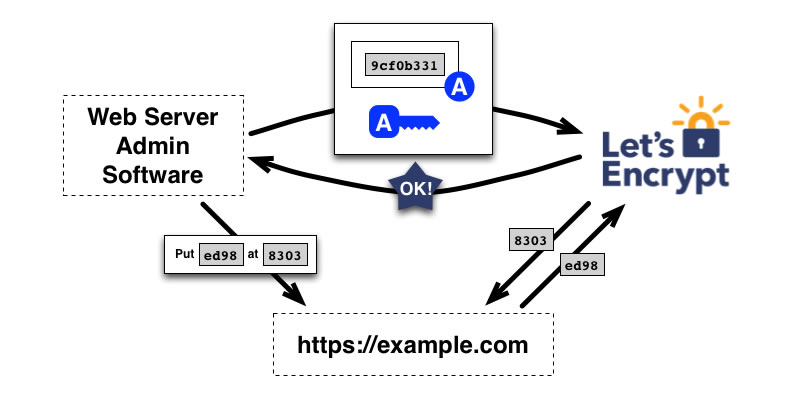
Let’s Encrypt uses the ACME protocol (Automatic Certificate Management Environment) to issue and renew certificates. This process is handled automatically by your hosting provider or server software.
As a result, you can deploy and maintain SSL on your website with minimal effort—no manual validation, downloads, or email confirmations required.
Main Features of Let’s Encrypt SSL
- Free of Charge – No cost for issuing or renewing certificates.
- Automated Setup – Works seamlessly with most modern hosting panels and tools.
- Browser Trusted – Recognized by all major browsers (Chrome, Firefox, Edge).
- Secure Data Transmission – Encrypts traffic to protect against interception or attacks.
- Short-Term Validity – Certificates expire every 90 days and must be renewed regularly.
Who Should Use Let’s Encrypt?
Let’s Encrypt is ideal for many use cases, but not all. Here are a few to get started, but remember that the list isn’t exhaustive.
If You’re on a Tight Budget
Let’s Encrypt SSL certificates are 100% free, and you can request new certificates as often as you need them. If some of your SSL certificates expire after three months, others are about to expire and need renewing, or you just want to install a certificate for a new domain, Let’s Encrypt will provide one for no cost.
If You’re Not Tech-Savvy
The biggest issue many people have with SSL certificates is setting them up on the web server. You can do this manually or through tools built into most hosting control panels. However, with Let’s Encrypt, the process is even more straightforward because you can use the automatic installer with most hosting accounts.
If You Only Need Basic SSL Coverage
Let’s Encrypt provides Domain Validation (DV) level security which is sufficient if you’re securing an eCommerce site that uses payment platforms like PayPal or Stripe to handle financial transactions instead of doing it yourself directly through your website.
DV-level security may not be the best option if you collect sensitive data like credit card numbers. Extended Validation (EV) level security would be much better in that situation because it includes extra steps like validating other forms of identification.
How to Install Let’s Encrypt SSL On Your Website?
You can install Let’s Encrypt SSL on your website using the one-click installer inside your web hosting control panel. Modern web hosting control panels, including cPanel, Plesk, Hostinger hPanel, and SiteGround Site Tools, support this feature and allow users to configure and renew their Let’s Encrypt SSL certificate automatically.
The following is the exact instructions to set it up:
Installing Let’s Encrypt SSL on cPanel
- Log into your cPanel account and click on Let’s Encrypt SSL.
- Click +Issue next to the domain name you wish to secure.
- Select the domains and aliases you wish to include.
- Click the Issue button.
Installing Let’s Encrypt SSL on Plesk
- Log into your Plesk control panel and select Extensions from the menu bar.
- Click on the Extensions Catalog panel.
- Find the Plesk extensions option and click the down arrow to open the submenu.
- Ensure a green checkmark on the Let’s Encrypt option, then click Continue.
- Once the extension is ready, select the domain you wish to secure.
- Provide your email address and click Install.
- Check the SSL/TLS support in the Security section, selecting Let’s Encrypt.
If your host does not support this, you can install it manually using Certbot. The process involves logging into your server via SSH, running the Certbot command to generate a certificate, and updating your web server (Apache or NGINX) to use it. Once done, the SSL certificate encrypts and secures traffic between your website and visitors’ browsers.
Which Web Host Supports Let’s Encrypt?
Most modern hosting providers, including Hostinger, Verpex, HostArmada, SiteGround, GreenGeeks, Hosting.com, and TMD Hosting, support Let’s Encrypt and allow one-click SSL installation via their control panels.
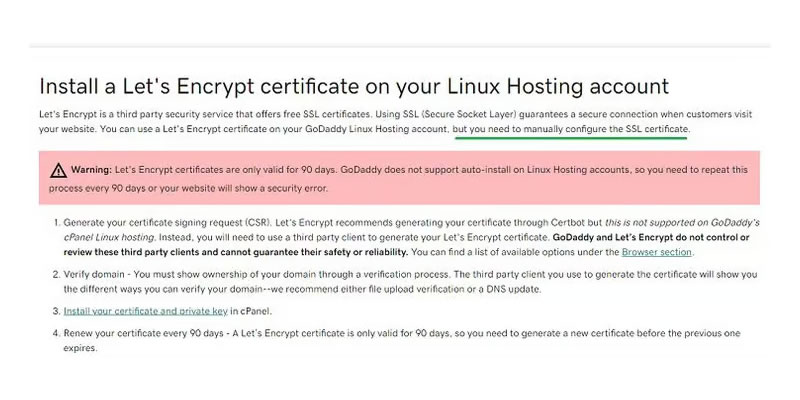
However, some providers restrict or complicate the process. GoDaddy, for instance, does not officially support Let’s Encrypt, and users may need to install certificates manually.
If you’re planning to use Let’s Encrypt, choose a host that includes automated SSL installation to avoid unnecessary technical hurdles.
Drawbacks of Let’s Encrypt and When to Consider Alternatives
The biggest drawback of Let’s Encrypt SSL certificates is their 90-day expiration period, requiring frequent renewals. If your web host supports automatic renewal, this isn’t an issue. However, not all hosting providers make the process seamless. For example, some hosting providers, like GoDaddy, don’t offer easy integration with Let’s Encrypt, making manual installation and renewal time-consuming and complex.
Additionally, Let’s Encrypt doesn’t offer customer support. If you encounter issues, you’ll need to troubleshoot on your own or seek help from third-party forums and communities.
Alternatives to Let’s Encrypt Free SSL
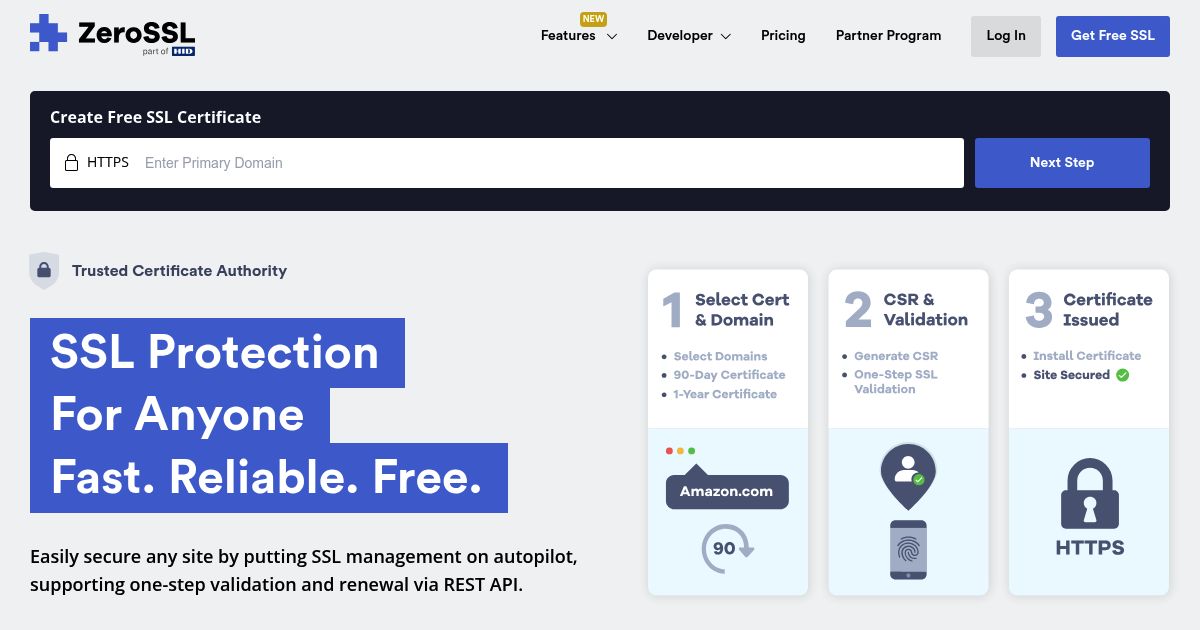
While Let’s Encrypt is the most widely used free SSL provider, it’s not the only option. ZeroSSL offers up to three free SSL certificates on its basic plan. OpenSSL, another alternative, provides more customization options than Let’s Encrypt.
In contrast, many commercial SSL certificates are available from reputable providers. These include GeoTrust, DigiCert, Sectigo, and more. You can get these certificates from many places online, but ensure that it’s a trusted SSL certificate provider.
Here’s a comparison table highlighting the key differences between Let’s Encrypt, other free SSL alternatives, and paid SSL certificates.
| Feature | Let’s Encrypt | ZeroSSL | OpenSSL | Paid SSL (GeoTrust, DigiCert, etc.) |
|---|---|---|---|---|
| Cost | Free | Free (up to 3 certificates) | Free | Varies ($10 – $300+/year) |
| Certificate Type | Domain Validation (DV) | Domain Validation (DV) | Customizable | DV, OV, EV |
| Expiration Period | 90 days | 90 days | Customizable | 1-2 years |
| Renewal Process | Automated (if supported) | Manual or API-based automation | Manual or automated | Automated |
| Customer Support | None | Limited | Community-based | 24/7 support |
| Wildcard Support | Yes | Yes | Yes | Yes |
| Installation Complexity | Easy (if web host supports it) | Moderate (manual setup needed) | Advanced (for developers) | Easy (host-assisted) |
| Trust Level | Basic security | Basic security | Moderate security | High trust |
| Warranty Coverage | None | None | None | Yes ($10k – $1M+) |
| Best For | Blogs, personal sites | Small websites, personal use | Advanced users, custom setups | Businesses, eCommerce, enterprises |
Should You Use Let’s Encrypt for Your Website?
Let’s Encrypt is a solid choice if you want free, browser-trusted SSL with minimal hassle. It’s ideal for personal sites, blogs, portfolios, or small businesses that need basic HTTPS security.
However, installation isn’t always seamless – especially if your host doesn’t support it natively or if you’re unfamiliar with control panel tools.
However, if you need extended validation, warranty coverage, or advanced configurations, a commercial SSL certificate may be a better fit.
Need Help Installing SSL?
We offer a one-time SSL installation service for $15 per website. You’ll get installation of a free Let’s Encrypt certificate and HTTPS redirection setup. It’s perfect if you’re launching a new website or switching to HTTPS for the first time.